 By Mark WhiteOwner & Executive Producer, DFW Live Stream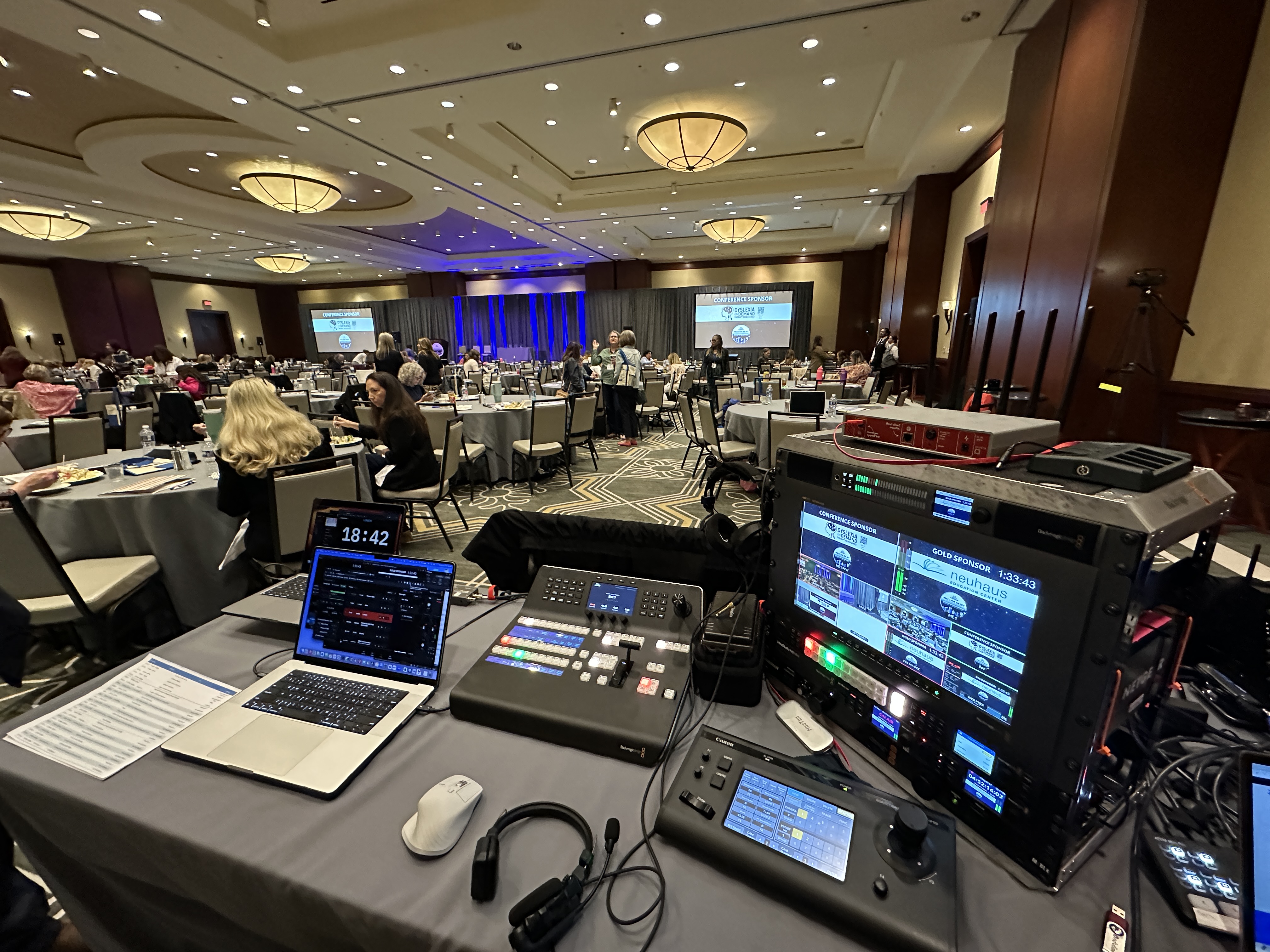
An event video production company handles everything it takes to put your event on camera and get it in front of the people who need to see it — the big screens in the room, a remote audience watching live, or a library of clean footage you'll use for months afterward. That means cameras, crew, audio, switching, streaming, and all the planning that holds it together. (Updated September 22, 2026.)
Here's the short version: a good production company gets involved weeks before your event, figures out what your room and agenda actually need, shows up with the right gear and people, produces the whole thing live, and hands you polished deliverables when the lights come up. You focus on your speakers and your audience. They own everything with a lens or a cable attached to it.
I own DFW Live Stream, and this is the work my team does every week — conferences, town halls, product launches, galas. In this guide I'll break down what's actually inside that job title, what it typically costs, what a complete quote should cover, and how to tell whether you need a production company, an AV company, or one person with a camera.
Event video production splits into two jobs — capturing the event well, and delivering it to the people who need to see it. Most disappointments happen when a vendor is good at one half and shrugs at the other.
Capture is the part everyone pictures: cameras on tripods, an operator following the speaker, decent framing, good light. Necessary, but not sufficient. Footage that never reaches an audience is just expensive storage.
Delivery is where the real value shows up. Does the camera feed hit the screens in the room so the back rows can see? Does it stream to the two hundred employees who couldn't travel? Is it recorded cleanly enough to cut into training content and social clips? A real event video production company designs for delivery first, then builds the capture plan backward from it.
Pre-production is the invisible half of the fee, and it's the half that prevents disasters. By the time we roll a case into your venue, the hard decisions have already been made.
That work looks like this: a discovery call about your agenda and audience, a walk-through of the run of show, questions about your venue you probably haven't thought to ask — where's the power, what's the internet situation, can we get a feed from the house sound system, when can we load in. We build a camera plot for the room and a plan B for everything that can fail.
If a vendor's pre-production process is a single email asking for the address, that tells you what event day will look like. I wrote up the whole engagement process in what to expect when you hire a livestream company — the shape is the same for any serious production partner.
On show day, the production company loads in hours before your first attendee arrives, builds the system, and tests everything against a real signal. The goal is boring: by doors-open, there's nothing left to discover.
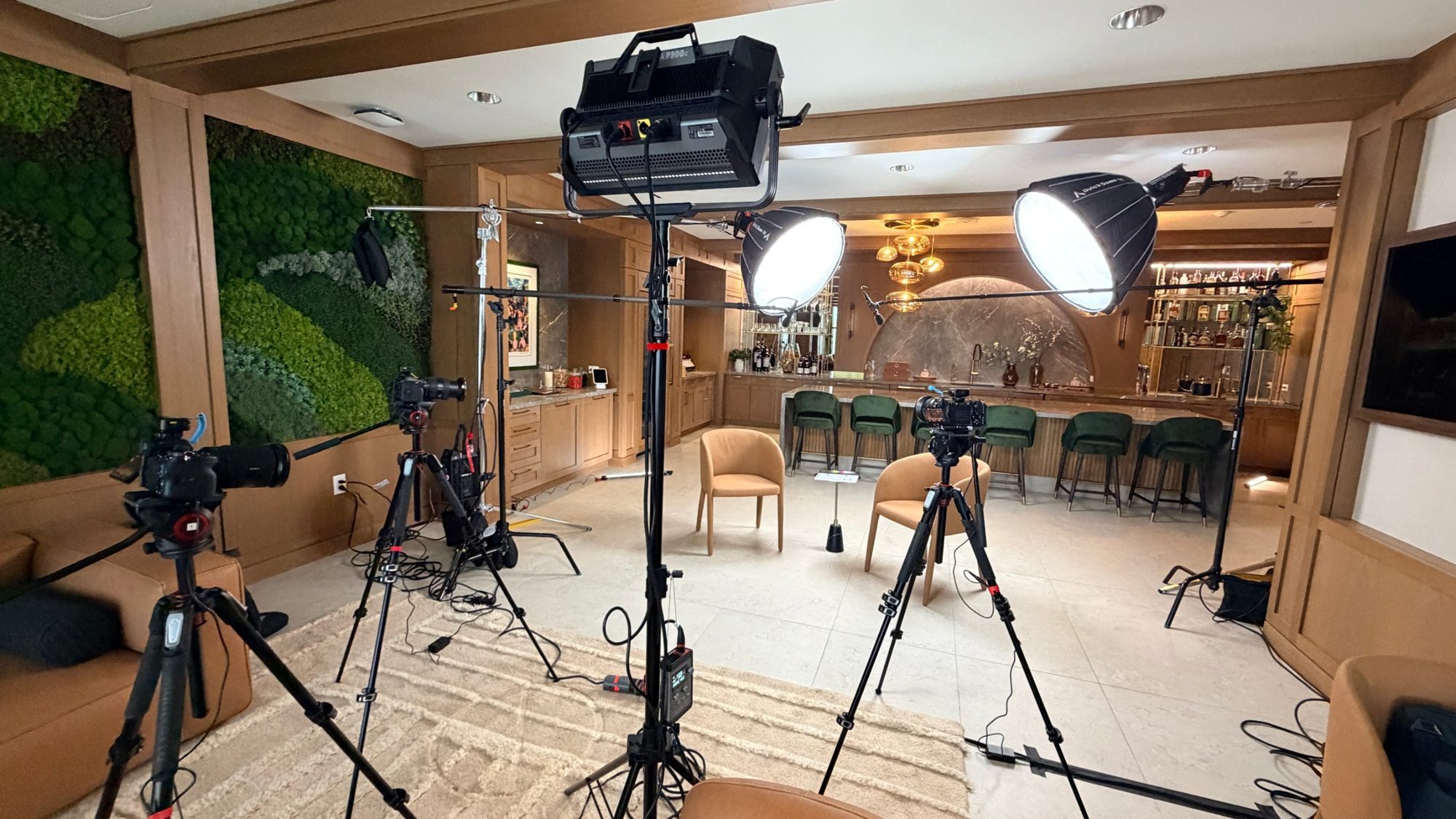
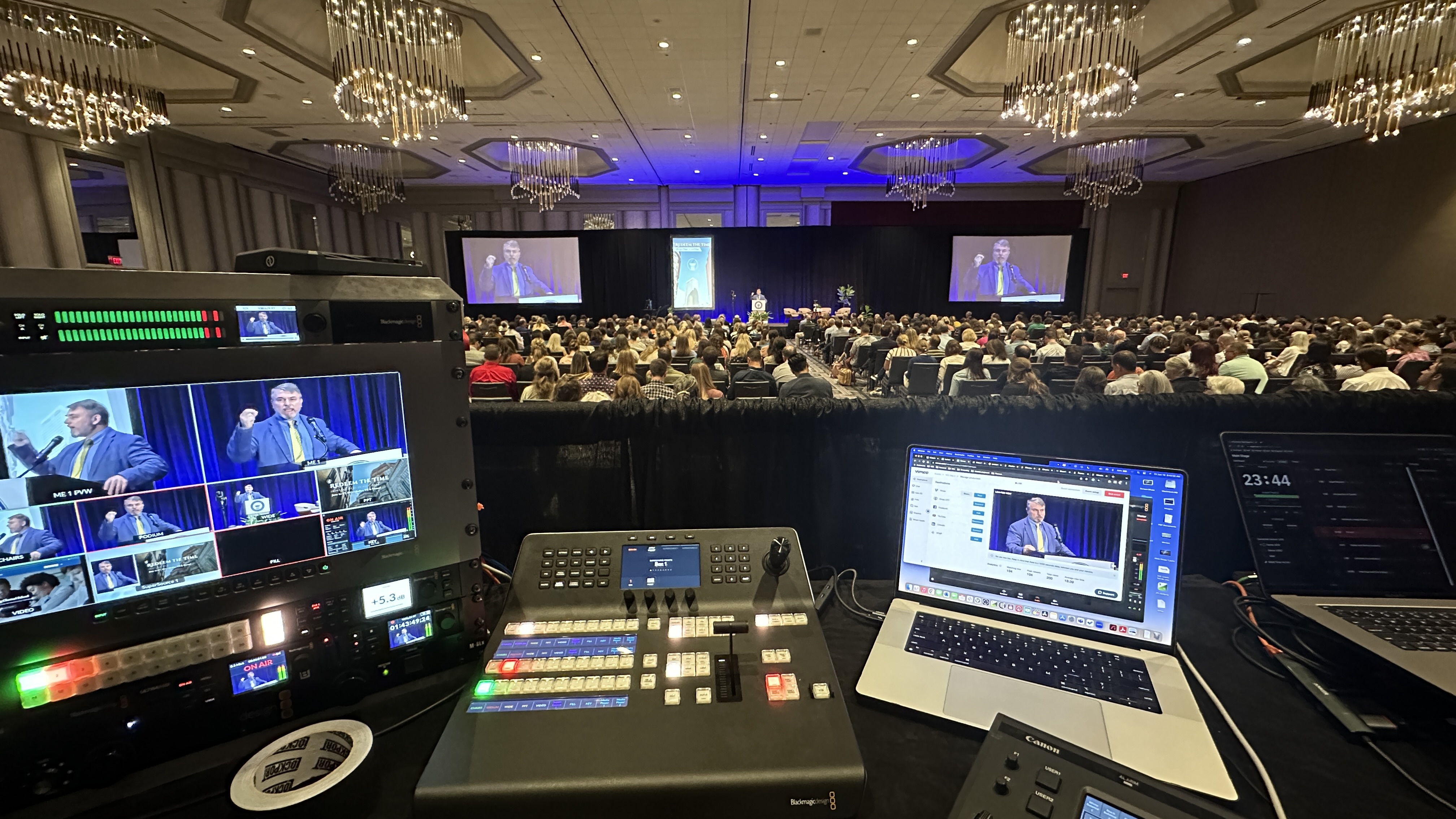
A typical corporate setup for us is two to four cameras — usually a mix of manned cameras and Canon CR-N500 PTZs we control remotely — feeding a Blackmagic ATEM switcher at a production desk in the back of the room. One operator cuts between angles live, following the energy of the room the way a sports broadcast follows the ball.
That live switching is what separates production from coverage. A single locked-off camera records an event. A switched multi-camera show tells it. I broke down why that difference matters for your audience in why a multi-camera livestream looks professional.
Ask anyone who's produced a hundred events what fails first, and they'll say audio. Viewers forgive an average camera angle; they leave over bad sound in about ninety seconds.
A production company owns this. That means wireless mics on your presenters — we run Sennheiser systems — a real mixing console like the Allen & Heath SQ5 when the input count grows, and a clean feed negotiated with your venue's house system when one exists. It also means someone at the desk actually listening to the broadcast mix all day, not just setting levels at 8 a.m. and hoping.
When you're comparing vendors, ask more questions about audio than cameras. The answers are more revealing.
Think of it this way: production creates the program, and streaming is one of several places that program can go. The stream your remote audience watches is only ever as good as the production feeding it.
That switched, mixed, directed output can be sent to a livestream, recorded for later, projected onto screens in the room, or all three at once. When a livestream looks bad, the problem is almost never "the stream" — it's the production behind it: one static camera, untreated audio, no director. This is why I push back when someone asks for "just a stream." The stream is the easy part. The program is the product.
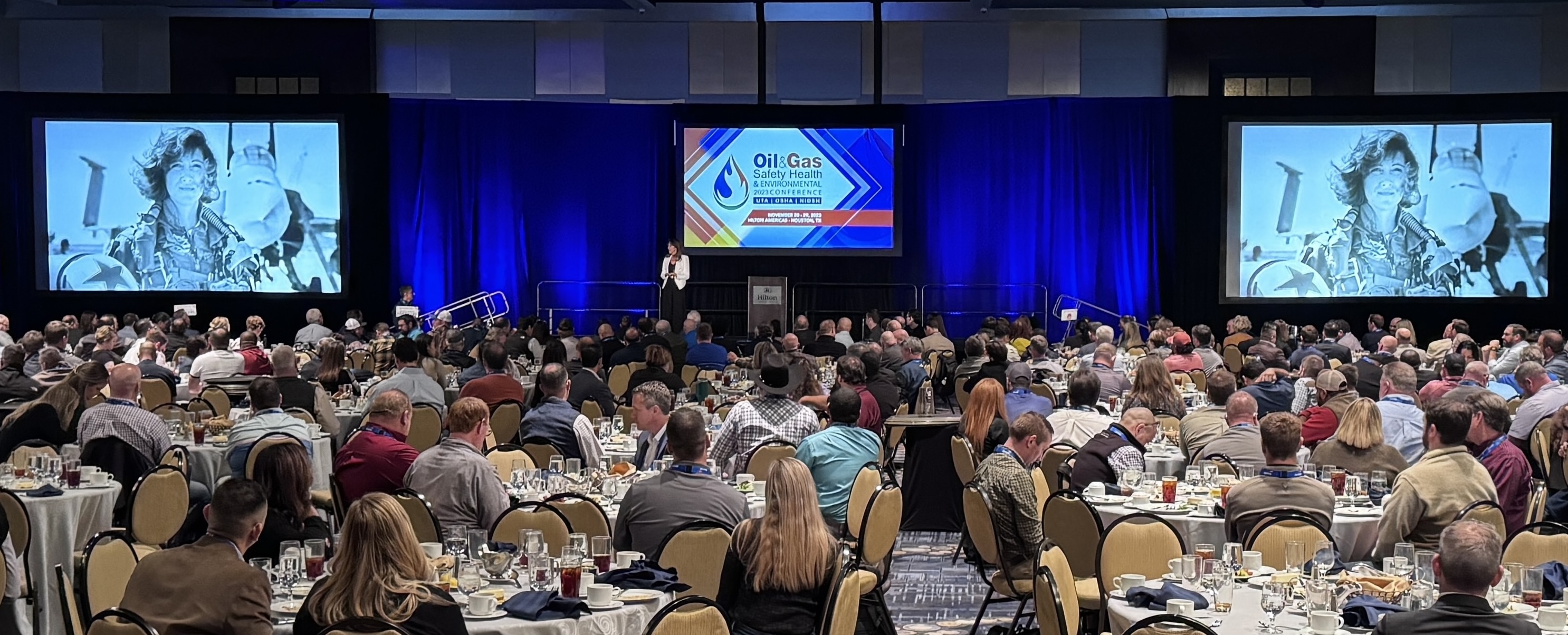
If your event is in a ballroom for a few hundred people, the camera feed often serves the in-room audience too — that's IMAG, image magnification, putting the live camera shot on big screens beside the stage.
IMAG raises the stakes on production quality because the room sees every cut the moment it happens, with zero latency tolerance. It's also one of the best arguments for hiring a production team rather than pointing a camera at the stage: the same switched program serves the screens, the stream, and the recording at once. I've covered when it's worth it in do you need big screens at your event.
Most corporate events now want both a live broadcast and a recording, and a production company builds one system that does the two jobs at once. The stream serves the audience that couldn't be there; the recording keeps paying you back after the event ends.
On the streaming side, that includes encoding, the platform setup — public on YouTube, gated on a webinar platform, or fully private for internal content — and redundancy. We carry a LiveU Solo Pro bonded cellular encoder so the stream survives even when venue internet doesn't. On the recording side, it means clean program and isolated camera recordings, not a screen capture of the stream.
If you're not sure which delivery mix your event needs, that's a planning conversation, not a line item — and it's exactly the kind of thing a discovery call sorts out in fifteen minutes.
Deliverables are where event video production keeps earning after load-out. The event lasted a day; the footage should work for a quarter.
Standard deliverables are the full program recording and, for conferences, per-session cuts your team can share internally or post publicly. From there, a lot of clients have us pull highlight reels and short social clips — the keynote's best ninety seconds does more on LinkedIn than the full hour ever will. Speaker and testimonial clips shot in a quiet corner during breaks are cheap to add while the crew is already there, and an internal-comms cut of the general session is often the most-watched thing produced at the entire event.
You rarely need all of them. A leadership summit might only need the session recordings and the internal cut; an awards gala might only need the reel and the social clips. Tell your vendor what the video is for and let them scope backward from that. Agree on deliverables in writing before the event. "We'll send you the footage" is not a deliverable; a program recording, session cuts, and delivery timeline are.
Pricing follows crew size, camera count, hours, and deliverables — not mystery. Every quote, mine included, is built from those four inputs, and once you can see them you can read any vendor's quote in about two minutes.
Single-camera coverage of a straightforward event with a professional operator typically starts around $3,900. Multi-camera productions with live switching — the standard for conferences and anything with remote viewers — generally run $5,000 to $15,000 depending on camera count, crew, and IMAG. Multi-day conferences typically land between $11,000 and $30,000+, because you're multiplying crew days and often covering breakouts in parallel rooms. A dedicated setup and rehearsal day, which I recommend for anything high-stakes, usually adds $2,250 to $3,750, and domestic travel outside DFW generally adds $3,800 to $4,600.
Where budgets go wrong is rarely a vendor overcharging. It's buying coverage that doesn't match what the video is for: four cameras when nobody will watch anything but the highlight reel, or one camera when the whole point was session recordings people could learn from. The other two mistakes are treating audio as an afterthought and deciding after the event that you want twelve edited sessions instead of raw footage, when the crew didn't capture slides cleanly or shoot the B-roll the editor now needs. Scope the deliverables first, then the shoot.
I published a full breakdown in what it costs to livestream an event, and you can see exactly what those dollars buy in what's included in a corporate livestream package.
If your event is a conference specifically, conference videography in Dallas covers the multi-room version of this, and repurposing event footage for social is where the recording keeps earning after the room empties. For the Dallas video production market more broadly — brand films, testimonials, produced pieces — see corporate video production in Dallas.
The fastest way to compare vendors is to check whether each quote covers the whole job or just the part that's easy to price. A complete event video production quote covers pre-production, the shoot itself, and post-production, and it says so in writing.
Pre-production should include a planning call, a site visit or venue walkthrough, a shot list built from your run of show, coordination with the venue's AV team about power, audio feeds, and camera positions, and a written technical plan. The shoot should specify camera count, crew count and roles, hours on site, how audio is captured (a direct feed from the house mixer plus our own backup, ideally), backup recording, and who is responsible for what if something breaks. Post-production should list every deliverable by name, its approximate length, the turnaround, the number of revision rounds, and whether music licensing and captions are included. "Edited video" is not a deliverable. "Twelve session recordings up to 60 minutes each, slides composited in, lower thirds for each speaker, delivered within 10 business days, one round of revisions" is.
A confident vendor answers those questions without hesitation and probably has a few for you in return, mostly about what the video is for. A quote that lands in your inbox with no questions asked usually means the vendor is pricing a generic day rate, not your event. If you're hiring a single operator rather than a production company, hiring a corporate videographer walks through the same checklist at a smaller scale, and what a corporate event videographer actually does on event day covers the coverage side of the job.
These three get confused constantly, and hiring the wrong one is the most common mistake I see event planners make. The quick test: who is the work for?
An AV company serves the people in the room — sound reinforcement, projectors, staging, lighting. An event video production company serves the camera and everyone watching through it, live or later. Plenty of events need both, and the two teams work side by side. I unpacked that split in livestream company vs. AV company.
A freelancer is a scale question. One camera, low stakes, simple delivery — a good solo shooter can be the right call. Multiple cameras, a live audience, or anything you can't redo tomorrow, and you want a crew with redundant gear and defined roles. Here's how to tell which one your event needs.
If you're weighing options for an upcoming event and want a straight answer about what it actually requires — including "less than you think" when that's the truth — grab 20 minutes with me. No pitch, just a planning conversation.
Videography usually means one shooter capturing footage for later editing. Event video production covers the whole system — multiple cameras, live switching, audio, screens, streaming, and deliverables — produced in real time. If anyone watches live, in the room or remotely, you're in production territory.
For a single-day corporate event, four to six weeks is comfortable. Multi-camera, hybrid, or multi-day productions deserve two to three months so pre-production isn't rushed. Good companies book out, especially in spring and fall conference seasons.
Often, yes — camera feeds can drive IMAG screens and the stream from the same switcher, which keeps the two in sync and saves money. Confirm it explicitly, because some vendors only do one side and quietly subcontract the other.
If your event has a live remote audience, panel discussions, or audience interaction, multiple angles keep it watchable. A single camera can work for a simple presentation recording. The honest answer depends on your agenda, and a good vendor will tell you when one camera is enough.
The run of show, a venue contact, your slide and branding assets, and decisions about where the stream goes and who's allowed to watch. A good vendor sends a checklist that covers all of it — if they don't ask for these things, worry.
Typically $3,900 and up for professional single-camera coverage, $5,000 to $15,000 for multi-camera productions with live switching, and $11,000 to $30,000+ for multi-day conferences. Camera count, crew, hours, and deliverables drive the number more than anything else.
Common deliverables are full session recordings, a two- to three-minute highlight reel, short speaker or testimonial clips, social-media cuts, and an internal-communications version of the general session. You rarely need all of them, so tell the vendor what the video is for and let them scope from there.
A complete quote names each deliverable, its length, the turnaround time, the number of revision rounds, and whether music licensing and captions are included. If any of those are missing from the quote, ask before you sign rather than after delivery.
DFW is home base, but we produce events across Texas and travel nationally and internationally when clients bring us along. Domestic travel generally adds $3,800 to $4,600 to a production budget.
Production creates the program — cameras, switching, audio, direction. Streaming is one way to deliver that program to people outside the room. You can produce without streaming, but a stream without real production behind it is just a webcast.
Yes — that's one of the main efficiencies of doing it properly. The switched program can drive IMAG screens, the livestream, and the recording simultaneously, so one production serves the in-room and remote audiences at once.
Mark runs DFW Live Stream and has been producing corporate livestreams, conferences, town halls and webinars across Dallas–Fort Worth and around the country since 2017. He writes these from the production desk, not a marketing department, and uses AI tools to help draft and structure them. Every post is read, fact-checked and edited by him before it goes live.