Updated June 2026 — pricing and figures reviewed for current 2026 rates. (Updated September 7, 2026.)
If you are searching "how much does it cost to livestream an event," you have an event coming up, and someone on your team said, "Can we stream this?" Now you need a number. Not a vague range from someone who has never actually produced your kind of event. A real number based on real work.
I am Mark with DFW Live Stream. I have been running corporate livestreams across the country for over ten years. Either I am on site or my lead operator, Eli, is — and often both of us. This is the first question every client asks, so let me give you the straight answer based on actual line items from events we have produced.
The quick answer: professional livestreaming for a corporate event typically runs between $1,595 and $30,000 in 2026. That is a wide range, so let me walk you through the five factors that determine where your event falls — and what you are actually paying for.
After producing hundreds of corporate events, I have boiled it down to five things that move the number on every quote. Understanding these will help you budget smarter and have a better conversation with any production company.
The type of event is the single biggest factor in livestream pricing. A produced virtual webinar starts at $1,595, a single-day on-site event runs $3,900 to $10,000, and multi-day conferences range from $11,000 to $30,000 or more.
A fully remote production where everything happens through Zoom, Teams, or a similar platform. A live stream producer manages the broadcast, handles custom graphics and lower thirds, supports your presenters with screen sharing, and records the whole thing for on-demand playback. No travel, no on-site gear. We regularly produce virtual town halls exactly like this — clean, simple, and the client does not have to worry about a thing.
Virtual event production cost is the one place we publish exact prices, because the scope is predictable. Here is the 2026 card, the same one on our produced webinars page and our virtual event production page:
What moves a virtual quote above the card is exactly four things: running longer than 90 minutes, more than four presenters, multiple simultaneous sessions or tracks (each needs its own producer, same as a breakout room does on site), and dedicated rehearsal sessions beyond the standard tech check. Registration, promotion, and audience are yours, on your own platform, which is why this costs a fraction of a full-service virtual event agency. If you want the line-by-line scope, read what virtual event production services include; for a fully remote all-hands, producing a virtual town hall walks through it.
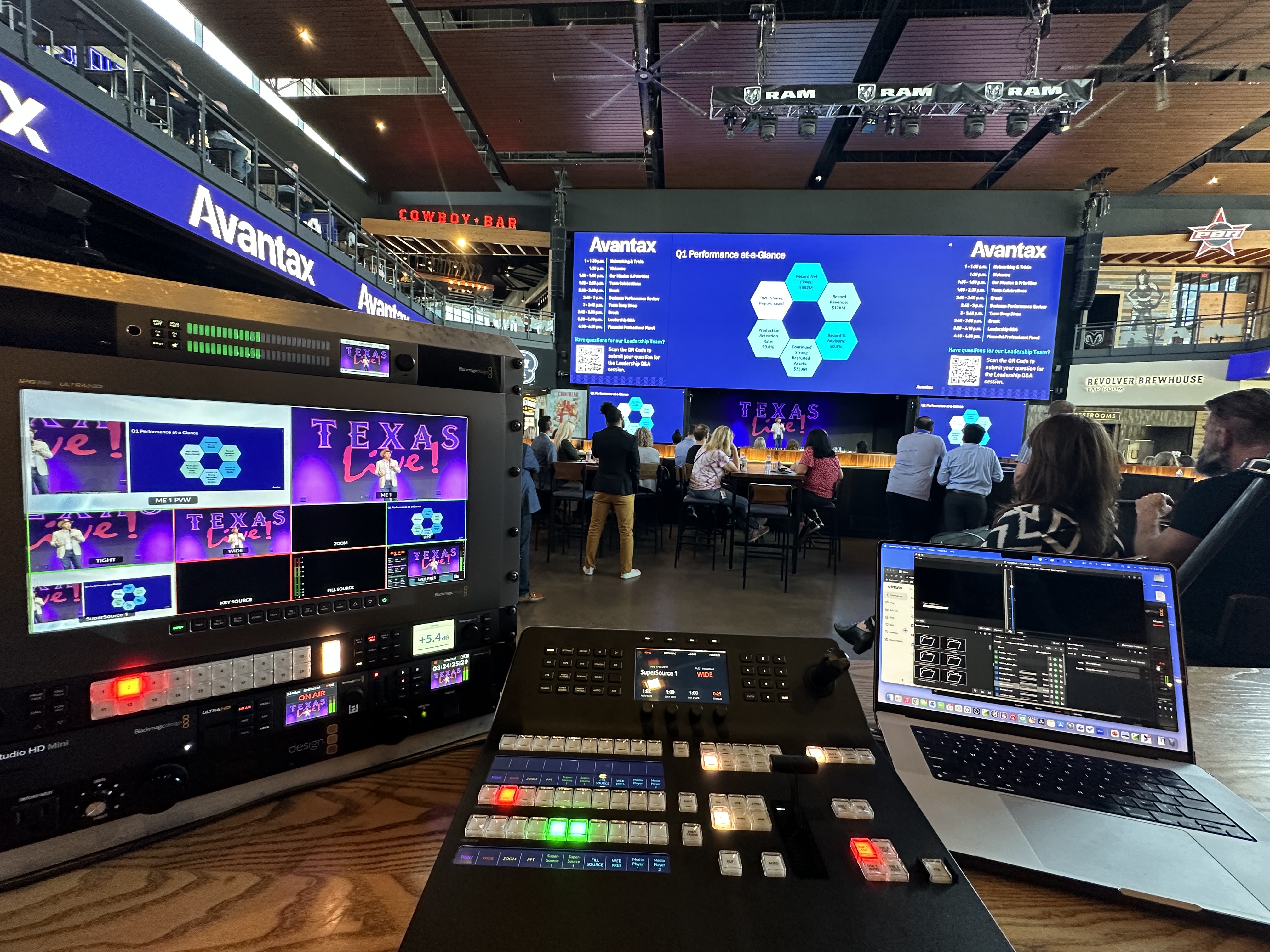
This is our most common job. An on-site corporate event — town hall, product launch, investor meeting, all-hands — with a full setup and testing day, two crew members, two camera angles, professional audio, and live streaming to your platform of choice. We handled a Peterbilt investor meeting at their Dallas corporate office this way. Password-protected viewing page, Canon CRN500 PTZ units, Sennheiser wireless microphones, zero technical problems. That production quality is the whole point of hiring a professional live stream company.
Conference work is where costs scale because everything multiplies. Setup days, larger crews, more equipment, and more hours of streaming. Our TSDOS conference in Frisco was a three-day event with a general session plus three breakout rooms, nearly 1000 people in-person, recap interview videos, and closed captioning — a full hybrid conference production. That scope is a different animal than a single-room town hall.
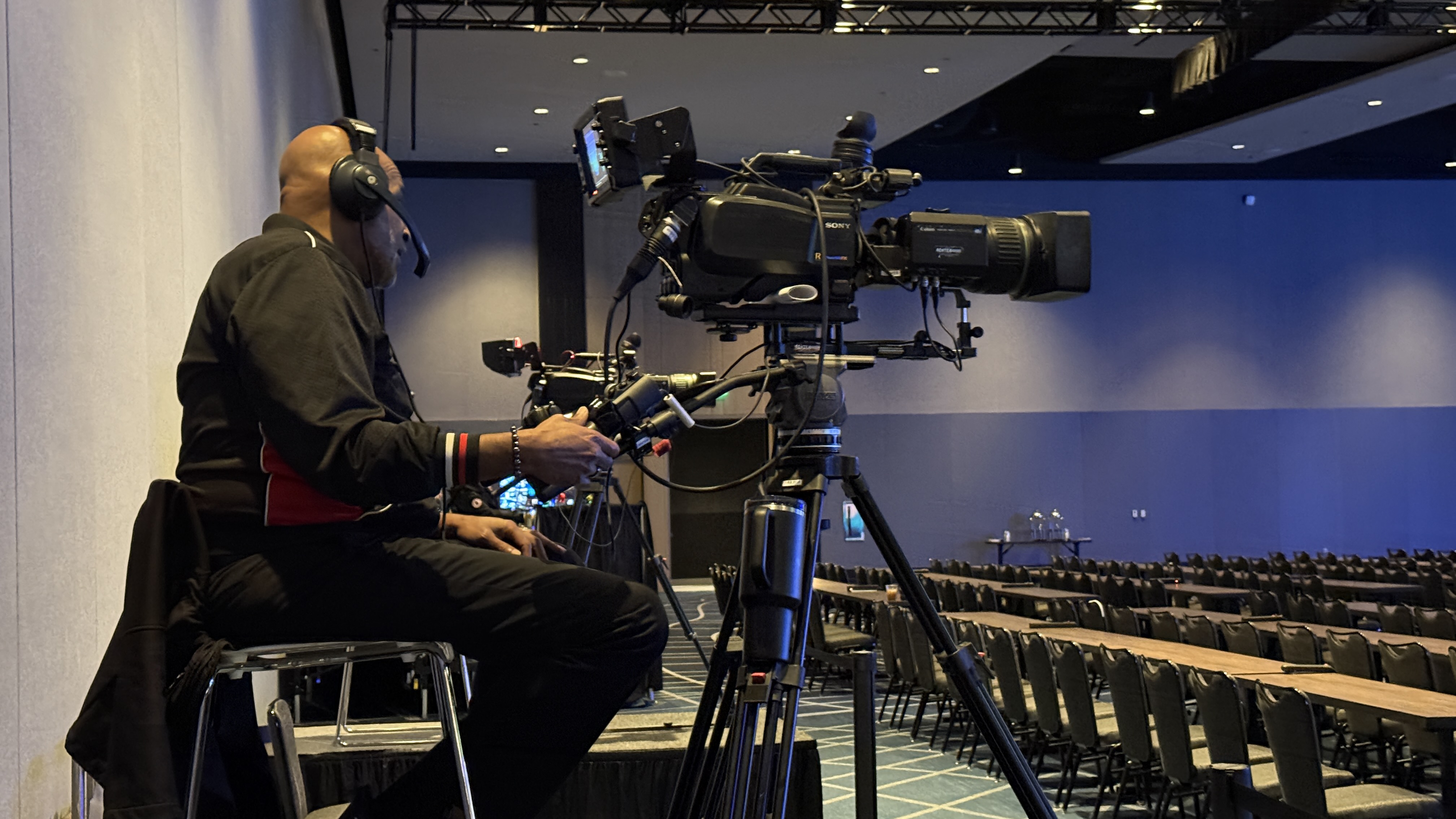
Here is where most people get surprised. They assume the big cost is expensive cameras and fancy gear. It is not.
The gear is a fraction of the total. What you are really paying for is trained professionals who can troubleshoot live, manage audio across a room full of wireless microphones, keep your stream running when something goes sideways, and make real-time decisions that protect your broadcast. You are paying for expertise, not equipment.
Most events need a minimum of two people on site. Bigger events need three or four. Multi-room conferences can require six or more. A two-person team for a setup day runs $2,250 to $2,650. A four-person team for a large conference setup? Around $3,750.
When something breaks during a live broadcast — and something always wants to — you want someone who has seen that problem before and already knows the fix. That experience is what separates a smooth event from a disaster.

Multi-room events multiply costs because each room is its own independent production with its own gear, audio, and often its own operators. This catches people off guard more than anything else on the quote.
General session plus two breakout rooms running simultaneously? That is not one production. That is three. Each room needs its own video, audio setup, streaming encoder, and often its own operators.
I had a client come to us, budgeting for a single-room event. Turns out they had two breakout sessions running at the same time on day two. That nearly tripled the scope. We helped them figure out which rooms needed full multi camera production and which could run leaner with a simpler setup. Saved them thousands without sacrificing the rooms that mattered most.
For context, we produced a multi-room conference in DFW where one room needed a full livestream and recording with multiple cameras, a second room ran a simpler stream setup, and a third room was audio-only with seven wireless handhelds and a dedicated audio tech. Three rooms, three completely different scopes — and three very different line items on the quote.
Almost every on-site livestream requires a full setup and testing day before the event, typically costing $2,250 to $3,750. This is the line item people forget to budget for.
For almost every on-site event, we need a full day before the event starts. Load in, cable runs, camera positioning, internet verification, audio line checks, and a full rehearsal of the show flow with your team. That setup day typically runs $2,250 to $3,750, depending on team size and complexity.
That day is not optional. It is the difference between a smooth broadcast and scrambling to fix problems while your CEO is at the podium.
When I see quotes from other companies that do not include a setup and testing day? Red flag. Either they are cutting corners, or that cost is going to surprise you later. A proper event production company builds this into the quote upfront.

Add-ons like remote presenters, branded viewing pages, closed captioning, and slide integration can add $450 to $1,500 each. This is what separates a five-thousand-dollar event from a twenty-thousand-dollar event.
Slide integration with your presenter's laptop? Remote speakers joining from another city? A custom branded viewing page with password protection and attendance tracking? Closed captioning? Live-switched camera angles with graphics overlays? A Q&A feed from your virtual audience?
Every one of those adds a layer. Every layer needs someone managing it.
Two cameras streaming to YouTube is straightforward. A hybrid conference with remote panelists, slides, a branded page, and captioning across three rooms? That is a full-scale job. The price reflects the planning, equipment, and execution each of those elements requires.
Custom branded overlays and viewing pages typically add $450 to $875. Closed captioning runs around $1,450 per room for multi-day events. Pre-production planning — tech calls, platform setup, run-of-show development — adds $950 to $1,250. None of these are optional for high-stakes corporate events.
Now here is the one that never makes it into those "how much does livestreaming cost" articles.
Internet.
Your venue says they have Wi-Fi. That Wi-Fi is shared with three hundred attendees, the building's HVAC system, and every other connected device in the facility. It will not hold a broadcast-quality live stream.
This is not a minor risk. Roughly 70% of viewers abandon a live stream after it buffers more than twice, so a few minutes of unstable venue internet can cost you most of your remote audience.
We bring a bonded cellular — a LiveU Solo Pro encoder that combines 4G LTE, WiFi, and Ethernet into a single dedicated connection that does not depend on the venue at all. That equipment and connectivity adds $500 to $1,500 to your budget, depending on event length.
When budgeting for professional live streaming, add a line item for internet. Always.
Local DFW event? A few hundred dollars for crew logistics. Flying a two-person crew domestically? Flights, hotels, ground transport, and equipment baggage fees — expect $3,800 to $4,600 on top of the production fee.
We flew to Washington DC twice for RockIt Cargo. The client told us the stream felt like watching a talk show. We have also flown crews to Pennsylvania and Louisiana for corporate events. Travel is absolutely doable, but those costs need to be in your budget from the start.
We always keep travel as a separate line item, so you see exactly what you are paying for.

Virtual Webinar or Town Hall — from $1,595 Producer, custom graphics, presenter support, screen sharing, and recording. Fully remote — no travel, no on-site gear.
Single-Day On-Site Event — $3,900 to $10,000 Setup day, two crew, two cameras, professional audio, streaming, and recording. This is the most common package we quote.
Multi-Day Conference — $11,000 to $30,000+ Setup days, larger crew, multi-room coverage, breakout streaming, and recap videos.
Setup and Testing Day — $2,250 to $3,750 Load-in, cable runs, camera tests, internet check, audio checks, and rehearsal. Required for every on-site event.
Travel (Domestic Flights) — $3,800 to $4,600+ Crew flights, ground transport, hotel, and equipment baggage. Local DFW events typically add only a few hundred dollars.
After ten years of doing this, here is the single most important question to ask any livestream company before you sign a contract:
"What happens if something goes wrong during the event?"
That is it.
Equipment fails. Internet drops. Cables go bad. It happens to everyone. It has happened to us. The question is not whether problems come up — it is whether the team you hired has a plan for when they do.
Ask about their backup internet. Ask what happens if a feed goes down mid-broadcast. Ask if they carry redundant recording and streaming gear.
If they cannot answer clearly, that tells you everything you need to know.
I have seen this happen too many times: a company hires a freelancer for $1,500 to stream their annual town hall. Consumer webcam, no backup internet, relying on venue WiFi. The stream drops 30 minutes into the CEO's keynote. Never recovered. Remote employees missed everything. The coordinator called us two weeks later for their product launch and said, "The cheap option cost us way more than your quote ever would have."
The real price difference between a good production company and a cheap one is not the cameras. It is the preparation, the experience, and the person who has already seen every problem and knows the fix before it happens. That is what you are investing in.
When you reach out for a quote from DFW Live Stream, you get a detailed line-item breakdown. Every quote shows exactly what you pay for: pre-production planning, setup day, event day production, equipment, crew, travel, and any add-ons like branded viewing pages, closed captioning, or recap videos. No lump sums, no hidden fees.
Our payment terms are straightforward — a 50 percent non-refundable deposit to secure your dates, and the remaining 50 percent upon completion. Travel expenses are either estimated upfront or invoiced at actual cost after the event, depending on the situation.
We also apply named discounts for returning clients. Loyalty matters to us, and our repeat clients — companies like East Texas A&M, Trimont, IES, and others — see that reflected in their quotes.
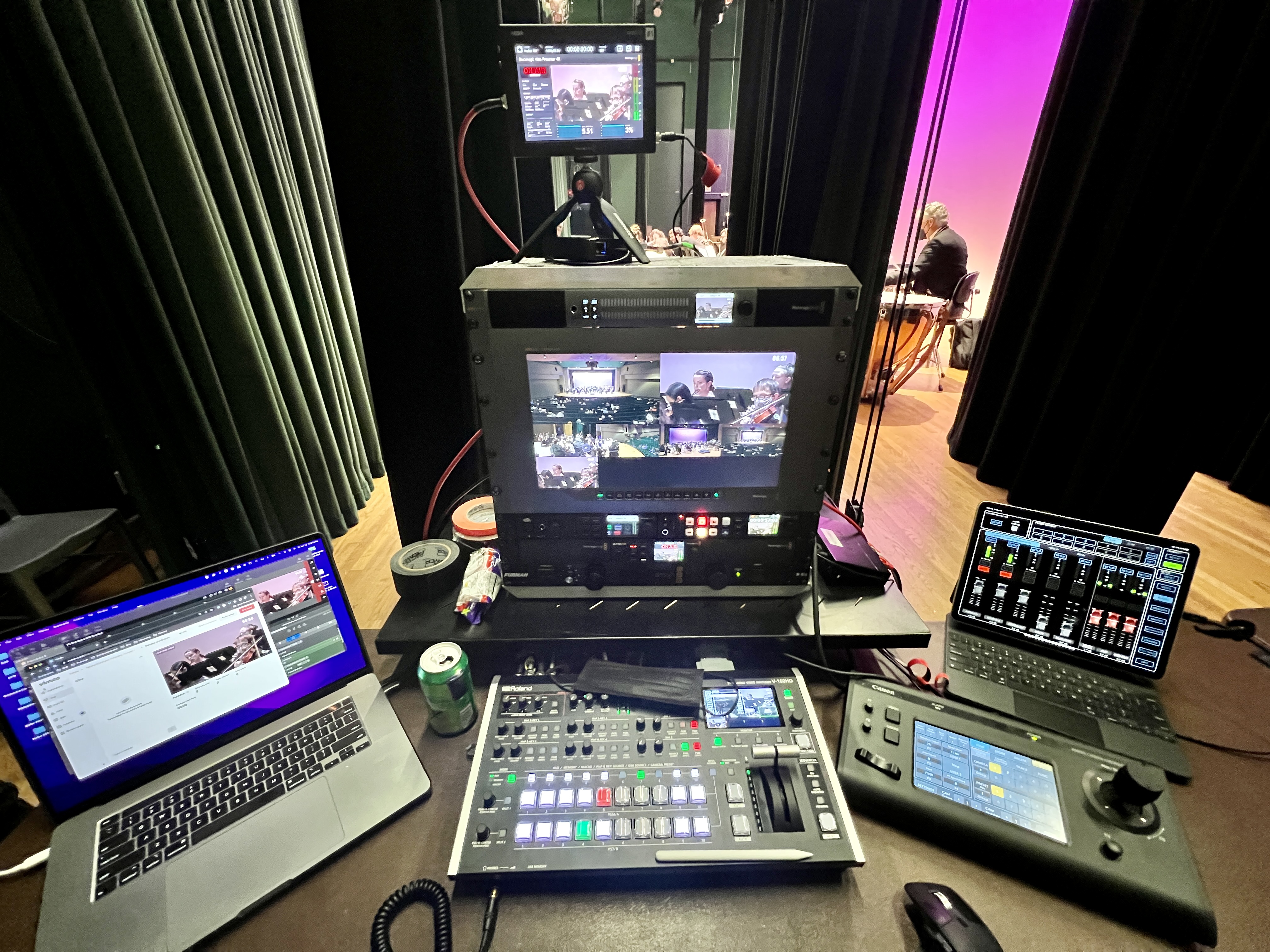
If what you are streaming matters — leadership presenting to the whole company, investors watching, clients attending virtually, content being recorded for training — then professional live streaming is worth every dollar.
Live streaming events lets you reach people beyond your venue walls. It drives engagement with employees and stakeholders who cannot attend in person. And it creates video content you can repurpose for months — social clips, internal training, highlight reels, on-demand playback.
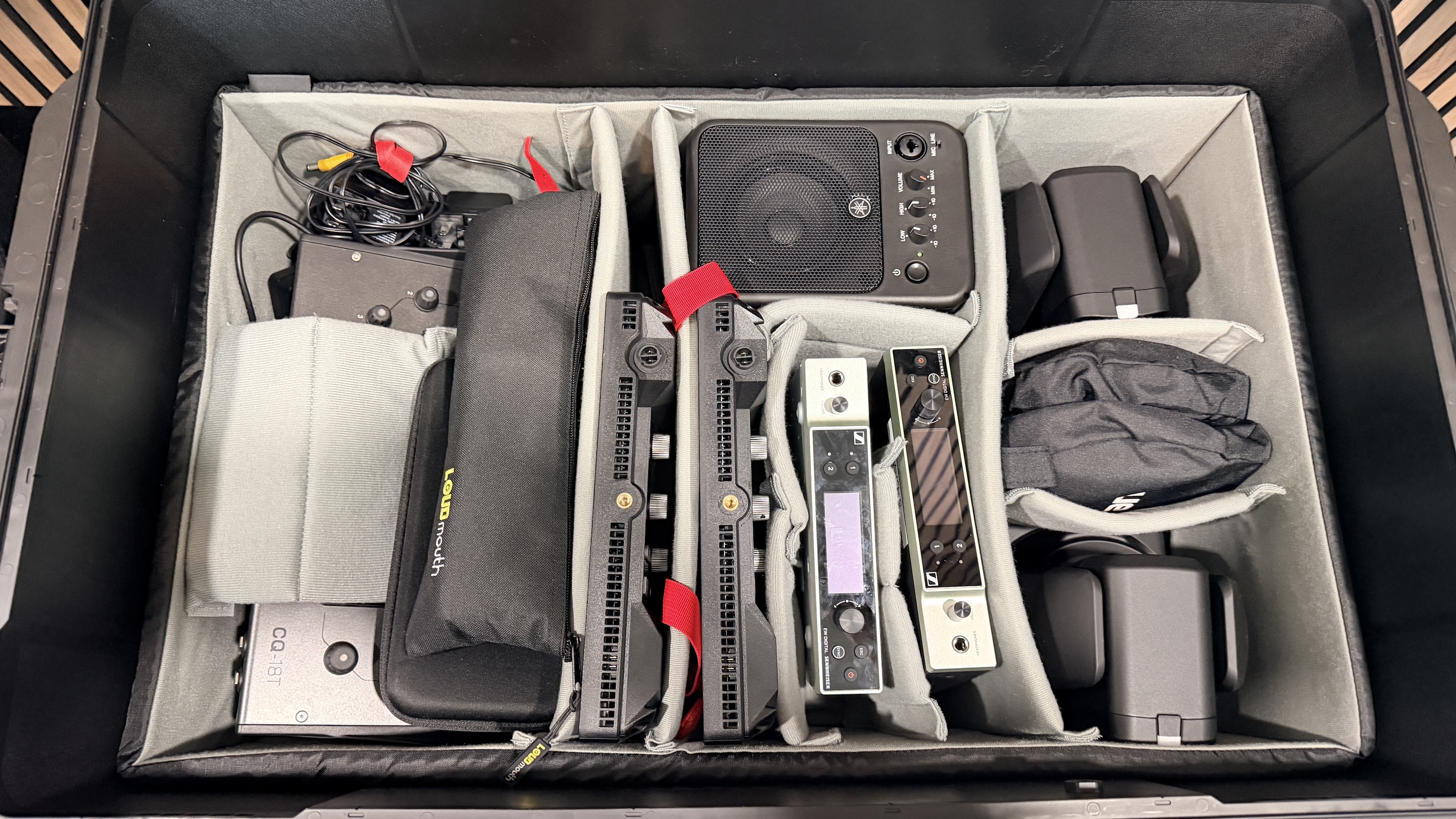
The technology has come a long way. What used to require a broadcast truck now fits in a few Pelican cases. But the expertise to run it right and the redundancy to protect your broadcast when things go sideways — that is what you are paying for. And it is what makes the difference between an event your audience remembers and one they wish they could forget.
If you are figuring out what livestreaming will cost for your specific event, the fastest way to get an accurate number is a quick conversation. Every job is different, but I can tell you what clients with similar events have paid so you know exactly what to expect. Give us a call or reach out through our website — we usually have a quote back within a couple of days.
The minimum for professional corporate livestreaming is around $1,595, which covers a fully remote webinar or virtual town hall with a dedicated producer, custom graphics, presenter support, and recording. For on-site events with cameras and crew, expect somewhere around $3,900 as the starting point. Full produced-webinar pricing is published at dfwlivestream.com/webinars — the price on the card is the price.
With DFW Live Stream, a single produced virtual session (webinar, virtual town hall, or all-hands) is $1,595; monthly programs are $1,095 per month for one session or $1,995 per month for two; Content Clips are a $295 add-on. Multi-session virtual conferences are quoted by scope based on tracks, presenters, and rehearsals. Those are published prices, not estimates, because remote production has predictable scope. Hybrid events with an in-person room are priced as on-site production, typically starting around $3,900.
The cost difference comes down to three things: broadcast-grade equipment that looks dramatically different from a laptop webcam, trained operators who can troubleshoot problems in real time, and redundancy — backup internet, backup recording, backup gear for every critical signal path. When a DIY setup fails during a live broadcast, there is no recovery. A professional team switches to the backup and your audience never knows.

Livestream companies use broadcast-grade gear, including PTZ units like the Canon CRN500, video switchers like the Blackmagic ATEM, digital mixing consoles like the Yamaha DM3, wireless mic systems from Sennheiser, and bonded cellular encoders like the LiveU Solo Pro for reliable internet. This is fundamentally different from consumer-level gear.
Yes, and they should. A setup and testing day — typically $2,250 to $3,750 — covers load-in, cable runs, camera positioning, internet testing, audio checks, and a full rehearsal. If a quote does not include a setup day, that is a red flag. Either they are cutting corners, or that cost will surprise you later.
Most livestream companies travel regularly. For domestic travel with a two-person crew, expect $3,800 to $4,600 in addition to the production fee for flights, hotels, ground transport, and equipment baggage. Local events within the DFW area typically add only a few hundred dollars for logistics costs.
The best way is a quick call or a form submission with your event details: date, location, number of rooms, approximate audience size, whether you need hybrid capabilities, and any special requirements, such as closed captioning or branded viewing pages. A good production company will provide a detailed line-item quote — not a lump sum — so you can see exactly where every dollar goes.