 By Mark WhiteOwner & Executive Producer, DFW Live Stream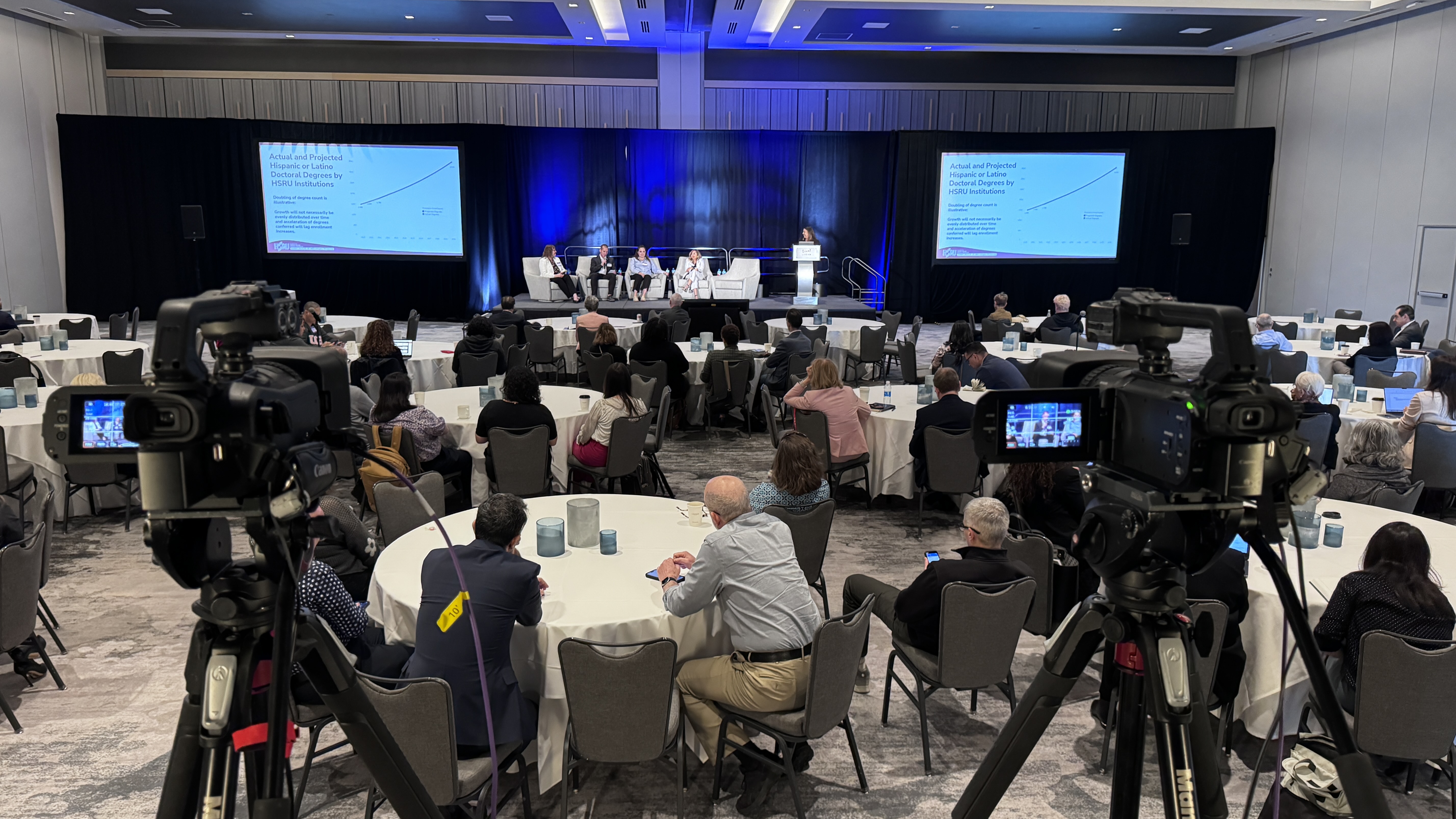
Hybrid event production is the discipline of running one event for two audiences at the same time. The people in the room and the people watching remotely. And giving both groups a version of the event that feels intentional, not like a leftover. Done well, it means professional cameras, proper audio for both rooms, a dedicated streaming encoder, a branded viewing experience, and a production team that actually knows which feed is going where. Done poorly, it's a laptop on a tripod pointed at a speaker and a Zoom link sent out the night before. (Updated September 7, 2026.)
I've produced a lot of these over the years across Dallas-Fort Worth. Corporate town halls, investor days, conferences, product launches, internal kickoffs. The pattern is always the same: the companies that treat the remote audience like a real audience get the results they want. The ones who treat the livestream as an afterthought end up with executives wondering why engagement numbers look so bad.
Quick vocabulary before we start: a hybrid event combines in person attendees and virtual attendees in one event. The virtual component isn't a recording posted later — it's live production, running at the same time, for an online audience that can see, hear, and participate. That applies whether it's a hybrid conference at a convention center, a leadership summit at a hotel, or a two-hour town hall in your own auditorium.
Here's what hybrid event production actually involves, what it costs, the mistakes I see most often, and how to pick a hybrid event production company that won't burn you. If you're weighing this against fully virtual events, the crew and cost logic below still applies — you just drop the room.
Hybrid event production is not just "we added a livestream to the event." It's a parallel production running alongside the in-room experience, with its own signal chain, its own audio mix, and its own operator. If any of those pieces are missing, you don't have a hybrid event. You have an in-person event with a webcam pointed at it.
Four things need to be in place before I'll call something a real hybrid production.
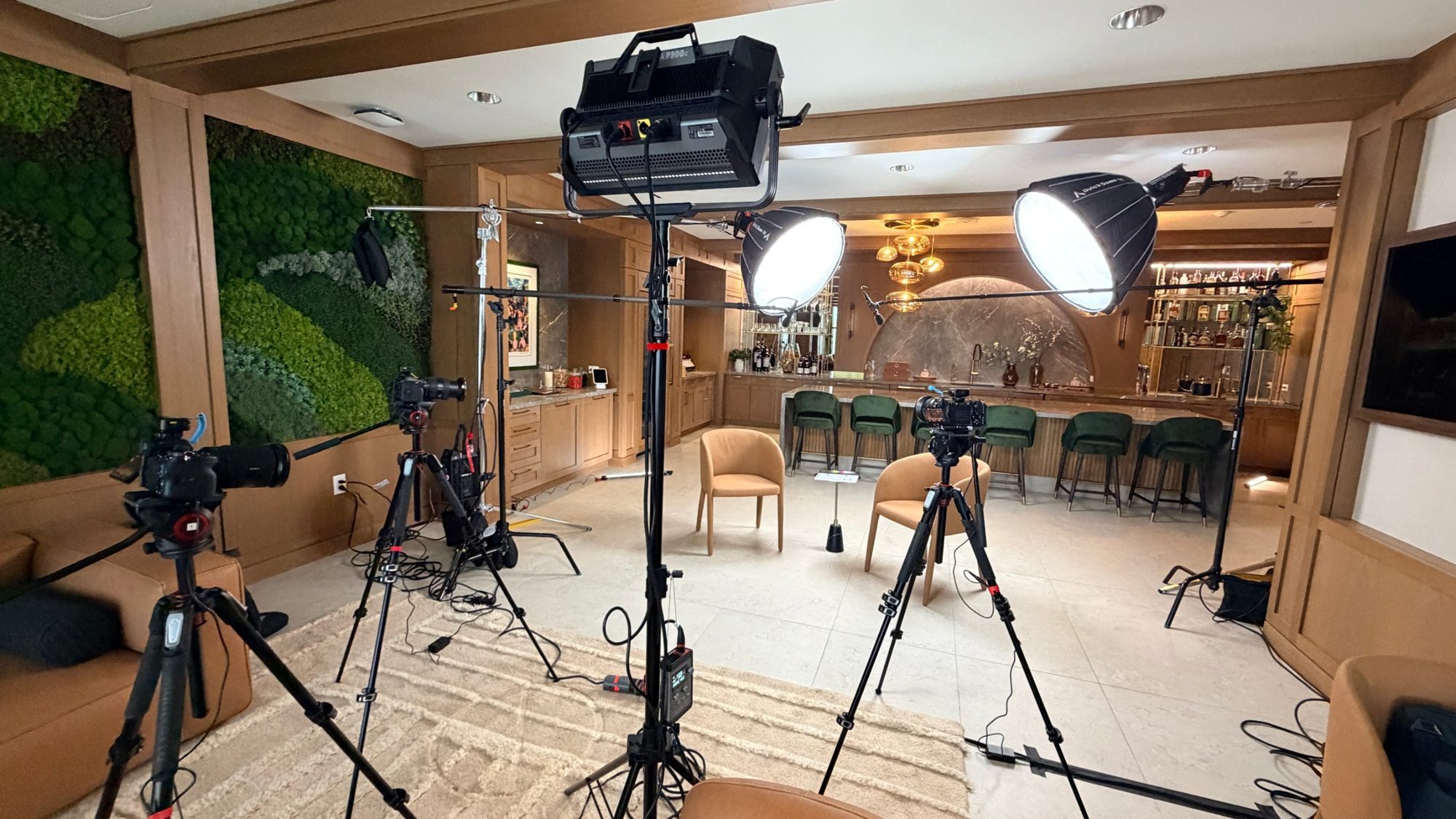
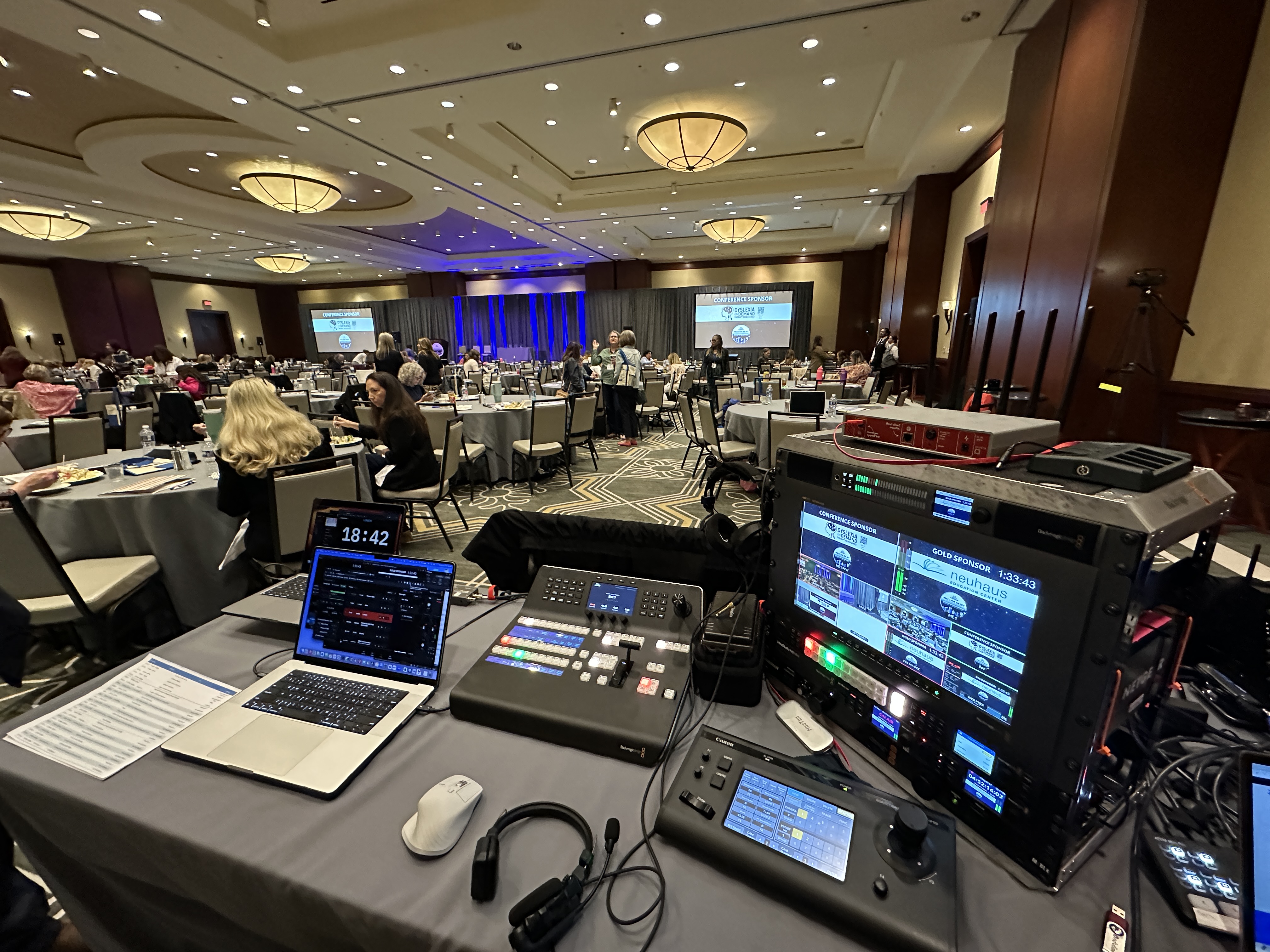
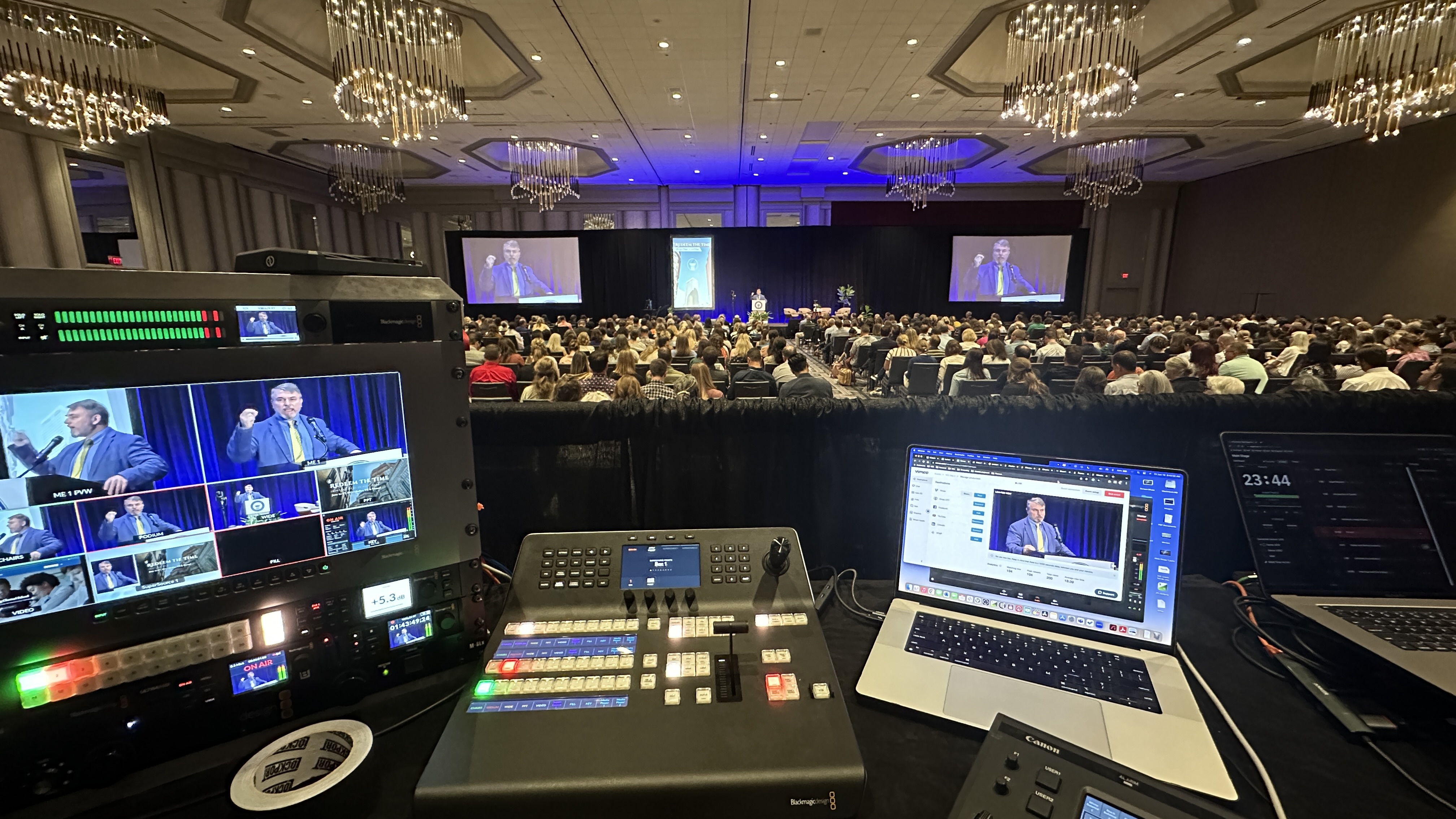
One camera means one angle, and one angle means remote viewers check out in about 90 seconds. At minimum I want two cameras: one wide on the stage and one tight on the speaker. For most corporate events I run three: wide, tight, and an audience or side angle for cutaways. That's multi camera production in the plain sense — real angles, cut live — not one webcam. Everything runs into a switcher (usually a Blackmagic ATEM) where a TD cuts between angles the same way a broadcast director would.
On larger events we use Canon CRN500 PTZ cameras because one operator can control four of them from a single joystick, which keeps crew costs down without sacrificing coverage. That matters when you're trying to justify the production budget to finance.
This is the part most vendors get wrong. The audio in the room and the audio going to the stream are not the same mix. The room needs reinforcement: the speaker's voice filling the space, Q&A mics for the audience, music bumps at appropriate volume. The stream needs a broadcast mix: speaker isolated, ambient room noise controlled, Q&A cleaned up, and none of the reverb that happens when room speakers bleed back into the lectern mic.
I run both mixes off an Allen & Heath SQ5 digital console with a dedicated matrix send to the encoder. That way the FOH engineer can ride the in-room mix without touching the stream feed. When you hear a livestream where the speaker sounds great but the Q&A is unintelligible, that's because someone was running a single mix and it was optimized for the wrong audience.
The encoder is the piece of hardware that takes the switched video feed and the broadcast audio mix, compresses them, and sends them up to the streaming platform. On small jobs a laptop running OBS can do this. On anything that matters, use a hardware encoder with cellular bonding as a backup. I use a LiveU Solo Pro, which bonds two cellular modems plus the venue's hardline internet and automatically routes the feed around any connection that drops. I've had venue wifi die in the middle of an event and the stream never blinked because it was already on cellular backup.
If your vendor is planning to "just use the venue's wifi," push back. Venue wifi is fine for sending email. It is not fine for a 1080p live feed that a few hundred remote attendees are watching.
The final piece is where the stream actually lives. If you're sending a generic Zoom Webinar link, that's the Zoom logo around your CEO's face for the entire event. For internal all-hands that's fine. For anything going to customers, investors, or prospects, the viewing page should match your brand. Your logo, your colors, a chat window you can moderate, and a landing page that reinforces who you are instead of who Zoom is.
I covered the tradeoffs on this in detail in the Zoom town hall post. The short version is that you can still use Zoom as the production backbone and put a branded viewing page in front of it, which gets you the best of both.
Hybrid isn't in-person plus virtual — it's a third thing that's harder than either. Every production decision now has two right answers, and the job is reconciling them in real time.
Take audio. The room mix and the stream mix are different animals. The room needs reinforcement tuned to the space; the stream needs a direct, compressed mix with no room echo. Send the room mix to the stream and remote viewers hear a muddy mess recorded from the back of a ballroom. That single mistake is probably the most common reason remote attendees bail early.
Or take pacing. An in-room audience will forgive a five-minute transition while people find seats. A remote audience watching a static wide shot for five minutes assumes the stream is broken and leaves. Hybrid production means managing both clocks at once — which is why most livestream failures trace back to planning gaps, not equipment.
The hardest part of hybrid isn't technical — it's experience design. Every segment of your agenda needs an answer to the question: what are the virtual audiences doing right now? Event planners who get this right treat the live and virtual audiences as two customers of the same event, not one customer and a camera.
Networking lunch? The room is having a great time; the stream is staring at empty chairs. Smart hybrid events program around this — they cut to pre-produced content, run a moderated remote discussion, or simply tell the stream when to come back. Breakout rooms, networking sessions, hands-on workshops, and audience Q&A all need the same treatment — and so do the engagement tools you hand the online audience: polls, moderated chat, a way to submit questions that actually get answered. Your production partner should be raising these questions in pre-production, not discovering them live. That's a good filter when you're comparing vendors, and it's why I tell people the planning conversation matters more than the gear list — something I cover in what to expect when you hire a livestream company.
Hybrid events need more hands than a straight livestream because someone has to own each audience. A skeleton hybrid crew is two people; a full conference production might run four or more.
At minimum you need a technical director cutting cameras and managing the stream, and an audio engineer owning both mixes. From there, crews scale up: camera operators for manned positions, a remote-speaker wrangler when remote speakers are joining the program, a dedicated stream monitor watching the remote feed the way an audience member would, and a moderator handling virtual Q&A. One person cannot credibly run cameras, two audio mixes, a switcher, and remote chat at the same time — when a vendor quotes you a one-person hybrid crew for a stakes-matter event, that's a corner being cut.
Every event is different, so treat these as general guidance rather than a rate card. Hybrid event production cost moves with audience size, room count, camera count, and how much of the technical setup has to be built from scratch. For context, on-site live streams without the hybrid layer typically start around $3,900; here's where most hybrid productions I run tend to land.
Single-room event, 2-3 hours, one or two cameras, single speaker with occasional Q&A, stream to a single platform (Zoom, YouTube, or a branded page). Two-person crew, a TD and an A2 handling audio. This covers most internal town halls and small conferences where the remote audience is employees, not customers.
Single-room event, half-day to full-day, three cameras with an operated roaming camera, multiple speakers and panels, branded viewing page, lower-third graphics, pre-recorded video rolls, on-site engineer for the encoder and backup connectivity. This is where most corporate events I produce for DFW clients land. It covers quarterly business reviews, leadership summits, investor days, and customer-facing webcasts.
Multi-room or multi-day events, IMAG to room screens, simultaneous breakout streams, multi-platform distribution, custom-branded viewing page with registration and analytics, larger crew (4-6 people), pre-production planning and rehearsals. Conferences, product launches, and anything where the livestream is part of the marketing strategy rather than just a recording — post event content like highlight reels and session cuts usually gets scoped here too, because that's where lead generation from the recording actually happens.
For a deeper breakdown of pricing logic and what actually drives the numbers on a corporate livestream, see the full pricing guide.
One budgeting note: hybrid costs more than streaming-only, but it's rarely double, because the camera, audio, and switching infrastructure serves both audiences at once. You're paying for added crew and complexity, not a second production. Multi-day conferences generally run $11,000–$30,000+, and a dedicated setup-and-testing day — which I strongly recommend for anything with executives on stage — typically adds $2,250–$3,750.
Most hybrid events that go sideways fail in the same predictable ways. If you're evaluating vendors or planning your own production, check for these.
Bad audio is the number one reason people drop off a livestream. If the speaker sounds muffled, the Q&A is inaudible, or there's a room echo underneath the voice, remote viewers will close the tab in under two minutes. This almost always traces back to a single-mix setup, where whoever is running audio is optimizing for the room and the stream is just getting whatever bleed makes it into the board feed.
One static wide shot for 90 minutes is a video file, not a production. The remote audience needs the same visual variety the in-room audience gets just by looking around the room. Minimum two cameras. Three is better.
I've watched this kill more hybrid events than any other single thing. Venue wifi is shared infrastructure. The moment the conference center fills up with 400 laptops and phones, your upload bandwidth goes to zero and your stream buffers. Always bring hardwired internet plus cellular bonding as backup.
Sending the audience a raw Zoom link for anything customer-facing is a brand miss. The platform chrome becomes the experience. A branded viewing page costs almost nothing to add to a production and completely changes how the event feels to a remote viewer.
Remote attendees ask questions. If nobody is watching the chat, those questions die there and the remote audience feels like they're watching TV. On any event where Q&A matters, there needs to be someone whose entire job is surfacing questions from the remote audience to the moderator or host. On corporate events that person is usually on the client's comms team; on bigger productions I provide them.
If you're still working out the definition, start with what a hybrid event actually is; if you're comparing vendors on scope, what hybrid event production services include breaks down the line items; and for the North Texas specifics, see hybrid event production in Dallas. Keeping the remote half of the room engaged is its own discipline — I wrote that up in how to keep remote attendees engaged at a hybrid event.
Part of being an honest vendor is telling clients when they don't need what they're asking for. Hybrid production is not the right fit for every situation.
The clearest case to skip hybrid is sensitive content. Board meetings, HR discussions, legal matters, anything where a live distribution creates unnecessary risk. If you still need a recording, a locked-down private stream (covered in the public vs private streams post) is a better path than a hybrid production.
The other case is when a recording would genuinely do the job. If remote viewers don't need to participate in real time, and there's no live Q&A or audience interaction on their side, you may be paying for production value you won't actually use. Recording the event cleanly and distributing the file afterward is a legitimate answer and sometimes the better one.
For most companies the better question isn't "should this be hybrid." The real question is whether the remote experience should be a real production or a plain recording delivered after the fact. Both are legitimate answers, and the right one depends on who's watching and why, not on headcount or budget size alone.
Picking a hybrid event production company — or comparing hybrid event production services line by line — is different from picking a videographer. A videographer captures moments. A hybrid production team has to run a broadcast in real time with no retakes. Different skillset, different risk profile, different questions to ask.
Ask the vendor what happens if the internet dies. What happens if the encoder fails. What happens if a camera goes down. Good vendors have answers: cellular bonding, hot-swap encoders, redundant cameras. Bad vendors say "that won't happen."
The person running the stream needs to be a stream specialist, not a camera operator who's also watching the encoder on the side. On any event that matters, there should be someone whose entire job is monitoring the outbound feed, watching for audio or video dropouts, and fixing issues in real time.
Ask the vendor for a signal flow diagram before the event, which mics go to which inputs, which cameras feed which switcher, where the program feed goes, what the backup path is. If they can't produce one, they're figuring it out as they go. That's fine for a small event. It's not fine for a CEO keynote.
Ask for three references from events that look like yours, similar size, similar format, similar stakes. Call them. Every vendor says they can do hybrid; not every vendor actually has. For Dallas-area buyers specifically, check the local vendor selection guide for a full breakdown of what to look for in a regional partner.
A vendor who can't or won't explain how they got to their number is telling you something important. Good quotes break the production into logical components (crew, equipment, production services, platform fees) so you can see where the money is going. See the corporate live streaming overview for what that looks like in practice.
Four to eight weeks is the sweet spot for most hybrid events, and for most live events with a stream attached. That gives the production team time to walk the venue, confirm power and internet, build the signal flow, and schedule crew. Anything under two weeks and you're paying rush rates and accepting whatever crew is available. Anything over twelve weeks and you're going to spend most of the planning cycle waiting for details to firm up.
For anything at a venue I've worked before (Gaylord Grapevine, Plano Event Center, most of the major hotels in Dallas and Fort Worth), two to four weeks is usually fine because we already know the room, the load-in path, and the internet situation. For a new venue, push that closer to six.
A real hybrid event runs two productions at once: the in-room experience and a live broadcast for remote viewers, each with its own video switch and audio mix. If there's no live switching, no separate broadcast audio, and no operator watching the outbound feed, you don't have a hybrid event, you have a webcam pointed at a stage. The remote audience has to be treated like a real audience, not an afterthought.
My standard kit is two to three cameras (often Canon CR-N500 PTZs so one operator can run several) into a Blackmagic ATEM switcher, with Sennheiser mics on the speakers and Q&A. Audio runs through an Allen & Heath console so I can send a clean broadcast mix to the stream separate from the room mix. For the feed itself I use a LiveU bonded encoder that combines hardline internet with cellular so the stream survives a venue connection dropping.
It depends on the room, the crew, and how much production the stream needs, so I quote every event individually. As a general range, hybrid work usually lands somewhere around $5,000 to $15,000 and up once you factor in cameras, a real audio setup, the encoder, and crew. Simpler single-room town halls sit at the lower end; multi-room, multi-day, or heavily branded productions climb from there.
For an internal all-hands, sure, a plain Zoom link is fine. For anything customer or investor facing, that generic platform chrome becomes the experience, which is a brand miss. I usually keep Zoom or YouTube as the reliable backbone and put a branded viewing page in front of it, so you get the reliability without the stock logo wrapped around your CEO.
Four to eight weeks is the sweet spot. That gives me time to walk the venue, confirm power and internet, build the signal flow, and lock crew. If it's a room I've worked before, two to four weeks is usually fine; for a new venue, push it closer to six. Inside two weeks you're into rush rates and whatever crew is still available.
Two is the practical minimum — a wide shot and a speaker close-up — because remote viewers need visual variety to stay engaged. Panels, awards, and larger conferences usually justify three or more, including manned cameras for audience and stage coverage.
Maybe — and 'maybe' isn't a plan. We test venue bandwidth during pre-production and always carry a backup path, typically a bonded cellular encoder, so the stream survives even if house internet fails mid-event.
Good hybrid events plan those gaps deliberately: pre-produced content, a moderated remote discussion, sponsor segments, or a clear on-screen return time. What you don't want is a live shot of an empty stage — that's how you lose the remote audience for good.
Yes, routinely. We bring remote presenters into the switcher so they appear on the in-room screens and in the stream, with their audio fed cleanly to both mixes. It needs a tech check in advance — but that's exactly what rehearsal is for.
If you're planning a hybrid event in DFW and want to talk through what the production should look like, get in touch. I'll walk through the event with you, sketch out what the production needs to include, and put together a quote you can actually evaluate. No commitment, no pressure. Just a straight conversation about what the event needs to succeed.
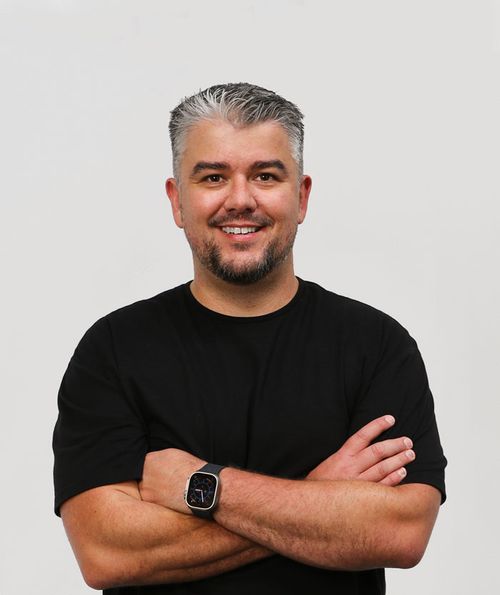
Mark runs DFW Live Stream and has been producing corporate livestreams, conferences, town halls and webinars across Dallas–Fort Worth and around the country since 2017. He writes these from the production desk, not a marketing department, and uses AI tools to help draft and structure them. Every post is read, fact-checked and edited by him before it goes live.