 By Mark WhiteOwner & Executive Producer, DFW Live Stream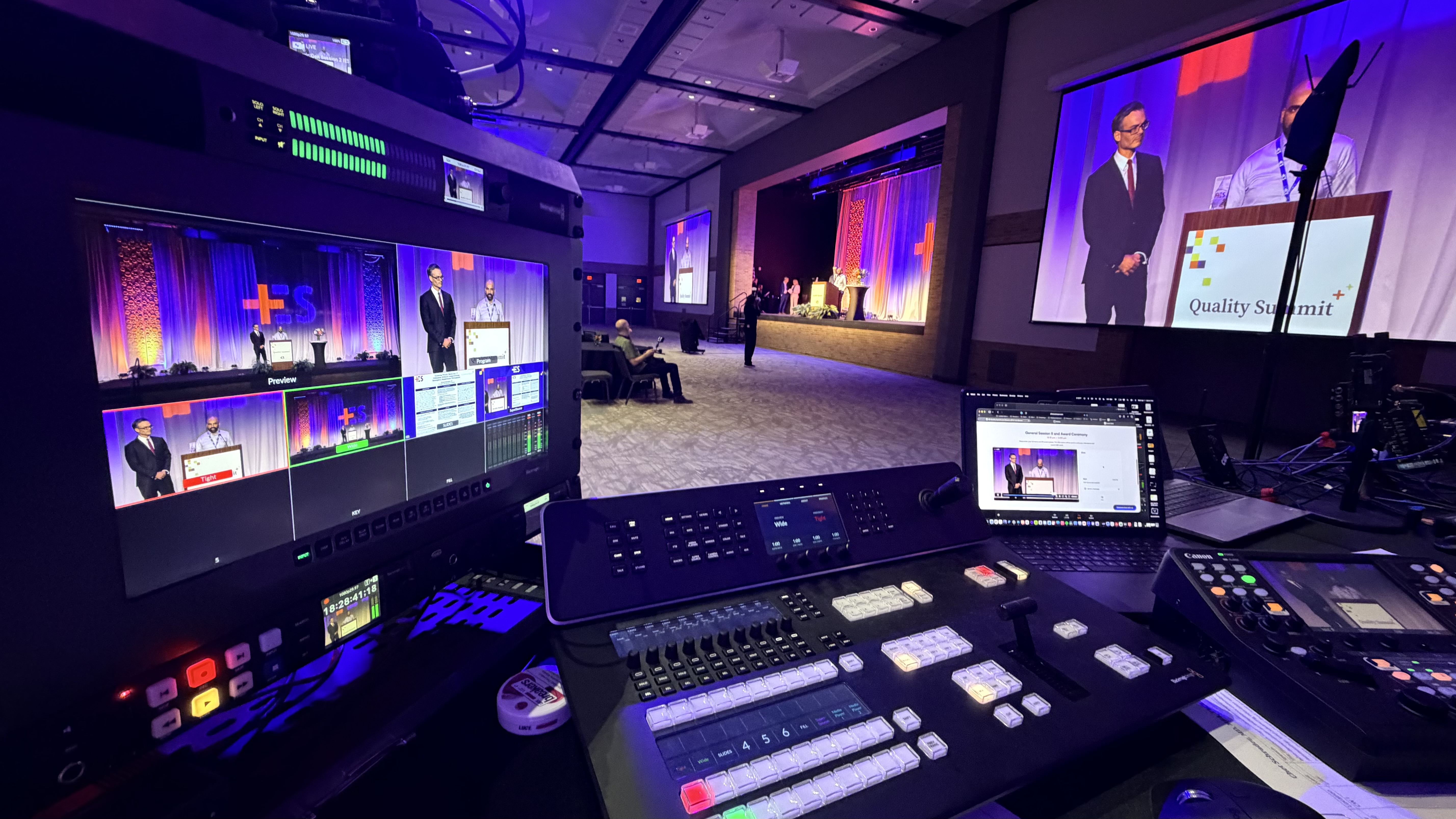
If you've ever sat in the back of a big ballroom and squinted at a speaker who looked like an ant on a faraway stage, you already understand the problem we're solving here. The short version: yes, in a lot of rooms you do need big screens showing a live close-up of the stage, and the industry word for that is IMAG. But not every event needs it, and I don't want you paying for a production layer that won't change the experience for your audience. So let me walk you through how to actually decide.
I'm Mark, and I run DFW Live Stream here in Dallas-Fort Worth. I'm on-site at the events I produce, so this is the same conversation I have with clients when they're trying to figure out what their room actually needs.
IMAG stands for image magnification, and in plain terms it just means putting a live camera feed of the stage onto big screens in the room so everyone can see the speaker's face and the slides. You need it when the room is big enough or deep enough that the people in the back can't make out a person standing at the front.
If your audience is more than a few rows deep, if the room is wide, or if the content depends on people seeing facial expressions and detailed slides, IMAG is usually worth it. If you've got 40 people in an intimate room where everyone's already close to the stage, you almost certainly don't need it. Everything below is just the detail behind that call.
IMAG is a live, magnified picture of what's happening on stage, shown on screens in the same room as the audience. Think of it as the difference between watching a basketball game from the nosebleeds versus glancing up at the jumbotron when you want to actually see a player's face.
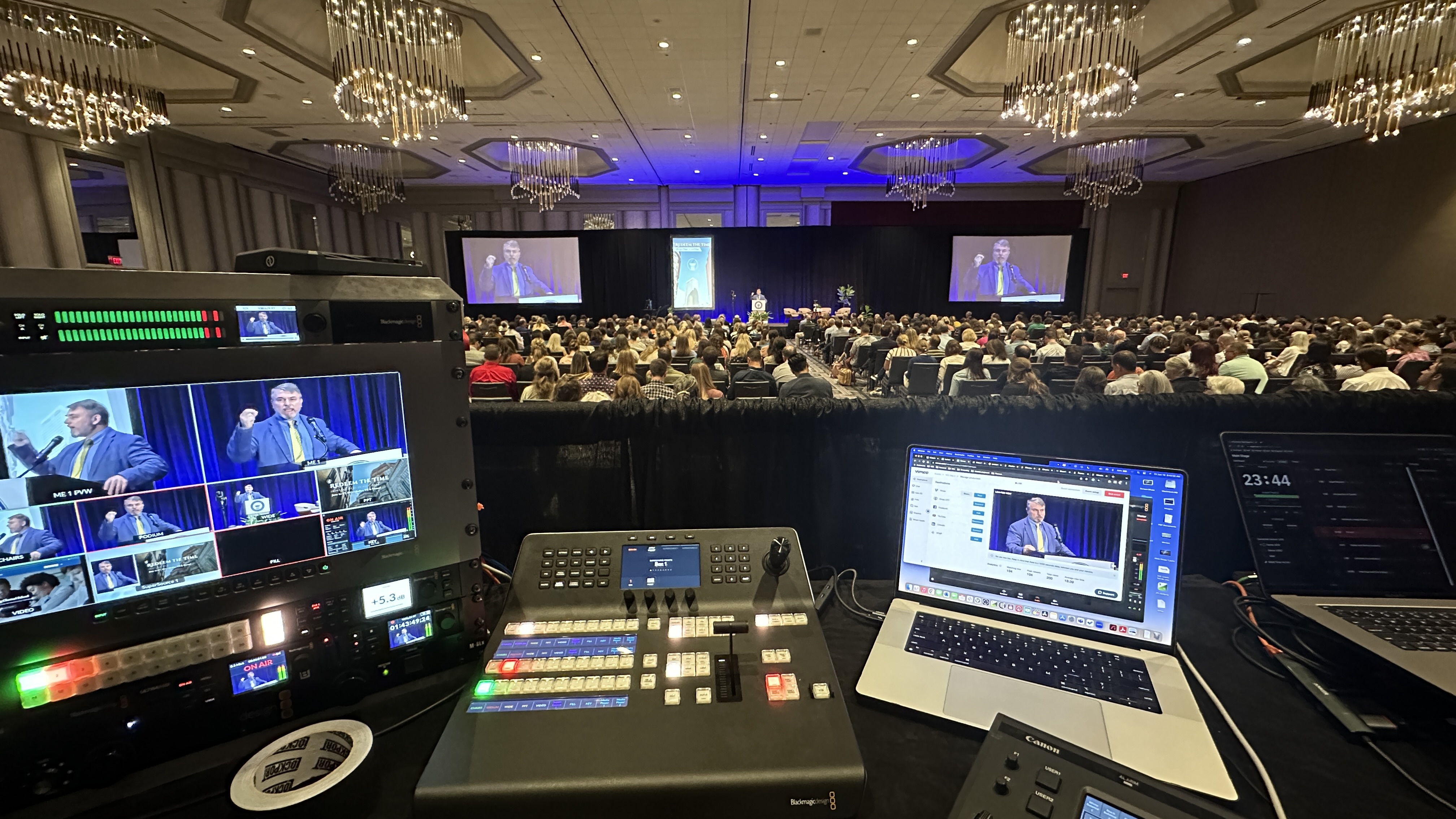
The mechanics are simple to describe. We point one or more cameras at the stage, send those feeds through a video switcher, and project the result onto the screens flanking or behind the stage. When the speaker leans into a story, the person in row 22 sees the same expression as the person in row 2. That's the whole point. It's not about flash. It's about making sure the energy on stage actually reaches the whole room instead of dying out around row eight.
This trips up a lot of people, so I want to be clear. Putting a presenter's PowerPoint on a screen is not IMAG. That's just a slide feed, and almost every event already has it. IMAG is the live camera shot of the human being on stage.
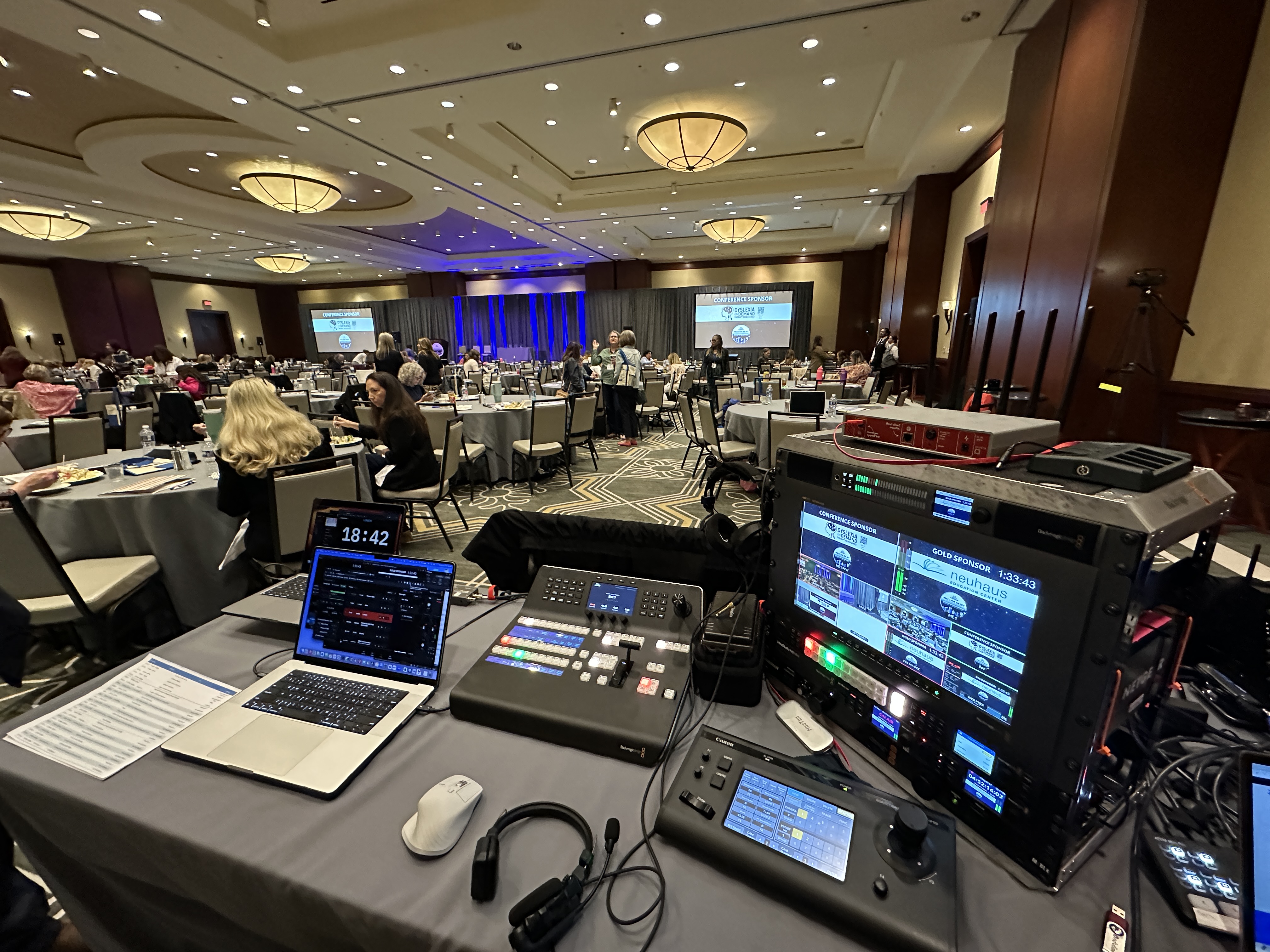
In practice, good events blend the two. We'll show the speaker's face during a story or a Q&A, then cut to full-screen slides when there's a chart that matters, then go to a split or picture-in-picture when you want both. The slides come from a laptop. The IMAG comes from cameras and a switcher like a Blackmagic ATEM that lets us move between sources cleanly. If a vendor quotes you "screens" without telling you whether there's a live camera feed driving them, ask. "Screens" alone might just mean slides.
You need IMAG when the room beats the human eye. There are a few specific situations where that happens, and most of them come down to distance, audience size, or content.
Big rooms and deep seating are the obvious one. Once your back row is 60, 80, 100 feet from the stage, a person up front becomes a blur. Wide rooms have the same issue sideways, where people on the edges get a bad angle. Large audiences compound it because the bigger the crowd, the more people are stuck far from the action. And content matters too. If your speakers are showing detailed slides, demoing a product, or if facial expression carries the message, like an emotional keynote or a panel, IMAG is what keeps that legible. General sessions, keynotes, awards moments, big annual meetings, anything where the room feels like a real audience instead of a small group, that's IMAG territory.
Small, intimate rooms usually don't need IMAG, and I'll tell you that directly rather than upsell you. If everyone in the room can already see the speaker's face without straining, magnifying it on a screen doesn't add much.
Boardroom-style meetings, workshops, training sessions of 30 to 50 people, breakout rooms, intimate fireside chats, those generally do fine with a slide screen and good audio. The exception is if you're also streaming that session to a remote audience, because the camera work that feeds your stream is a separate question from in-room screens. You can have a single camera for the livestream without bothering with IMAG, and you can have IMAG without a livestream. They're related layers, not the same thing. If you're weighing whether a session even needs cameras at all, our piece on multi-camera live production breaks down where extra cameras earn their keep.
This is the part that affects your budget, so I want to be straight about it. IMAG isn't a setting you flip on. It's an added layer of production, which means more gear and usually more crew than a basic single-camera setup.
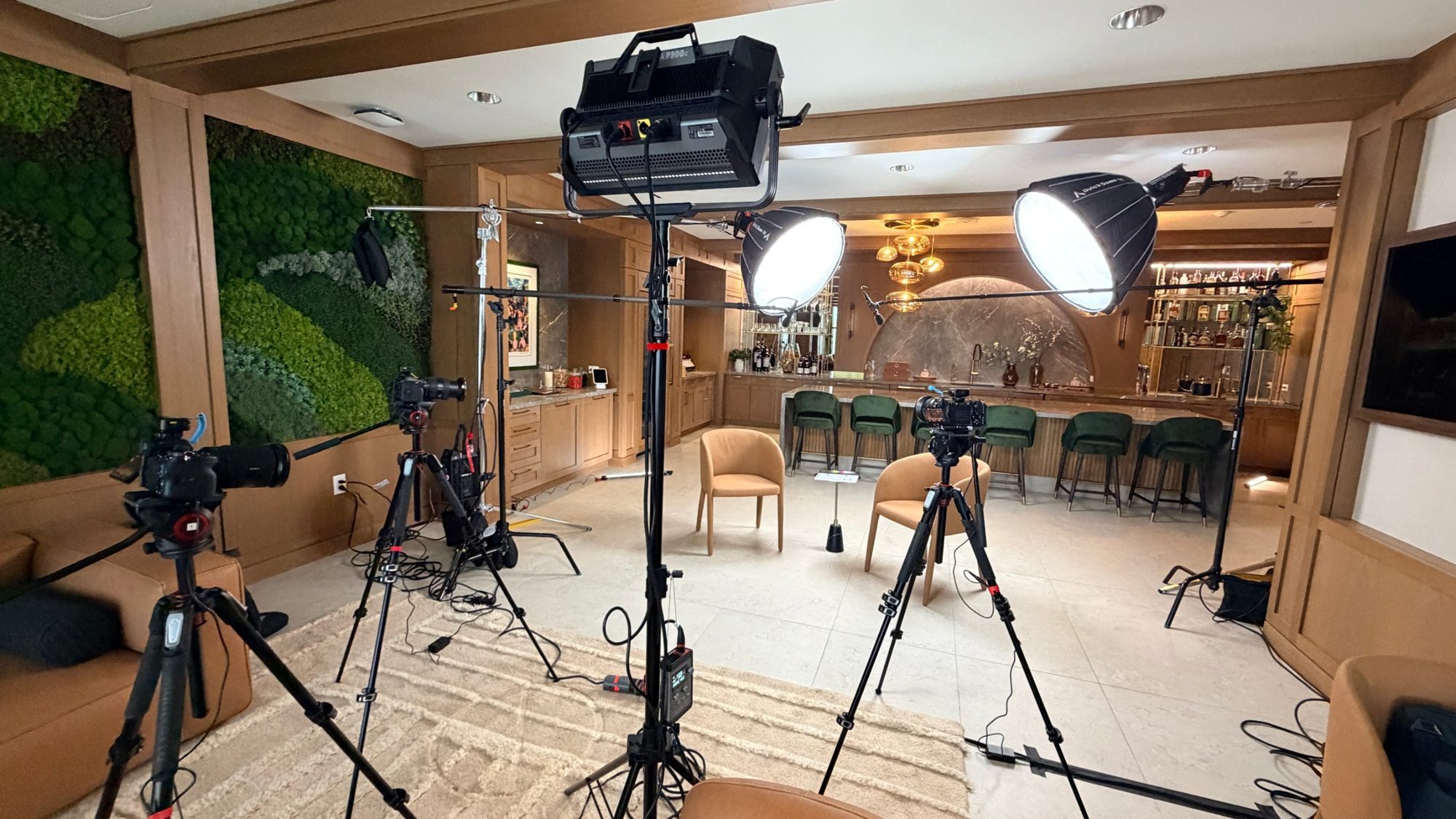
To do it well you need cameras dedicated to the in-room screens, a switcher to cut between them and the slides, the screens or projectors themselves, and an operator running the show so the right shot is up at the right moment. On a lot of our jobs we run cameras like the Canon CR-N500, which are robotic PTZ cameras we can reposition and frame without a person standing behind each one. That keeps the crew lean while still giving the room clean, well-composed shots. If you're also streaming, the same camera feeds can drive an encoder like a LiveU Solo Pro that pushes the broadcast out, so the in-room and online experiences share infrastructure instead of doubling it. The takeaway: IMAG sits on top of whatever you were already doing, and the cost scales with the number of screens, cameras, and how polished you want the switching to feel.
Here's the thing buyers underrate. IMAG doesn't just make the stage visible, it makes a big room feel connected. When 800 people can all see a speaker's face react in real time, the room responds together. Laughs land. Quiet moments hold.
Without it, a large room fragments. The front rows are at the event, and the back half is sort of watching a small distant figure and checking their phones. Magnifying the stage pulls everyone back into the same shared moment. That's the real return on the spend. You're not buying screens, you're buying a room that feels like one audience instead of a few hundred separate people who happen to be sitting near each other. For a deeper look at how the in-room and broadcast pieces fit together, what's included in a corporate livestream package lays out the full picture.
I won't pretend there's a flat rate, because there isn't, and any vendor handing you a round number off the top of their head is guessing. But I can give you the general shape so you're not walking in blind.
A straightforward in-person production starts around $3,900 on the low end. Once you're adding multiple cameras, IMAG, or a hybrid setup that also streams to a remote audience, you're realistically looking at somewhere in the $5,000 to $15,000 range depending on the number of screens, cameras, crew, and how many days we're on-site. IMAG specifically is an add-on layer, so it raises the number on top of your base production rather than being a standalone line. If you want to understand what actually drives a quote up or down, I wrote a full breakdown on how much it costs to livestream an event. And if you're trying to picture how the whole engagement runs from booking to load-out, what to expect when you hire a livestream company covers it.
One last thing, because it's easy to fixate on how many screens you're getting. The number that matters more is whether the people running the gear actually know what they're doing when something hiccups. Big screens showing a frozen or glitchy feed are worse than no screens at all.
We're a boutique operation, which means I'm on-site at your event, not dispatching a crew I've never worked with and hoping it goes fine. When a camera drops or a feed acts up, someone who knows the whole signal chain is standing right there to fix it before your audience notices. That's the part you can't see in a gear list, and it's the part that decides whether your big-room moment lands or falls flat. If you want to know what separates a smooth show from a rough one, why corporate livestreams fail is worth a read.
Picture your back row. If the people sitting there can comfortably see the speaker's face and read the slides, you probably don't need IMAG. If they can't, you do, and skipping it means writing off a chunk of your audience.
That's really the whole decision. Big or deep room, detailed content, audience you want fully engaged, that's when IMAG earns its place. Small, close, simple, you can save the money. If you're not sure which side of the line your event falls on, that's exactly the kind of thing I'm happy to talk through, no pressure. Send me the details on your room and audience and I'll tell you straight whether it's worth it and rough out what it'd take.
IMAG stands for image magnification. It means putting a live camera feed of the stage onto big screens in the room so everyone, including the people in the back, can clearly see the speaker's face and the slides.
No. Slides are the presenter's deck pulled from a laptop. IMAG is the live camera shot of the actual person on stage. Most good events blend both, cutting between the speaker's face and full-screen slides depending on the moment.
Look at your back row. If those people can't comfortably see the speaker's face or read the slides because the room is big, deep, or wide, you need IMAG. If everyone is already close to the stage in an intimate room, you can usually skip it.
No. IMAG is about the in-room experience and a livestream is about reaching a remote audience. They're related layers that can share cameras and gear, but you can have one without the other. Plenty of in-person-only events use IMAG with no stream at all.
It varies by room, screen count, and crew, so there's no flat rate. IMAG is an add-on layer on top of your base production. A basic in-person production starts around $3,900, and multi-camera or hybrid setups that include IMAG generally land in the $5,000 to $15,000 range.
Rarely. Boardrooms, workshops, training sessions, and intimate fireside chats of 30 to 50 people usually do fine with a slide screen and good audio. If everyone can already see the stage clearly, magnifying it doesn't add much.
At minimum: one or more cameras pointed at the stage, a video switcher to cut between camera shots and slides, the screens or projectors, and an operator running the show. We often use robotic PTZ cameras and a Blackmagic ATEM switcher so the crew stays lean while the shots stay clean.
Yes, and it's common. The same camera feeds that drive the in-room screens can also feed an encoder that pushes the broadcast out to a remote audience. That's a hybrid event, where the in-person and online experiences share the same infrastructure.
Mark runs DFW Live Stream and has been producing corporate livestreams, conferences, town halls and webinars across Dallas–Fort Worth and around the country since 2017. He writes these from the production desk, not a marketing department, and uses AI tools to help draft and structure them. Every post is read, fact-checked and edited by him before it goes live.