 By Mark WhiteOwner & Executive Producer, DFW Live Stream
Here's the short version: an AV company makes sure the people in the room can see and hear your event — mics, speakers, screens, projectors, stage lighting. A livestream company makes sure the people not in the room get a broadcast-quality show on their screens — cameras, switching, encoding, and a stable stream to wherever your remote audience is watching. If your event is purely in-person, you need AV. If anyone is watching online, you need livestream production. And if you've got both audiences at once, you usually need both disciplines working together.
I run a livestream and video company in Dallas-Fort Worth, and this is probably the question I get asked the most by event planners and marketing teams who are pricing out a job for the first time. The two services overlap just enough to be confusing, and booking the wrong one is an expensive mistake. So let me break down what each actually does, where they overlap, and how to figure out who you need.
An AV (audio-visual) company owns the in-room experience. Their whole job is making sure everyone physically present can hear the speaker clearly and see the content on the screens. That's the foundation of any live event, and it's a specialized craft.
Think house sound: the speakers, the mixing board, the wireless mics on your presenters, the in-ear monitors for the stage. Think projection and screens: the big LED wall or projectors showing slides. Think stage lighting, podium setups, and the rigging that holds it all up. A good AV team also handles the room's power distribution and makes sure a laptop full of slides actually shows up on the screen without a scramble five minutes before doors open.
What AV companies typically do not specialize in is broadcasting your event to an online audience. Some offer it as an add-on, and a few do it well. But for a lot of AV shops, the camera-and-stream side is an afterthought bolted onto a room-focused business — which is exactly how you end up with a beautiful in-person event and a livestream that looks like a security camera.
A livestream company owns the remote experience. Our job is to take what's happening in the room and turn it into a clean, professional broadcast for everyone watching from somewhere else — their desk, their couch, a satellite office, or a virtual event platform.
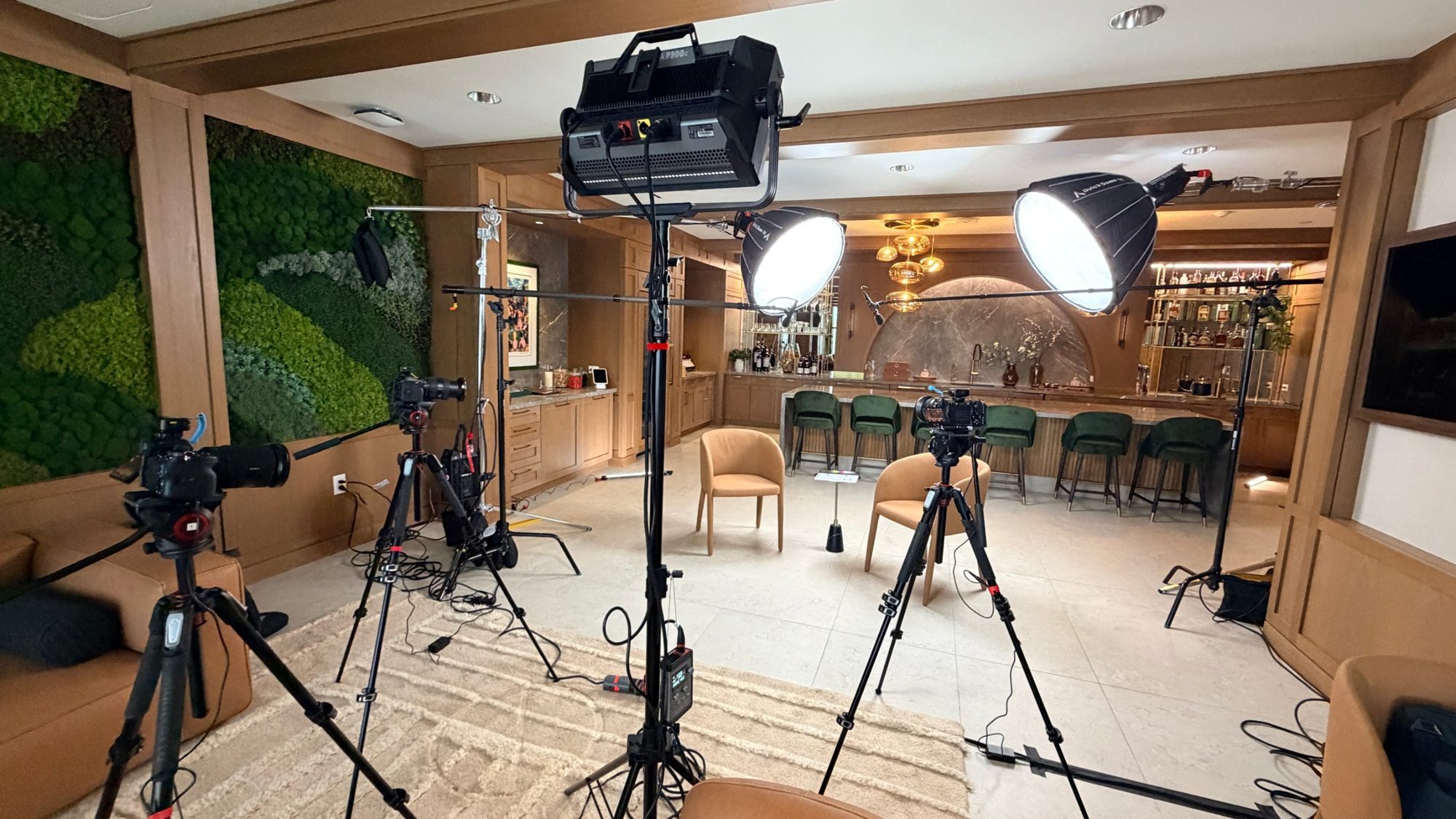
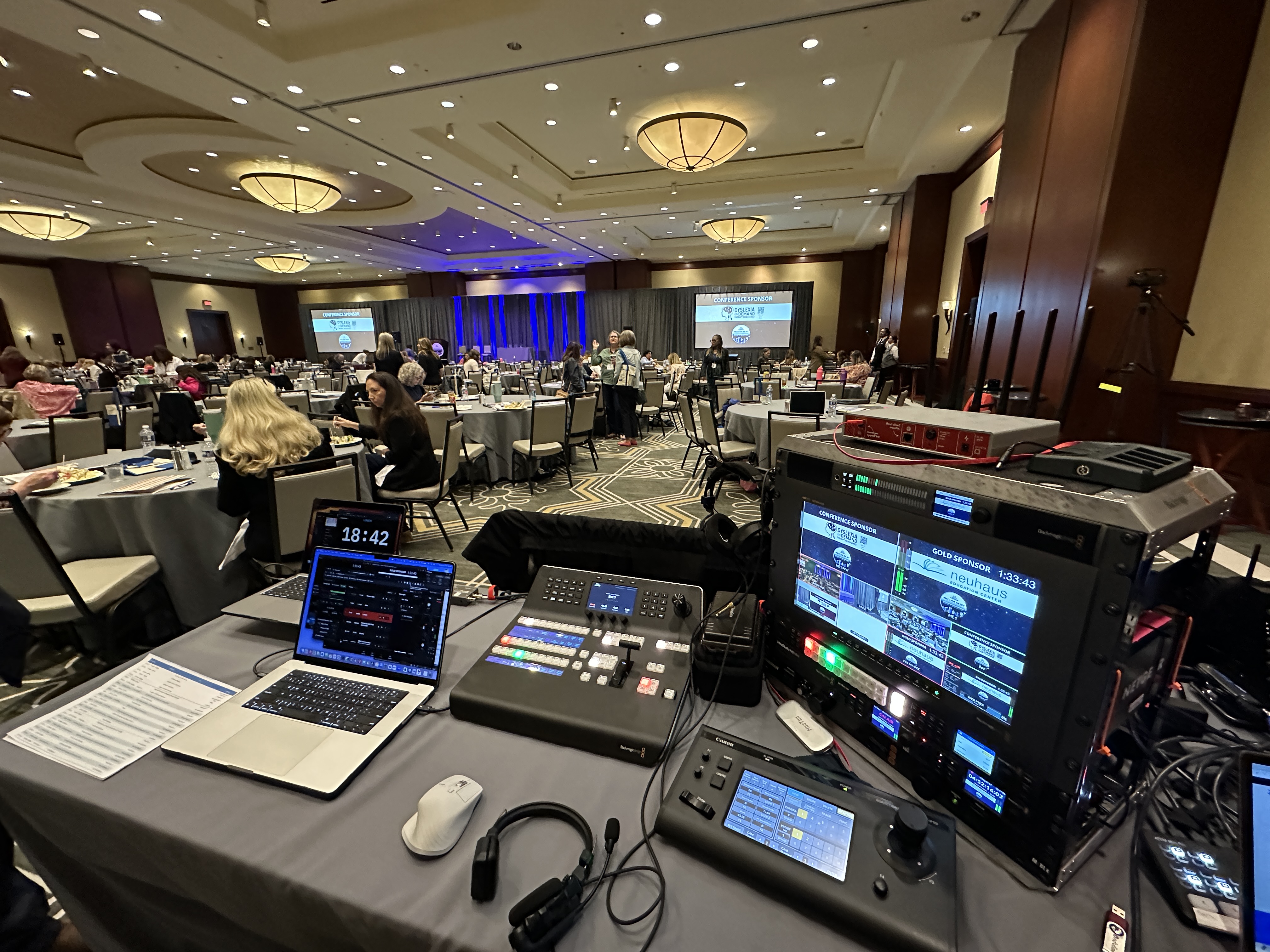
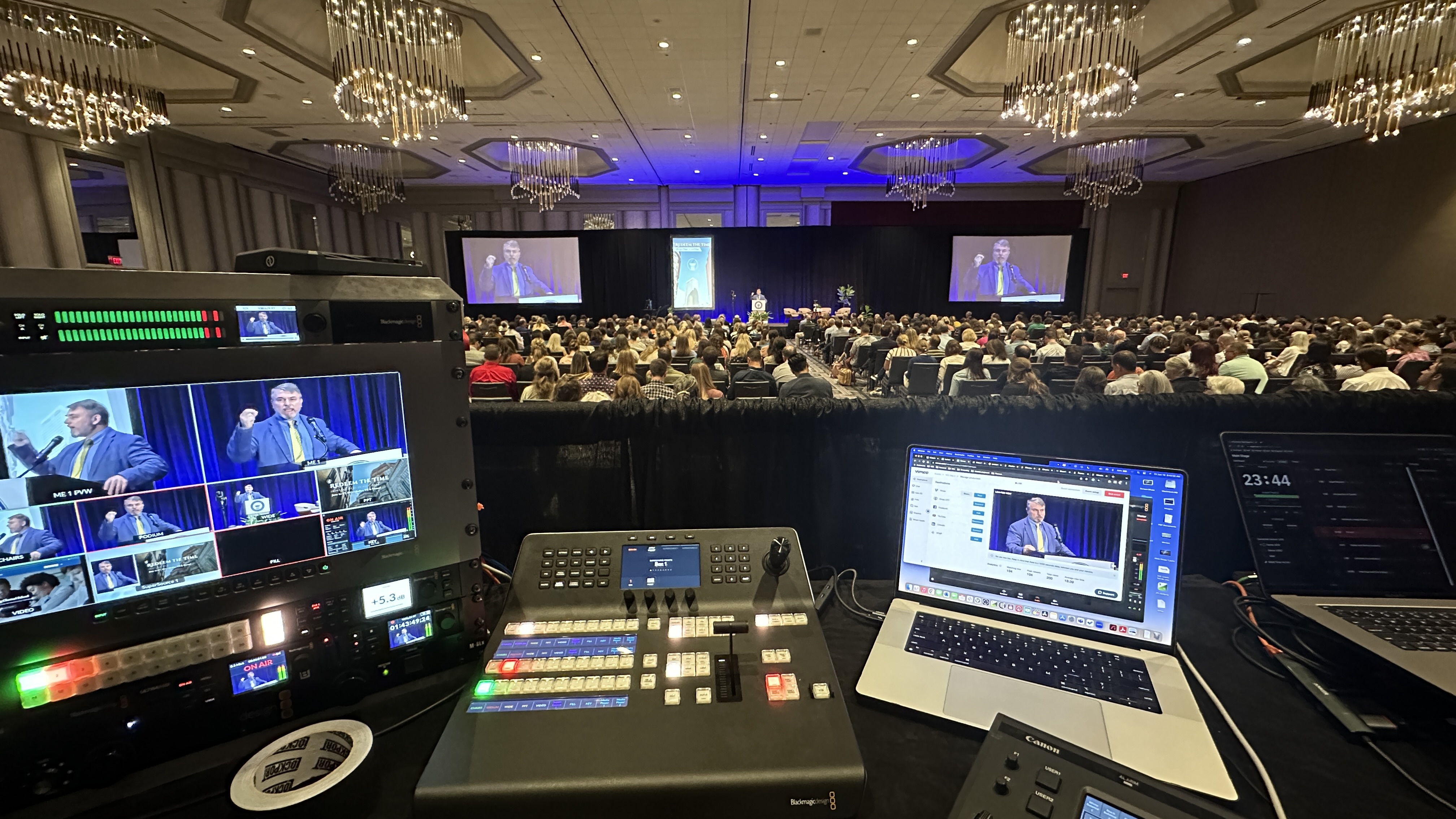
That means multiple cameras capturing the right angles, a video switcher cutting between them in real time, graphics and lower thirds, and an encoder pushing a stable signal out to your platform of choice. On our jobs that's usually Canon CR-N500 PTZ cameras feeding a Blackmagic ATEM switcher, with a LiveU Solo Pro bonded cellular encoder as backup so a flaky venue connection doesn't take down the whole broadcast. We also care a lot about audio, because nothing kills an online stream faster than viewers who can't hear — more on that in our piece on getting your livestream audio right.
The skill set is broadcast, not room reinforcement. We're thinking about what the camera sees, how the cut feels to someone at home, and whether the stream stays up for the full ninety minutes. If you want the full picture of what comes with a streaming engagement, we laid it out in what's included in a corporate livestream package.
The overlap is audio and source content, and that's where the confusion lives. Both teams need clean audio — the AV team for the room, the livestream team for the broadcast. Both need the presenter's slides. Both touch the stage. So on paper it can look like one team could just do everything.
Sometimes one team can. A small webinar or a single-camera virtual event doesn't need a full AV rig, and a livestream company can handle the whole thing solo. A large in-person conference with no online audience doesn't need cameras at all, and AV has it covered. The trouble starts with hybrid events — in-person plus online at the same time — where both disciplines are doing real work and someone has to make them play nice.
The single most important handoff between the two is audio. Your livestream's sound should come from a clean feed off the AV mixing console — often an Allen & Heath SQ5 or similar — not from a camera mic picking up room echo. When the two teams coordinate on that one cable, the broadcast sounds professional. When they don't, you get the dreaded hollow, distant audio that makes online viewers click away. We dug into why these handoffs go wrong in why corporate livestreams fail.
It helps to get concrete about who's responsible for each piece of an event, because the gaps almost always show up in the spots nobody explicitly claimed. Here's how the responsibilities usually split on a hybrid job.
The AV company owns the room: house speakers and the main mix, wireless mics on your presenters, stage monitors so the speaker can hear themselves, projection and the LED wall or screens, stage lighting, podium and staging, rigging, and room power distribution. Their north star is the person sitting in row 15 — can they hear, can they see, does the room feel like a real production.
The livestream company owns the broadcast: cameras and their positioning, the video switcher cutting the program feed, graphics and lower thirds, the recording, the encoder, and the actual connection out to your platform. Our north star is the person watching from a laptop two states away — does the picture look sharp, does the audio sound clean, and does the stream stay up the whole time.
Then there's the seam between them, and this is the part that gets people: the audio feed from the AV console to the stream, the slides or program video feed to the stream, who supplies and owns the internet connection, and who is actually watching the broadcast output on a monitor to catch problems. None of those four things live cleanly inside one vendor's scope. They live in the handoff, which is exactly why they need to be assigned out loud before event day instead of assumed.
| Responsibility | AV company | Livestream company |
|---|---|---|
| Who it serves | The audience in the room | The audience watching online |
| Audio | House speakers, main mix, wireless mics, stage monitors | Clean broadcast mix fed from the console (or its own mics), monitored for the stream |
| Video | Projection, LED walls, screens, slides in the room | Cameras, live switching, graphics and lower thirds, program recording |
| Lighting and staging | Stage lighting, podium, rigging, power | Only what the cameras need to expose well |
| Delivery | Ends at the room's walls | Encoder, redundant internet, the stream to Zoom, Teams, YouTube, Vimeo or a private page |
| Typical cost signal | Priced by room size, screens and hours | On-site live streams typically start around $3,900; scales with cameras, crew, rooms and days |
| When you need it | Any in-person event with a stage | Any event with a remote audience, or that needs a broadcast-quality recording |
| The seam (assign it out loud) | Audio feed to the stream · slides/program video to the stream · who supplies internet · who watches the broadcast output | |
When a hybrid event goes sideways, it's almost never because the AV was bad or the cameras were bad. It's because something in that seam never got assigned. I've walked into rooms where the in-person event was flawless and the stream was a mess, and every time it traced back to one of a few predictable gaps.
Audio is the big one. The AV team is mixing for the room, which is a different job than mixing for a broadcast. A mix that sounds full and punchy on big house speakers can sound thin or lopsided once it's stripped down to a stereo feed on someone's earbuds. If nobody owns the line-level feed from the console to the encoder — and nobody checks how it actually sounds on the stream — you get a broadcast that's technically working and genuinely unpleasant to listen to.
The internet is the second gap. Someone has to own the connection the stream rides on, confirm it well before doors open, and have a backup. Venue Wi-Fi is not a plan. This is exactly why we bring a LiveU Solo Pro for bonded cellular redundancy — so if the house network chokes during the keynote, the broadcast rides the backup and most viewers never notice. If your AV team assumes the stream team has internet handled and the stream team assumes the venue does, nobody does.
The third gap is the quietest and the most dangerous: who is watching the actual output. Plenty of crews are heads-down on their own gear — the AV team watching the room, the camera ops watching their shots — and not one person has eyes on what the remote audience is actually seeing and hearing. A stream can freeze, drop audio, or lose its graphics for ten minutes before anyone in the room notices. On a real broadcast, someone owns that monitor and nothing else. Make sure that person exists.
The abstract version is useful, but it's easier to see it in the kind of events that actually come across my desk.
A simple all-hands or webinar with everyone remote: this is a livestream company, full stop. There's no room to reinforce, so you don't need house AV at all. One operator with a camera, a switcher, and an encoder can deliver a clean professional stream. You're paying for broadcast skill, not trusses and speakers, and a single-operator virtual stream generally starts around $1,595.
A mid-size in-person conference with no online component: this is an AV company. You need sound, screens, mics, and lighting for the room, and there's no broadcast to produce. Don't pay for cameras and encoders you won't use.
A hybrid town hall or sales kickoff — a few hundred people in the room plus a remote audience: now both disciplines are doing real work. For a relatively contained version, a capable livestream company can run the cameras and broadcast and coordinate directly with the venue's house AV. The key is getting that audio feed and internet plan nailed down early. In-person production with cameras typically starts around a $3,900 floor.
A large general session — big stage, heavy production, hundreds or thousands in the room, plus a polished livestream: this is where you want a dedicated AV company on the room and a dedicated livestream company on the broadcast, on the same planning call from week one. The staging is too involved to treat the broadcast as a side task, and the broadcast is too visible to hand to a room-focused crew. Multi-camera and hybrid jobs like this generally land in the $5,000 to $15,000 range depending on scope and days. We break down the math in how much it costs to livestream an event.
Start with one question: who's your audience, and where are they? That answer points you straight to the right vendor. Everything else is detail.
If your entire audience is in the room and nobody's watching online, you need an AV company. Book the room, the sound, the screens, and you're set. If your entire audience is online — a webinar, a virtual town hall, a remote product briefing — you need a livestream company, and you may not need much AV at all. A single-operator virtual stream generally starts around $1,595, because you're paying for broadcast skill, not a room full of speakers and trusses.
If you've got both audiences, you need both disciplines, and the real question becomes who quarterbacks the job. For a straightforward hybrid event, a capable livestream company can run the cameras and the broadcast and coordinate directly with the venue's house AV. For a big general session with heavy staging, you'll want a dedicated AV company on the room and a livestream company on the broadcast, talking to each other from the first planning call. In-person production with cameras typically starts around a $3,900 floor and climbs from there; multi-camera and hybrid jobs generally land in the $5,000 to $15,000 range depending on scope.
The fastest way to avoid the wrong hire is to ask each vendor what they treat as their core craft versus their add-on. An honest answer tells you everything. A great AV company will happily tell you streaming isn't their specialty; a great livestream company will tell you they don't do house sound for a 2,000-person ballroom.
Ask the livestream vendor how many cameras they're bringing, how they're switching, and what their backup plan is if the venue internet drops. If they can't answer the redundancy question, keep looking. Ask the AV vendor how they'll hand off a clean audio feed and a program video feed to the stream team. And ask both, plainly, who is going to be watching the broadcast output during the event — the answer should be a specific person, not a shrug. If you're running anything multi-camera, read up on what that actually involves in multi-camera live production so you know what good looks like. Not sure where to even start the search? Our guide on finding a live streaming company near you walks through it.
AV is the room. Livestream is the broadcast. They're different crafts with different gear and different instincts, and the cleanest events happen when each team does what it's best at and they coordinate on the handoff — especially audio. If you only remember one thing: figure out where your audience is sitting, and the right vendor becomes obvious.
And if your event is hybrid, don't assume one vendor can fake the other half well. Hire for both, get them on the same call early, assign the audio feed and the internet and the output monitor out loud, and your in-person crowd and your online crowd both get the show they showed up for.
An AV company produces the experience for people in the room — sound, screens, lighting and staging. A livestream company produces the broadcast for people who are not in the room — cameras, switching, graphics, encoding and a reliable stream to your platform, plus the recording. For a corporate event with both audiences you usually need both, with the audio feed, program video, internet and stream monitoring assigned to one of them in writing before event day. DFW Live Stream is a livestream company in Dallas–Fort Worth that integrates with venue AV teams on hybrid events.
Sometimes, yes — for smaller events. A livestream company can often run a simple hybrid event and coordinate with house AV, and a full-service AV company may offer streaming as an add-on. For large, high-stakes events with heavy staging and an online audience, you're usually better off with a specialist on each side coordinating closely.
Usually not. If nobody's in a room, there's no house sound or projection to manage, so a livestream company can handle the whole thing. A single-operator virtual stream generally starts around $1,595 and covers the camera, switching, and encoding you actually need.
Almost always because the stream is pulling audio from a camera mic instead of a clean feed off the AV mixing console, or because the room mix was never adjusted for broadcast. The room can sound great while online viewers get hollow, echoey audio. The fix is a direct line-level feed from the mixer to the stream and someone actually checking how it sounds on the broadcast.
Book whichever owns the bigger share of your event first, then bring the other in early. For a staging-heavy in-person event with a stream, start with AV. For an online-first event with light in-room needs, start with the livestream company. Either way, get both on a planning call well before event day.
It depends on camera count and complexity, but multi-camera and hybrid productions generally run between $5,000 and $15,000. In-person production with cameras typically starts around a $3,900 floor. The biggest cost drivers are how many cameras you need and whether the event is single or multi-day.
This has to be assigned on purpose, because it's the gap that takes streams down. Decide early whether the venue, the AV team, or the livestream company owns the connection, confirm the actual bandwidth before doors open, and insist on a backup. We bring bonded cellular redundancy so a flaky house network doesn't end the broadcast — but the point is that one named party owns it, not three who each assume someone else did.
AV gear is built to fill a room: house speakers, mixing consoles, projectors and LED walls, wireless mics, stage lighting, and rigging. Livestream gear is built to produce a broadcast: cameras like the Canon CR-N500 PTZ, a video switcher such as a Blackmagic ATEM, graphics, recorders, and an encoder like a LiveU Solo Pro to get the signal out reliably. They share clean audio as a common input, which is exactly why that feed between them matters so much.
Mark runs DFW Live Stream and has been producing corporate livestreams, conferences, town halls and webinars across Dallas–Fort Worth and around the country since 2017. He writes these from the production desk, not a marketing department, and uses AI tools to help draft and structure them. Every post is read, fact-checked and edited by him before it goes live.