When someone asks me for "a livestream," they usually have a picture in their head of a camera and a YouTube link. The reality is a lot more than that, and the gap between those two pictures is exactly where people get surprised — either by a quote that looks higher than expected, or by a cheap setup that left out half the things that actually make a stream work. (Updated September 22, 2026.)
So here's the honest breakdown of what a real corporate livestream package includes. At the core, you're getting four things: a planning process before the day, a crew and broadcast gear on the day, a reliable stream going out to wherever your audience is, and deliverables afterward. Inside those four buckets are a dozen specific pieces, and which ones you need depends on your event. I'll walk through all of them so you can read any quote — mine or anyone else's — and know exactly what you're paying for and what's missing. If you want the cost side specifically, that lives in my guide to what it costs to livestream an event; this post is about scope, not price.
The first thing in a good package is the part you don't see, and it's the part that prevents most problems: pre-production. Before the event, we work out the technical plan — internet, power, stage layout, audio sources, and exactly what the remote audience will see.
For a straightforward stream this is a planning call and a venue tech check. For anything bigger it means coordinating with the venue's AV team, confirming there's a hardwired internet drop and what its upload speed actually is, and mapping where cameras and audio feeds come from. This is also where we plan redundancy, which I consider non-negotiable for a corporate event. A package that skips real planning is the same package that improvises on event day, and improvising on a live broadcast is how things go wrong. If you want to see how the whole engagement unfolds from first call to wrap, I laid out the timeline in what to expect when you hire a livestream company.
Every legitimate package includes people, and the crew size is one of the biggest things separating a setup that holds up from one that doesn't. At minimum, a professional corporate stream runs with two people: a technical director switching the show and managing the stream, and at least one camera operator or producer watching the output.
That two-person floor isn't padding. One person genuinely cannot run a multi-camera show and also reliably catch a streaming problem the instant it starts — it's a hands problem, not a skill problem. Larger events scale up from there: a multi-room conference or a hybrid event with an in-room and online audience needs more operators and often a dedicated audio engineer. If a quote has a single person covering everything on a high-stakes event, that's the first thing I'd question. I get into why crew is the line item that matters most in my live stream company vs. DIY comparison.
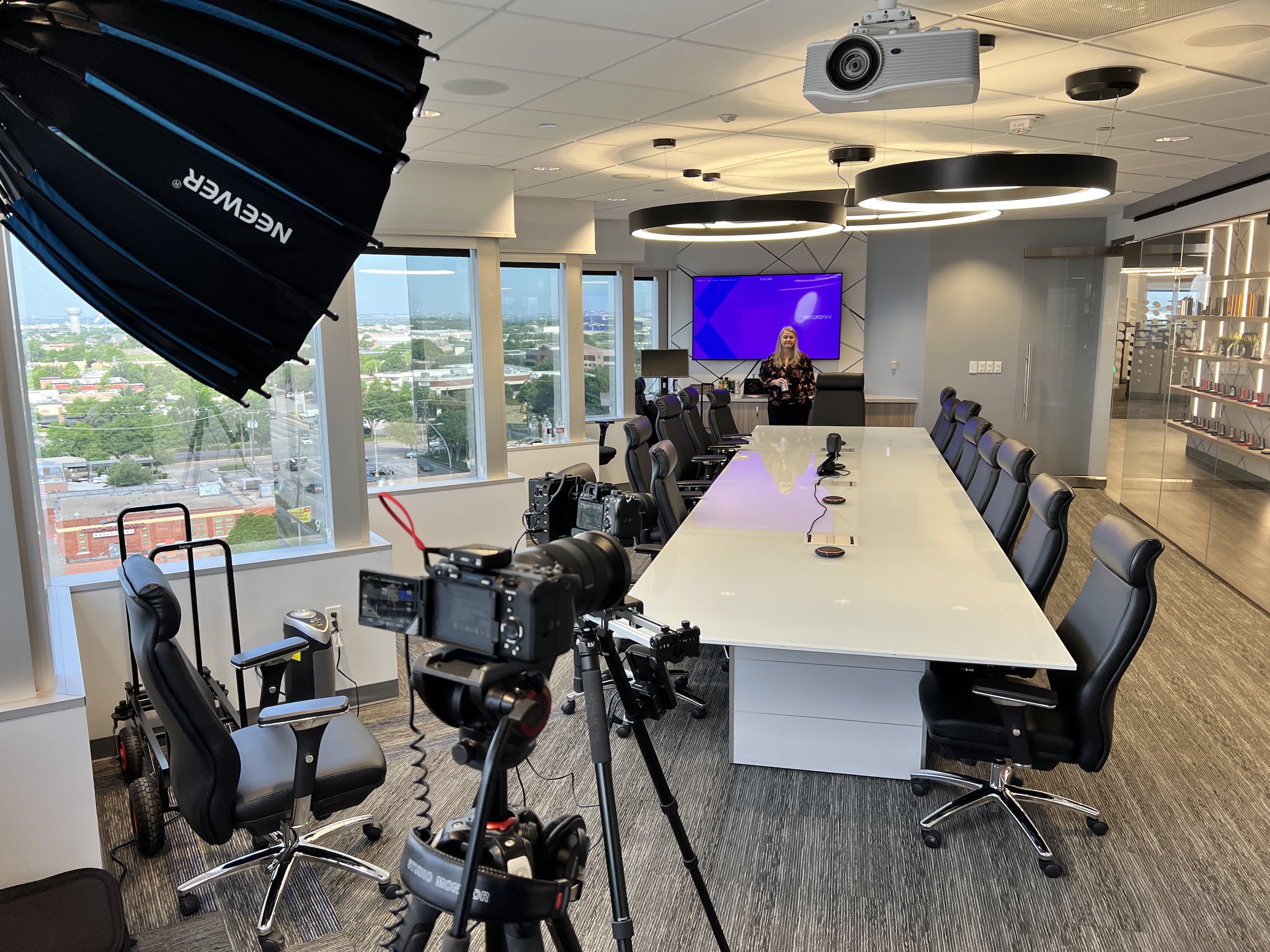
The visible core of the package is cameras feeding a switcher. A single-camera stream is one locked or operated angle; a multi-camera setup gives you several angles cut together live, which is what makes an event look like a broadcast instead of a webcam.
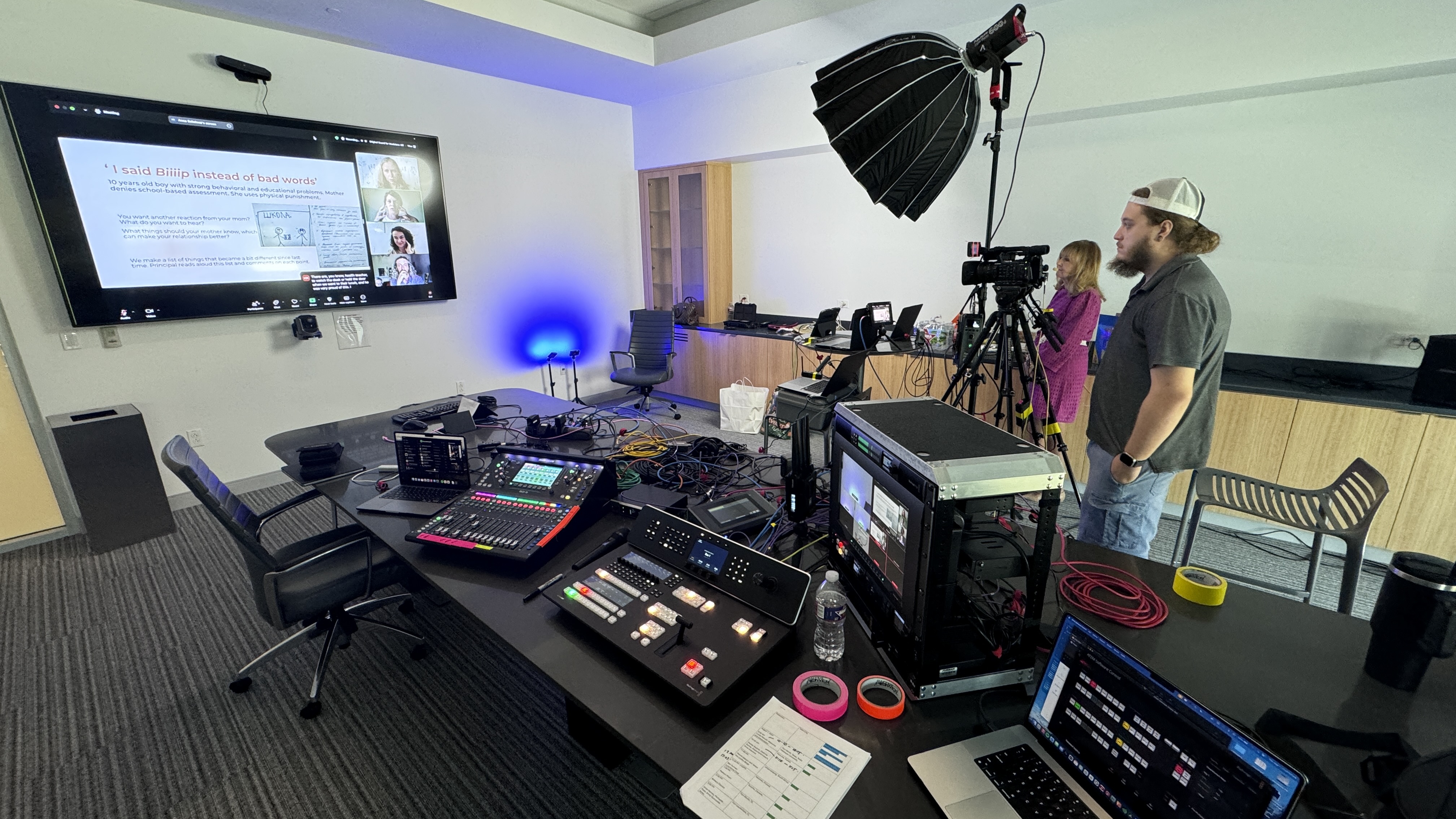
On our setups we run Canon CR-N500 PTZ cameras and operated cameras into a Blackmagic ATEM switcher, so a technical director can cut between a wide stage shot, a tight shot on the speaker, and a feed of the presentation slides in real time. The switcher is what turns a pile of camera feeds into a single clean program, and it's also a redundancy layer — one camera glitching doesn't take the whole stream to black. How many cameras you need is an event-by-event call, but the principle is simple: more angles make a longer event watchable. I covered why that matters for engagement in my piece on multi-camera live production.
Audio is its own deliverable in the package, not something pulled off a camera, and it deserves more attention than most people give it because an audience leaves faster over bad sound than bad video. A proper package includes a dedicated audio chain: wireless microphones for presenters, a feed from the venue's sound board when there's a live audience, and a real mix going to the stream.
We run wireless Sennheiser systems into a digital audio console, with fresh batteries staged for every mic, because stream audio has to be managed independently from room audio. This gets more involved at hybrid events, where you're effectively running two audio mixes at once — one for the people in the room and one for the people watching online. That complexity is exactly why I treat audio as a planned-for line item rather than an assumption, and it's a recurring theme in my hybrid event best practices guide.
A package usually includes on-screen graphics, which are what make a stream look like your company produced it instead of a hobbyist. The standard inclusions are lower thirds (the name-and-title graphics that identify each speaker), title and transition cards, and your logo and branding on the stream.
For some events we'll also bring in slide integration, so the presenter's deck is cut into the program cleanly rather than filmed off a projector screen, and holding slides for breaks. None of this is flashy, but it's the difference between a polished broadcast and a raw camera feed. It's the kind of thing that doesn't get noticed when it's done well and absolutely gets noticed when it's missing.
Remote presenters are a service line of their own. Getting a speaker in from another city, making them look and sound as good as the people in the room, and handling the inevitable "can you hear me now" moment before the audience sees it takes planning and a rehearsal. If your event has even one remote speaker, ask specifically how the vendor handles it — that's the point where a basic stream turns into a hybrid event.
The heart of the package is getting a reliable signal out to your audience, and the part that actually earns the money here is redundancy. A real package doesn't just push the stream over the venue's internet and hope — it includes a backup path.
We run a bonded LiveU encoder that combines the hardwired connection with multiple cellular bonds at once, so if the building's internet drops mid-event, the stream never knows. I've watched a hotel's entire internet go down during an event while our stream didn't drop a frame, purely because the redundancy was built in. The package also includes delivering to wherever your audience is — YouTube, Vimeo, a private or password-protected player, your own website, or directly into a platform like Zoom for a town hall. Where the stream goes is a planning decision; that it stays up no matter what is the whole point. I dug into why this is the single most important question to ask a vendor in my guide to choosing a live streaming company.
Someone should also be watching the actual outgoing stream the entire time, not just the switcher. That's the person who catches that the platform is showing a frozen frame while everything at the desk looks fine, and fixes it in seconds instead of learning about it from an email the next morning.
Most packages include a recording, and what you get back afterward is worth confirming up front because it varies a lot between vendors. At minimum you should expect a clean recording of the full program — the switched, produced version with graphics and proper audio, not just raw camera files.
From there, deliverables are a menu. Some clients just want the full recording for their archive or for on-demand replay. Others want it edited down: a highlight reel, social-media-length clips, or individual speaker sessions cut out separately. Recording is captured locally throughout the event anyway as part of the redundancy plan, so the produced version is always there as a deliverable. Just be clear with any vendor about what's included versus what's an add-on, because "we'll record it" can mean a polished edit or a raw file dump depending on who's saying it. How you plan to use the recording also feeds into the value math I cover in measuring live streaming ROI.
Beyond the core, a few add-ons come up often enough that they're worth knowing about before you book. The big one is IMAG — image magnification — which is projecting the live camera feed onto screens in the room so a large in-person audience can actually see the stage. That's a production layer on top of the stream, not part of a basic package.
Other common add-ons: additional cameras or a second room, a dedicated audio engineer for music-heavy or panel-heavy events, multi-day coverage, livestream-to-multiple-platforms simultaneously, and post-event editing packages. None of these are upsells for the sake of it — they're scope that some events genuinely need and others don't. A good vendor will tell you which ones your specific event actually calls for instead of loading every line item onto the quote.
Being clear about what sits outside the standard package keeps the quote honest. Edited highlight videos, social clips, and a recap piece are post-production, usually quoted separately. Staging, lighting for the room, projection, and the in-room sound system are AV, and often come from the venue or a separate AV company. Registration platforms, ticketing, and email blasts are your event tech, not the stream. Closed captioning is sometimes bundled, sometimes an add-on.
None of these are hidden fees when a vendor is upfront about them. They become a problem only when you assumed they were in and they weren't. If you're weighing whether you need a streaming vendor, an AV company, or both, livestream company vs. AV company sorts it out.
Put all of this together and you can read any livestream quote like a pro. Run down the four buckets — planning, crew, broadcast gear, and deliverables — and check that each one is actually represented. If a quote is dramatically cheaper than the others, the savings are almost always coming out of crew size or redundancy, which are the exact two things that prevent a stream from failing.
You don't need a technical background to do this. Get each vendor to answer the same short list, in writing, so you can lay the quotes side by side: How many cameras, and how many crew on site? Who mixes audio for the stream, and how? What happens if the venue internet fails? Who's watching the outgoing stream during the show? Is there a rehearsal or tech check, and when? What exactly do we receive afterward, and when? What's not included? The answers tell you whether you're comparing the same service.
The point isn't that more is always better — it's that you should know what's in the package and what's been left out, so you're comparing like for like. A two-person crew with bonded internet backup and a produced recording is a different product than one person on a single connection handing you raw files, even if both say "livestream package" at the top. Once you can see the pieces, the right scope for your event gets obvious. If you're comparing vendors at that stage, my guide to finding a live streaming company near you covers what else to look for.
A complete corporate livestream package includes four core components: pre-production planning (technical plan, venue check, redundancy plan), an on-site crew (at least a technical director and a camera operator), broadcast equipment (multiple cameras, a switcher, professional audio, on-screen graphics, and a stream with backup internet), and post-event deliverables (a produced recording, with edited clips or highlight reels available as add-ons). What you need within those buckets depends on your event's size and stakes.
Almost always, but confirm what kind. A good package includes a clean recording of the produced program — the switched version with graphics and proper audio — not just raw camera files. Edited deliverables like highlight reels, social clips, or individually exported speaker sessions are typically available as add-ons. Always clarify up front whether "we'll record it" means a polished edit or a raw file.
A professional corporate stream runs with a minimum of two people: a technical director managing the switch and the stream, and a camera operator or producer monitoring the output. Larger, multi-room, or hybrid events scale up to include additional operators and often a dedicated audio engineer. A single person covering an entire high-stakes event is the main red flag to watch for on a quote.
In a professional package, yes — and it's one of the most important inclusions. A reliable stream uses a bonded encoder that combines the venue's hardwired connection with multiple cellular connections, so the stream stays up even if the building's internet fails. If a package relies on a single internet connection with no backup, that's a significant gap regardless of how good the cameras are.
Common add-ons include IMAG (projecting the live feed onto screens for the in-room audience), additional cameras or a second room, a dedicated audio engineer, multi-day coverage, streaming to multiple platforms at once, and post-event editing packages. These aren't padding — they're scope that specific events need. A good vendor recommends only the add-ons your event actually calls for rather than loading every option onto the quote.
Yes. Sending the same program to YouTube and LinkedIn, or to a public page and a private internal destination, is routine. It should be set up and tested before event day, not improvised during it.
Sometimes. The livestream package owns everything between the stage and the remote viewer. Room staging, projection, lighting, and the house sound system are AV, and often come from the venue or a separate AV vendor. A good streaming vendor coordinates with that team so the two setups don't fight each other.