 By Mark WhiteOwner & Executive Producer, DFW Live Stream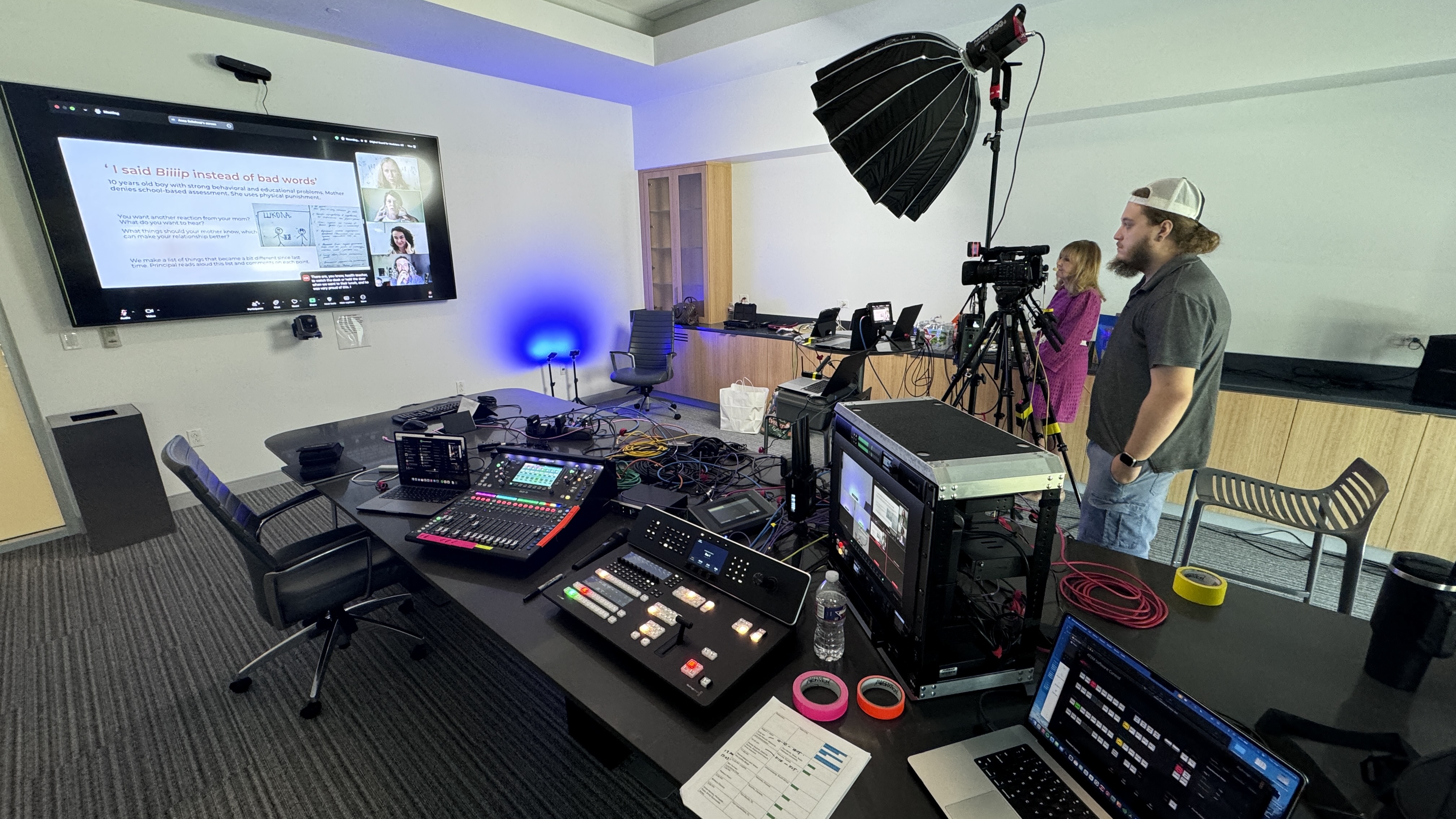
If you have a high-stakes webinar coming up — a product launch, an executive briefing, a customer-facing event — you've probably wondered whether you need a webinar production company or whether your team can just run it through Zoom. I produce corporate webinars in Dallas-Fort Worth just about every week, so here's the straight answer from someone who does this for a living.
The short version: a webinar production company handles everything technical about your broadcast — planning, cameras, lighting, audio, slides, graphics, streaming, and the backup plans — so your presenters only have to show up and present. You hire one when the webinar is revenue-facing or reputation-facing, when you have multiple presenters or formats in play, or when the production you're picturing is more ambitious than a laptop webcam can deliver. If it's a casual internal session with a forgiving audience, you can probably handle it in-house.
Think of us as a broadcast TV crew scaled down to fit a conference room. We take ownership of every technical element of your webinar so nothing about the tech lands on your plate.
The work starts well before event day. In pre-production, we walk through your run of show, the platform you're streaming to, presenter locations, slide handoffs, and what the audience should be seeing at every moment. We test the venue's internet, build graphics like lower thirds and holding screens, and rehearse with your presenters so nobody is guessing when the stream goes live.
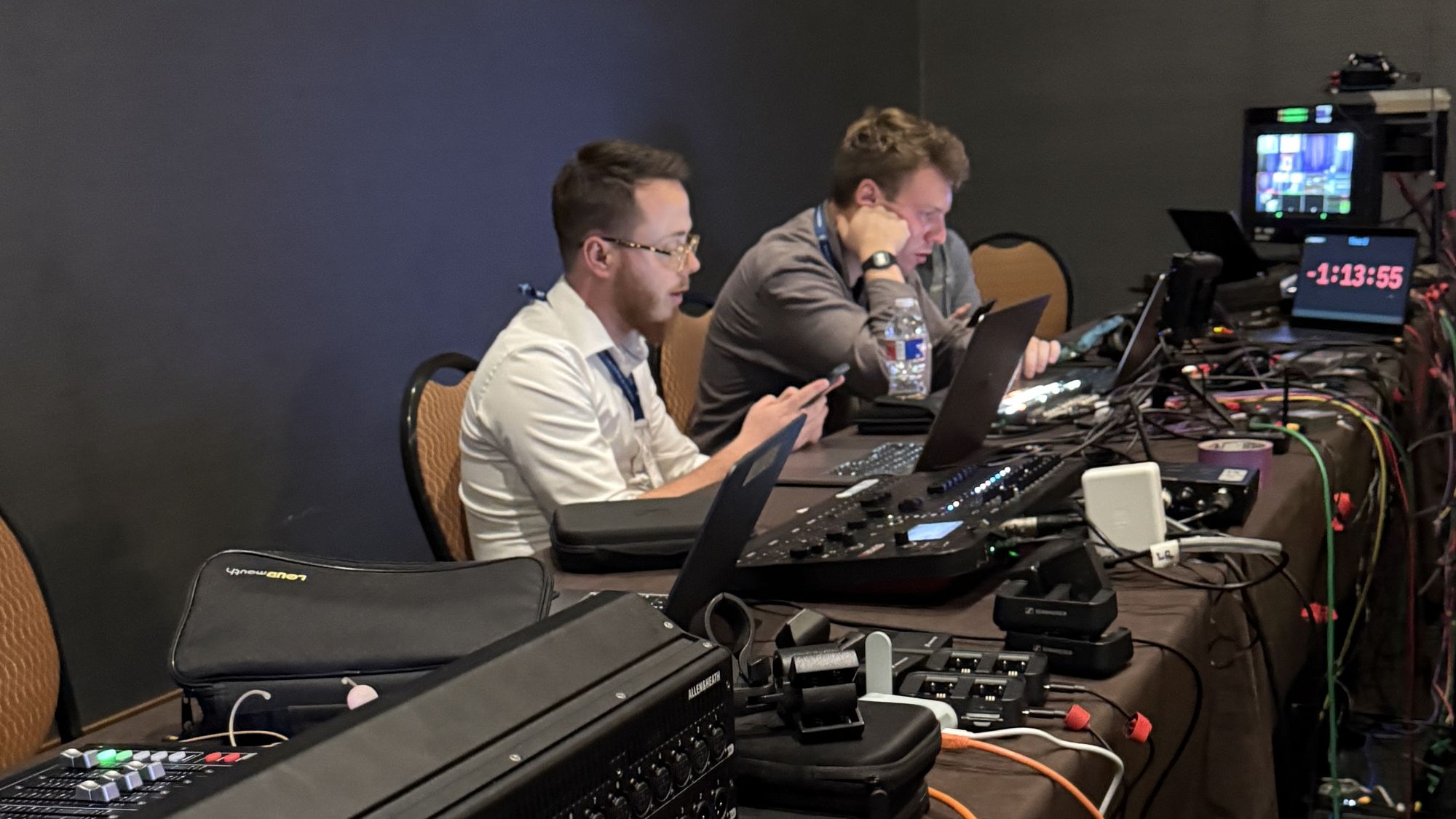
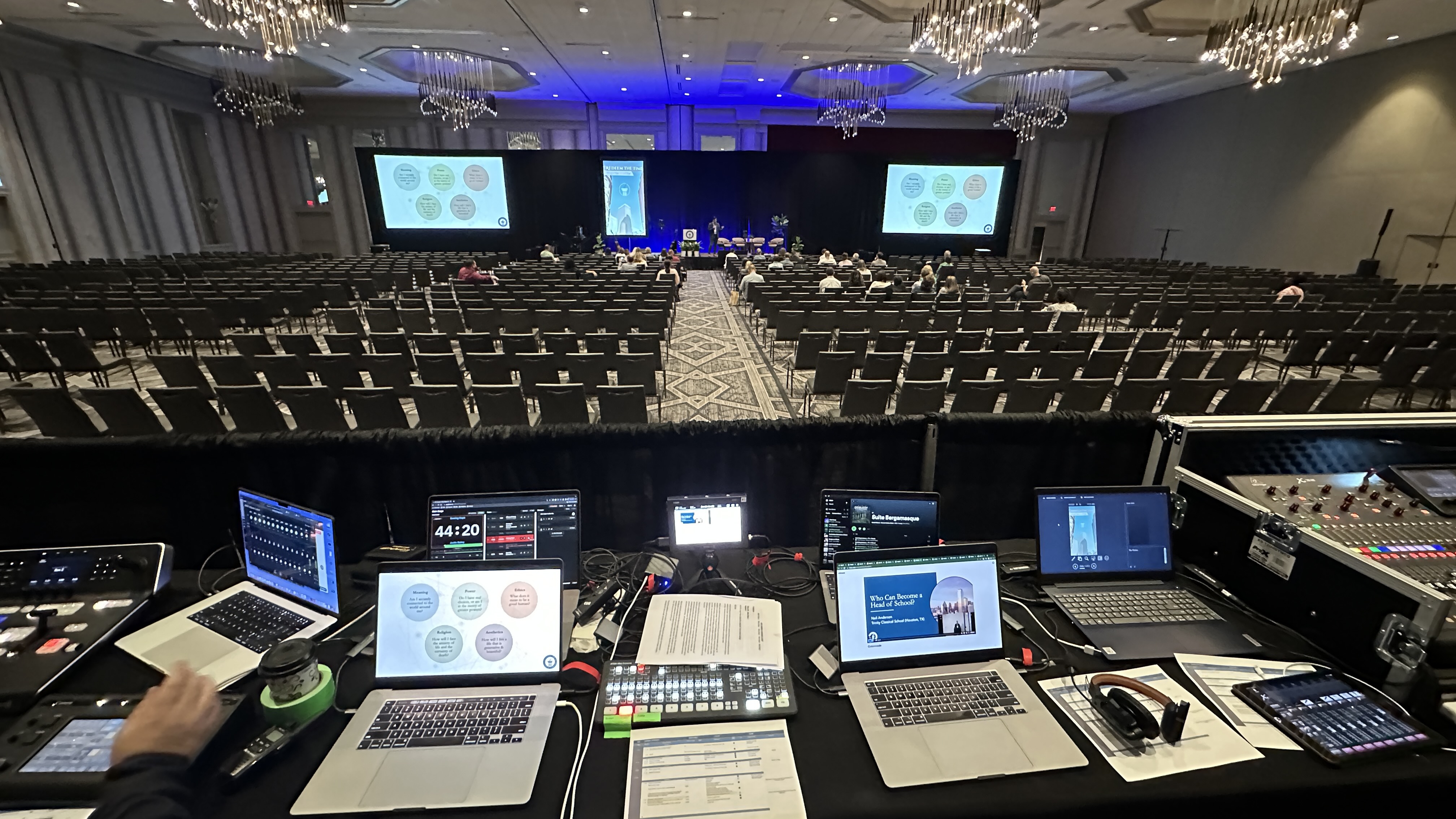
On event day, we bring the studio to you: cameras, lighting, professional microphones, a video switcher, and a streaming encoder. While the webinar runs, a technical director cuts between cameras and slides in real time, audio is monitored constantly, and someone is watching stream health and audience Q&A from the first minute to the last. Afterward, you get a clean recording that's ready for editing, clipping, and repurposing into marketing content.
The difference comes down to control and polish. On a standard video call, every presenter's laptop, webcam, built-in mic, and home Wi-Fi is a separate point of failure — and even when it all works, it looks like a meeting, not an event.
A produced webinar looks intentional. Presenters are lit properly and mic'd with real wireless microphones — we typically run Sennheiser systems — cameras are framed by an operator instead of a laptop hinge, and a switcher moves between speakers, slides, and pre-recorded video the way a broadcast would. Your audience notices, even if they can't articulate why. Attention holds longer, your brand looks sharper, and the recording is actually worth reusing.
If you're still sorting out the terminology, I broke down the differences in webcast vs. webinar vs. livestream — the formats overlap more than the names suggest, but the production decisions are different.
The deciding factor isn't company size — it's what the webinar is being asked to do. When the outcome matters more than the production cost, professional production is the cheap part of the equation.
In my experience, the webinars worth producing professionally share a few traits. There's real money attached: a product launch, a sales-driven event, or a client audience you can't afford to lose mid-stream. There are executives on camera whose time is expensive and whose patience for technical fumbling is short. There are multiple presenters, panel formats, or a mix of in-room and remote speakers. Or the webinar is public-facing enough that a frozen screen or clipping audio would embarrass the brand.
One more that people underestimate: recurring webinar series. If you run a monthly customer webinar, a production partner gives every episode a consistent look and frees your team to focus on content instead of cables.
Plenty of webinars are conversational by design, and that's fine. If the session is a working meeting in disguise — a small internal training, a casual community check-in, a quick demo for a handful of warm prospects — the intimacy of a simple video call can actually work in your favor.
The honest test is intent. If the goal is a conversation, use the tools you have. If the goal is a presentation — something you'd want to look back on proudly, share publicly, or convert into content — that's when production value starts paying for itself.
Professionally produced webinars generally start around $1,595 for a full-virtual, single-operator production, and in-person productions typically start around $3,900. Larger formats with multiple cameras, panels, or a hybrid in-room audience generally land in the $5,000–$15,000 range. Full produced-webinar pricing is published at dfwlivestream.com/webinars — the price on the card is the price.
What moves the number is mostly crew and complexity: how many cameras, how many presenters, whether there's a live in-room audience, how much rehearsal you want, and how much graphics work is involved. If your event needs a separate setup and testing day — common for boardroom studios and multi-presenter formats — that typically adds around $2,250–$3,750. For a fuller breakdown of what drives streaming budgets, see how much it costs to livestream an event.
Most produced webinars need a smaller footprint than people expect. A typical setup for us is a two-person crew: a technical director running the switch and the stream, plus an operator covering cameras and audio.
On the gear side, we usually run Canon CR-N500 PTZ cameras — one operator can control several of them, which keeps crew costs down — through a Blackmagic ATEM switcher, with Sennheiser wireless mics on every presenter. When audio gets complex, an Allen & Heath SQ5 mixer handles it. And because venue internet is the single most common failure point in this business, we carry a LiveU Solo Pro bonded cellular encoder as a backup path, so the stream stays up even if the building's network doesn't.
This doesn't have to be all-or-nothing. Plenty of our clients own the content side — registration, promotion, slides, speakers — while we own everything that plugs in.
That hybrid split is usually the sweet spot: your team knows your audience and message better than any vendor will, and we know how to make it look and sound like a broadcast. I wrote a deeper comparison in in-house vs. outsourced webinar production if you're weighing where to draw the line.
Not every AV vendor is a webinar producer, and the differences show up under pressure. A few questions will tell you quickly who you're dealing with.
Ask what their backup plan is for internet failure — if there isn't a concrete answer involving redundant connections, keep looking. Ask whether rehearsal is included, how they handle remote presenters, and which platforms they've actually streamed to, whether that's Zoom, Teams, YouTube, or a marketing platform like ON24 or GoldCast. And ask what you receive afterward: you want a clean recording, not a screen capture. For a sense of how a good engagement runs from first call to final delivery, here's what to expect when you hire a livestream company. And if your event is bigger than a single webinar, here's what a virtual event production company does.
If you're weighing a specific webinar and want a straight answer on whether it's worth producing professionally — including honest feedback if it isn't — grab 20 minutes with me and we'll talk it through. No pitch, just a plan.
Two to four weeks is comfortable for a standard single-presenter webinar. For multi-presenter formats, panels, or anything with custom graphics and rehearsals, four to six weeks gives everyone room to do it right.
Yes — that's actually the most common setup. We turn a conference room or open office space into a temporary studio with cameras, lighting, and audio, then strike it all the same day. You need a room, power, and ideally hardwired internet.
Almost any of them. We regularly feed produced video into Zoom, Teams, YouTube, LinkedIn Live, and dedicated webinar platforms. The production layer is independent of the platform, so you can keep the registration and audience tools you already use.
In-room presenters need nothing — we light them, mic them, and frame them. Remote presenters just need a decent webcam, a quiet room, and a stable connection; we handle how their feed gets integrated and make them look as polished as possible.
With a professional setup, the audience never knows. We stream through bonded cellular backup — a LiveU Solo Pro in our case — so if the venue network drops, the encoder fails over to cellular and the broadcast keeps running.
Yes, and it's one of the best reasons to produce properly. You get a clean, high-quality program recording — not a compressed screen capture — that can be edited into clips, repurposed for marketing, or posted as on-demand content.
AV companies are built around in-room experiences: sound, screens, and lighting for a live audience. Webinar production is built around the remote audience — cameras, switching, encoding, and stream management. Some vendors do both, but the skill sets are different, so ask specifically about streaming experience.
Mark runs DFW Live Stream and has been producing corporate livestreams, conferences, town halls and webinars across Dallas–Fort Worth and around the country since 2017. He writes these from the production desk, not a marketing department, and uses AI tools to help draft and structure them. Every post is read, fact-checked and edited by him before it goes live.