 By Mark WhiteOwner & Executive Producer, DFW Live Stream
If you've ever watched a company's livestream and thought "this looks cheap" within the first ten seconds, you already understand this post. Your audience is making that same snap judgment about your broadcast, usually before your CEO finishes the opening line.
Here's the short version. A livestream looks professional when the picture is sharp and well-lit, the audio is clean and easy to listen to, the camera cuts between angles instead of sitting on one locked shot, your brand and speaker names show up on screen, and the stream never stutters or buffers. A livestream looks cheap when one or more of those breaks down. None of this requires your audience to know anything about video. They just feel it.
The thing most people miss is that "professional" isn't about owning expensive gear. It's about the experience the person watching at home actually has. They don't see your camera model. They see whether your brand looks like it has its act together. That's what this post is about, the visible signals a corporate audience registers, and why each one matters to how credible you look.
When a stream looks cheap, the audience doesn't blame the video. They blame you. A grainy picture and muffled audio quietly tell viewers that this organization either couldn't afford to do it right or didn't think it was worth doing right, and neither is the impression you want on a day you're presenting to clients, donors, or your own people.
This matters most when the stakes are high. An annual meeting, a product launch, a keynote, a conference where prospects are watching, those are the moments your brand is on display to people who weren't in the room. The livestream is the experience for everyone watching remotely. If it looks like a laptop webcam in a conference room, that's the version of your company they remember. Polished production doesn't just avoid embarrassment. It signals competence, and competence is what makes people trust you with their money.
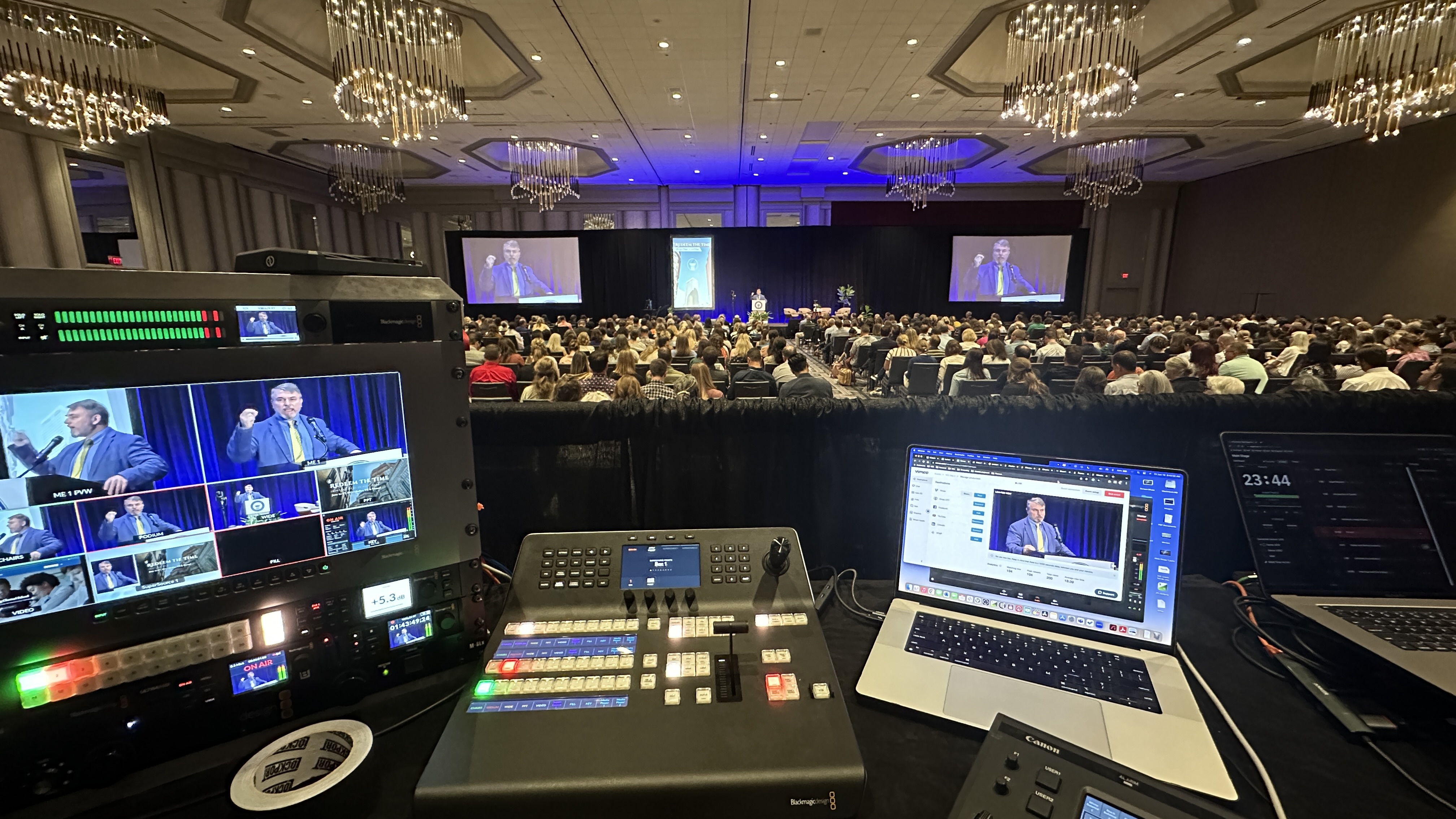
A single locked-off camera is the fastest way to look amateur. The moment you add a second or third angle and cut between them live, the broadcast starts to feel like television instead of a security feed, and the audience stays engaged instead of drifting.
Think about how a one-camera stream actually feels to watch. You're staring at the same wide shot for forty-five minutes. Nothing changes. Your attention wanders. Now picture the same event with a wide establishing shot, a tight shot on the speaker's face, and an angle that catches the audience or the slides. A director cuts between them in real time as the moment calls for it. That rhythm is what keeps people watching, and it's something a corporate audience registers as "this is a real production" without ever consciously thinking about cameras.
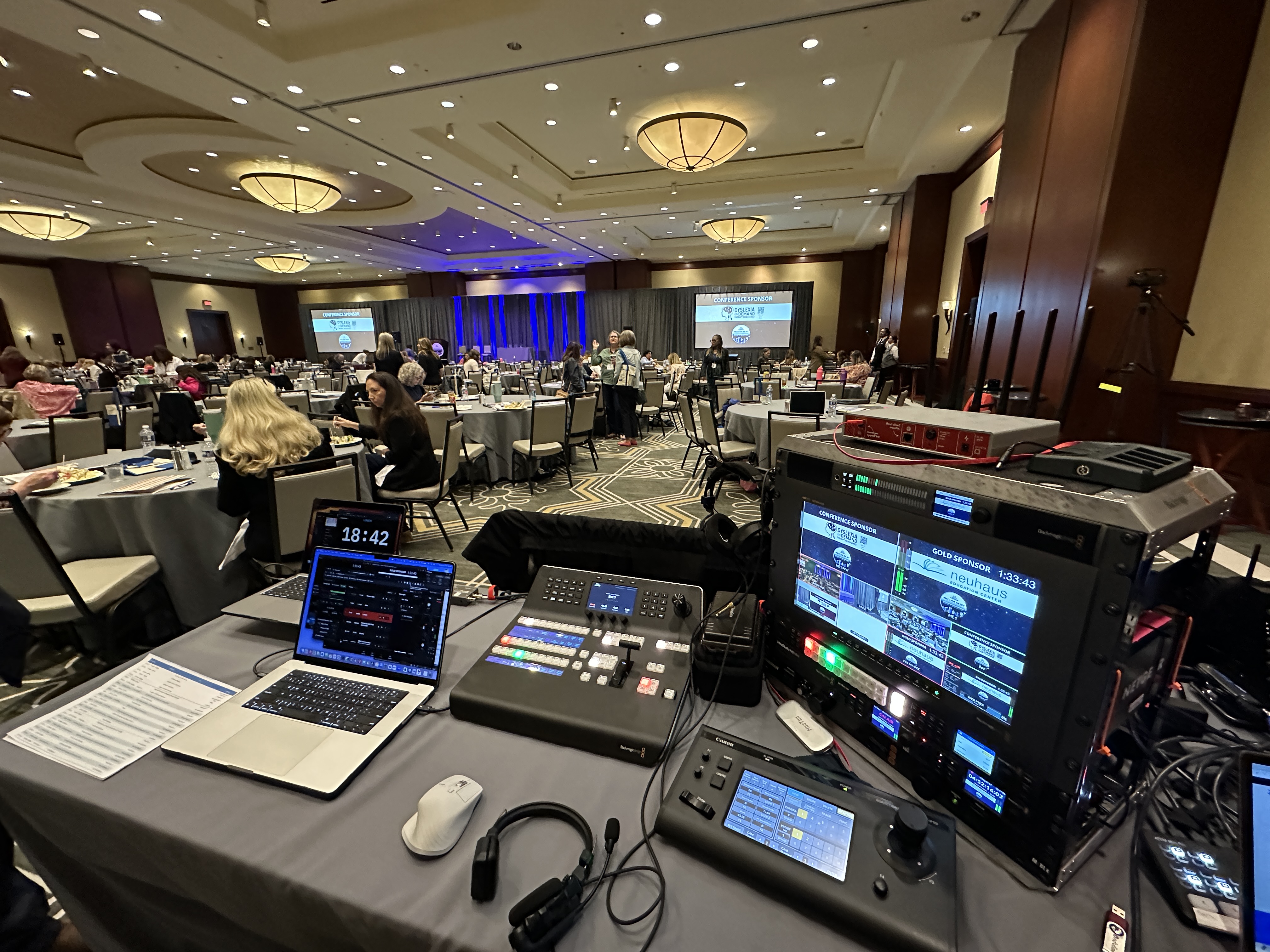
This is also where good crews earn their keep. We run robotic PTZ cameras like the Canon CR-N500 so we can cover several angles cleanly, and a switcher like the Blackmagic ATEM lets us cut between them live. But the gear isn't the point. The point is that your speaker gets framed the way an audience expects to see an important person framed, and the cuts feel intentional. If you want to go deeper on the production side, here's more on multi-camera live production.
Viewers will tolerate a slightly soft picture for a surprisingly long time. They will not tolerate bad audio for ten seconds. If they can't comfortably hear and understand the speaker, they leave, and no amount of pretty camera work brings them back.
Audio is the quality signal that does the most work and gets the least attention from people planning events. A hollow, echoey room. A lavalier mic rubbing against a collar. A presenter who's too quiet during the soft moments and clipping during the loud ones. Each of those quietly tells the audience this wasn't handled by someone who knew what they were doing. Clean audio does the opposite. It's invisible, which is exactly the point. Nobody compliments good audio. They just stay and listen.
Getting there means proper microphones for the room and the speaker, Sennheiser wireless so presenters can move without dropouts, and a real mixing console like an Allen & Heath SQ5 so levels stay consistent whether someone is whispering or projecting. A dedicated person rides those levels the entire event. That's part of why a real production runs with a crew instead of one person trying to watch everything at once. We wrote a whole piece on this because it matters so much, getting your livestream audio right.
Graphics are the difference between a broadcast that looks like your company made it and one that could belong to anyone. Your logo in the corner, a clean lower third naming the speaker, a branded intro frame, those small touches tell the audience this was produced on purpose.
Lower thirds, the name and title graphic that slides in under a speaker, do something subtle and important. They tell a remote audience who they're listening to without anyone having to say it, and they make the speaker look like an authority worth listening to. A keynote where every presenter gets a clean lower third feels organized. The same keynote with no graphics at all feels like a recording someone happened to capture. Add your colors and logo, and the whole thing reinforces your brand instead of being generic video. For corporate clients this is one of the cheapest, highest-impact upgrades there is, and it's a standard part of what's included in a corporate livestream package.
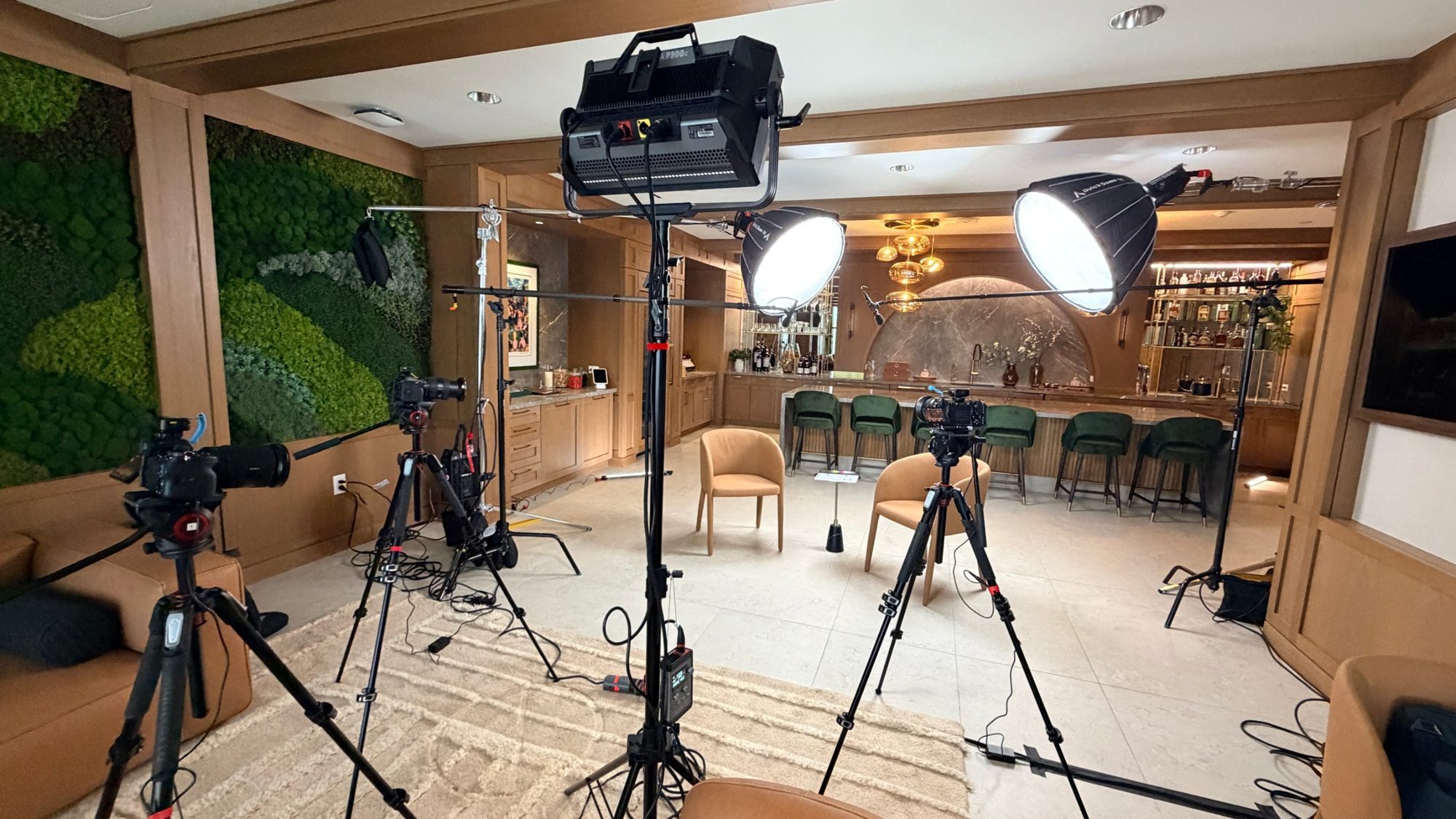
People can't always name why a shot looks expensive, but it's usually lighting. A well-lit speaker reads as polished and trustworthy. A speaker lit only by the overhead fluorescents and a window reads as a home video, even with a great camera.
Lighting is the quietest quality signal and one of the most powerful. Flat, dim, or uneven light makes skin look bad, adds harsh shadows under the eyes, and flattens the whole image. Good lighting separates the speaker from the background, evens out their face, and gives the picture depth. Your audience won't say "the lighting was great." They'll just register that the person on screen looked credible and the broadcast looked like it cost something to make. That perception transfers straight to your brand.
You can nail every other element, and if the stream freezes during your CEO's big moment, that's the only thing anyone remembers. Stability is the one signal where the bar is simply "it worked," and the penalty for missing it is brutal.
Here's the uncomfortable truth about live video. The audience has zero patience for buffering, and the venue's WiFi is the most common reason it happens. A professional setup doesn't gamble on the house network. We bring bonded cellular encoders like the LiveU Solo Pro that combine multiple internet connections into one resilient stream, so if one path degrades, the broadcast keeps going. The audience never knows anything almost went wrong, which is the whole idea. When you hire a real production, a big part of what you're paying for is redundancy, the backup that means it doesn't fail. We go deeper on the ways this breaks for DIY and underbuilt setups in why corporate livestreams fail.
Beyond any single element is the overall flow. A professional broadcast moves. There's an intro, smooth transitions between segments, graphics that come and go on cue, and a sense that someone is driving the whole thing rather than just pointing a camera and hoping.
This is the part that's hard to put your finger on but easy to feel. Dead air while someone fumbles to share slides. A jarring cut to a black screen between sessions. A speaker left on camera awkwardly waiting for a cue. Each of those moments breaks the spell and reminds the audience they're watching an under-produced event. Good pacing covers the seams. Sessions flow into each other, holding slides bridge the gaps, and the whole thing feels like a show with a beginning, middle, and end. That polish is the sum of a crew that has done this many times knowing what comes next.
Every signal above, the camera cuts, the audio levels, the graphics firing on time, the stream staying up, is a job that needs attention during the live event. One person cannot watch all of them at once, which is why a professional setup runs with at least two people.
This is the honest reason a real livestream costs what it does, and why we hold a two-person minimum on in-person events. One person directs the cameras and switches the show. Another rides audio and watches the stream health. When something needs adjusting mid-event, and something always does, there's a hand free to fix it before the audience notices. A solo operator trying to do all of it is exactly how you end up with the cheap-looking result, not because they're not skilled, but because there's physically too much happening at once. As a boutique outfit, the owner is on site running your event, not a junior tech sent in someone else's place. If you want a feel for how a real production runs start to finish, here's what to expect when you hire a livestream company.
Professional production isn't a single price, it scales with how much of the above your event needs. But it's useful to know the ballpark before you start getting quotes, so you can tell a fair number from a lowball that's going to look like a webcam.
A clean single-camera virtual event, where the polish is mostly in the audio, graphics, and a stable stream, generally starts around $1,595. An in-person event with proper cameras, audio, and crew typically starts around $3,900. Multi-camera and hybrid productions, the ones with several angles, live switching, full branding, and redundancy built in, usually land somewhere between $5,000 and $15,000 depending on scale, venue, and how many sessions you're covering. The jump in price between those tiers is almost entirely the jump in how professional it looks. We break the whole thing down in how much it costs to livestream an event.
Bad audio, followed closely by a single locked-off camera. Viewers forgive a soft picture far longer than they forgive sound they can't comfortably listen to, and one unchanging angle makes even a well-shot event feel like a security feed.
Not always, but it helps a lot. A single-camera virtual event can look clean if the audio, lighting, graphics, and stream stability are handled well. For in-person keynotes and conferences, multiple angles with live switching are usually what separates a real broadcast from a recording.
Because a quality broadcast has several jobs happening at once, directing cameras, mixing audio, running graphics, and watching stream health, and one person can't do all of them live. You're also paying for redundancy, the backup gear and connections that keep it from failing at the worst moment.
Ask to see their work, and watch for the signals in this post. Do their streams use multiple angles? Is the audio clean? Are there branded graphics and lower thirds? Did the stream stay up? A vendor who can show you that is one who understands it's about how your brand looks, not just their gear.
A lower third is the name-and-title graphic that appears under a speaker on screen. It tells your remote audience who they're listening to without anyone announcing it, makes the speaker look like an authority, and reinforces your branding. It's one of the cheapest, highest-impact upgrades you can add.
Usually not, and betting your event on it is one of the most common ways streams fail. A professional setup brings its own resilient internet, typically bonded cellular that combines multiple connections, so the broadcast keeps going even if the house network buckles under the crowd.
A virtual event is usually single-location and single-camera, with the polish coming from audio, lighting, graphics, and stream stability, and it generally starts around $1,595. An in-person event adds proper cameras, on-site crew, and room audio, with an entry point closer to $3,900 and rising for multi-camera and hybrid setups.
Yes, more than most people expect. For everyone watching remotely, the livestream is the entire experience of your event. A polished broadcast signals competence and care, while a cheap-looking one quietly tells viewers the opposite, on a day when you most want to look credible.
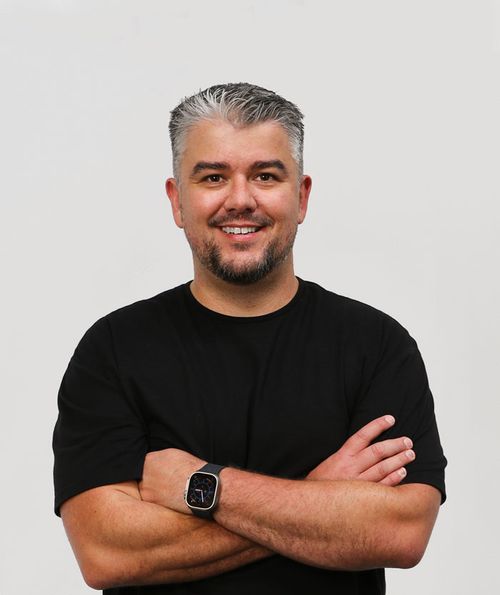
Mark runs DFW Live Stream and has been producing corporate livestreams, conferences, town halls and webinars across Dallas–Fort Worth and around the country since 2017. He writes these from the production desk, not a marketing department, and uses AI tools to help draft and structure them. Every post is read, fact-checked and edited by him before it goes live.