 By Mark WhiteOwner & Executive Producer, DFW Live Stream
Short answer up front: yes. You can go live on YouTube, Facebook, and LinkedIn at the same time, from a single broadcast. It's a real, well-established setup, and for the right event it's one of the easiest ways to put your content in front of more people without doing more work.
I get this question a lot from marketing teams and event planners. Someone's about to host a keynote, a product launch, or a big company announcement, and they realize their audience isn't all sitting in one place. Some folks live on LinkedIn. Some are loyal to your Facebook page. Some will only ever click a YouTube link. So the natural question becomes: do we have to pick one, or can we be everywhere at once?
You can be everywhere at once. Let me walk you through how it works, when it's a smart move, and the handful of tradeoffs you should know about before you commit.
Streaming to several platforms from one broadcast is called multistreaming. You produce your event one time, and the signal gets sent out to multiple destinations simultaneously, so your YouTube audience, your Facebook audience, and your LinkedIn audience all see the same live feed at the same moment.
For a public event where the whole goal is reach, it's usually the right call. You're not asking your audience to come to you. You're showing up wherever they already spend their time. The technical lift is handled on our end, so from your seat it just looks like one clean broadcast that happens to be playing in three places.
Think of your live event as water coming out of a single source. Multistreaming is the splitter that sends that water down several pipes at once. One camera setup, one audio mix, one production, fanned out to as many platforms as you want to be on.
The audience doesn't see anything different from a normal livestream. They click your YouTube link or your LinkedIn post, the player loads, and they're watching live. They have no idea the same feed is running on two other platforms at the same time, and they don't need to. All the splitting happens behind the scenes before the signal ever reaches them.
This is different from posting a recording to several places after the fact. Multistreaming is live and simultaneous. If you want to understand how this fits into a full production, our breakdown of what's included in a corporate livestream package is a good place to start.
The clearest case is a public event where your audience is genuinely split across platforms. If half your community follows you on LinkedIn and the other half lives on your Facebook page, picking one platform means cutting your live audience roughly in half before you even start. Multistreaming solves that without asking anyone to change their habits.
It also shines when maximum reach is the entire point. A product launch, a public keynote, a community update, a fundraising moment, an announcement you want as many eyes on as possible. In those cases, being on three platforms instead of one is close to free reach. You're already producing the event. Adding destinations is a small step that meaningfully widens the net.
A few specific situations where I'd recommend it:
You're launching something publicly and you want the biggest possible live crowd. You have an engaged following on more than one platform and don't want to alienate either. You're running a town hall or all-hands that's open to the public, not locked behind a login. If that last one sounds like you, our guide to town hall live streaming goes deeper on that format.
Multistreaming is genuinely useful, but it's not free of friction, and I'd rather you hear the honest version from me than find out mid-event. None of these are dealbreakers. They're just things to plan around.
The big one is that your engagement gets split. When you stream to three platforms, you also get three separate comment sections, three chat feeds, three sets of reactions. Someone asking a question in your YouTube chat has no idea what's happening in your LinkedIn comments. If part of your event depends on live audience interaction, that conversation is now scattered across three rooms instead of one.
That's solvable, but it takes a plan. You either assign someone to monitor and respond on each platform, or you designate one platform as your "main" interaction hub and treat the others as broadcast-only. Either way, somebody needs to be watching each comment stream if engagement matters to you. We talk through this kind of planning in why corporate livestreams fail, because unmonitored comments are a surprisingly common way for a good event to feel like it's falling flat.
Here's a subtle one. When your stream lands on YouTube or Facebook, it's playing inside their player, on their terms. You don't get to control everything about that experience.
Each platform decides how the player looks, what shows up around your video, and what their automated systems flag. A common surprise: public platforms like YouTube run automatic music detection, and if you have background music playing during your event, that system can flag or mute portions of your stream without warning. It's not personal and it's not a judgment on your event. It's just an automated rights filter doing its job, and it can interrupt an otherwise clean broadcast.
This is one reason that, for corporate work where control matters, I often steer clients toward a cleaner platform like Vimeo, which doesn't impose that kind of public-platform automation and gives you a more controlled, branded viewing experience. You can still multistream to the public platforms for reach while keeping a controlled version where it counts. The right mix depends on your goals, which is exactly the kind of thing we sort out together before the event.
When everything runs through one platform, you get one tidy dashboard: views, watch time, peak concurrent viewers, all in one place. Multistream to three platforms and you now have three separate dashboards, each measuring things slightly differently and none of them talking to each other.
That makes it harder to answer a simple question like "how many people watched live?" because YouTube counts a view differently than Facebook does, and you can't cleanly add the numbers together. It's not impossible to make sense of, it just takes a little more work to pull the picture together afterward. If measuring results matters to your team, our piece on essential metrics for measuring live streaming ROI walks through what's actually worth tracking and how to reconcile numbers across platforms.
This is the part I want to be blunt about, because getting it wrong can cause real problems. If your content is private, internal, or sensitive, do not blast it publicly across multiple platforms. Full stop.
An internal all-hands where leadership is discussing strategy, financials, headcount, or anything you wouldn't want a competitor or the general public to see should go to one controlled, private destination, not three public ones. The whole appeal of multistreaming is public reach, and that's exactly the wrong instinct for confidential content.
For those events, you want a single private page with access controls, where you know exactly who can get in and the stream isn't discoverable by anyone with a search bar. That's a deliberate, contained setup, the opposite of casting a wide net. If you're weighing in-person, virtual, and private options for an internal event, our notes on hybrid event best practices cover how to think about audience and access together. The rule of thumb is simple: public content, reach as far as you want; private content, lock it to one controlled door.
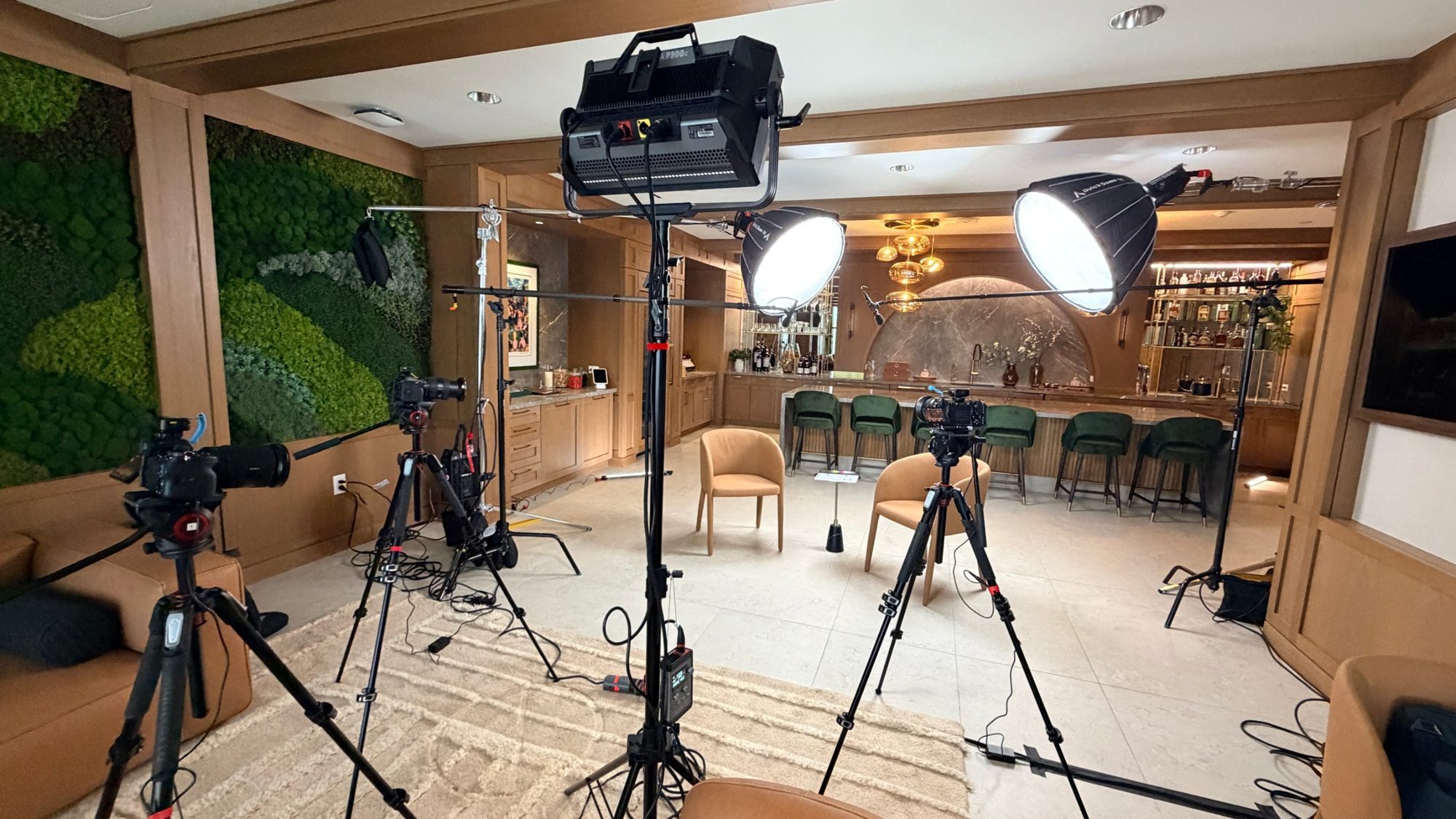
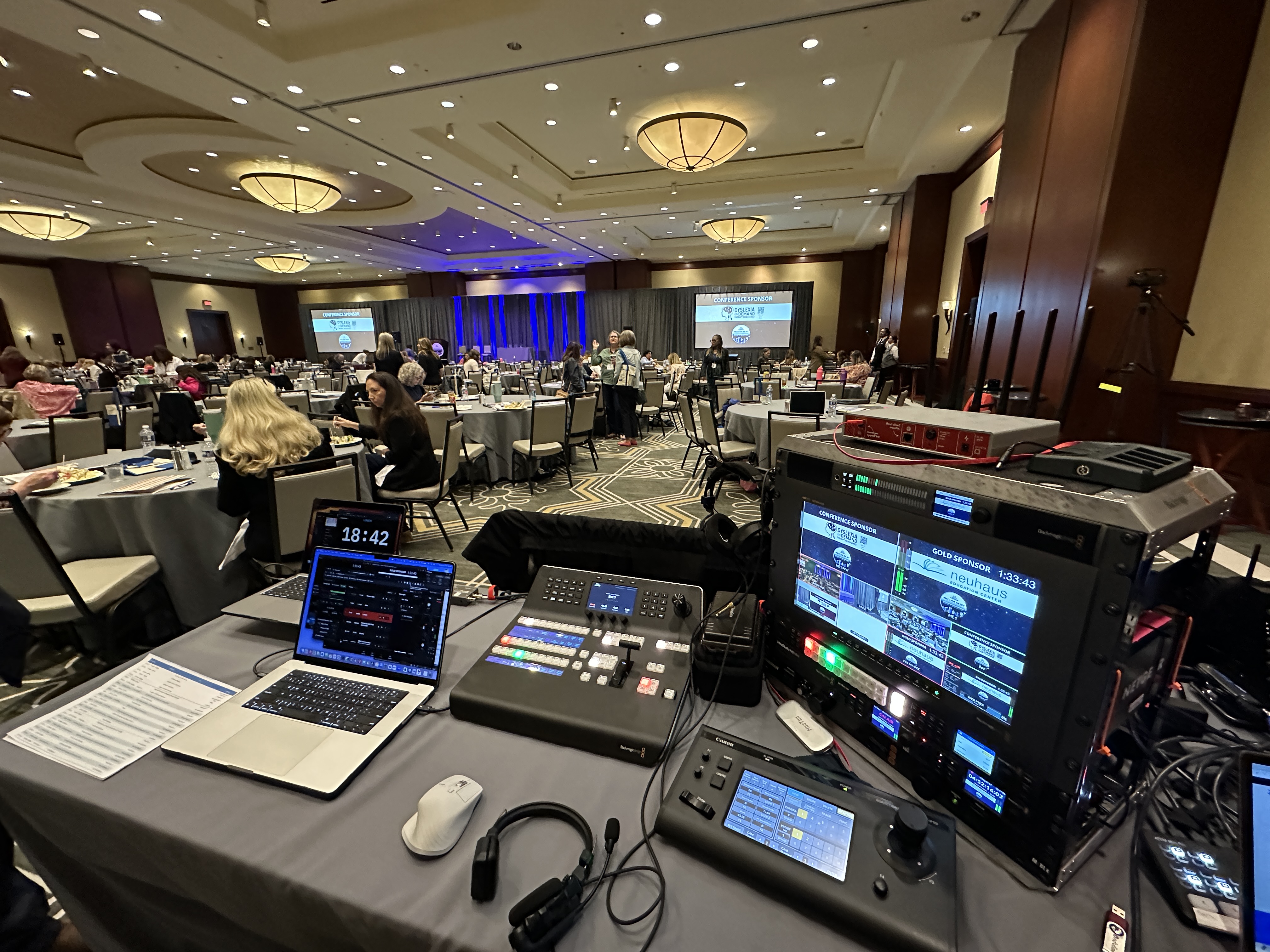
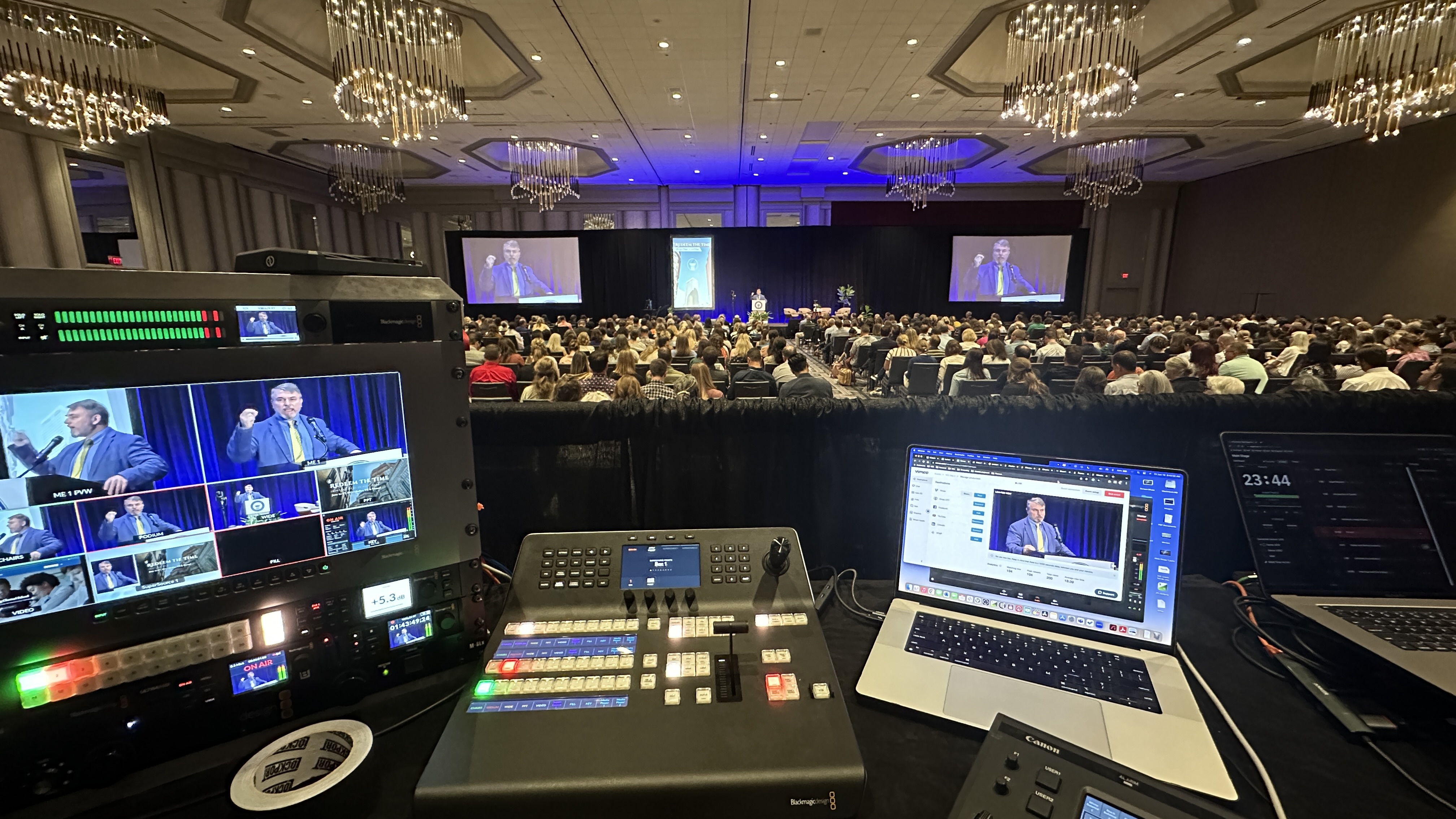
Here's the reassuring part. You don't need to understand any of the plumbing. You don't set up the stream keys, you don't manage the encoders, you don't troubleshoot why one platform dropped the feed. That's our job, and it's the kind of thing a boutique production team handles quietly in the background so you never think about it.
On our end, reliability is the whole game. We build in redundancy so that if one platform hiccups, the others keep running and your event doesn't go dark. For events where staying live is non-negotiable, we'll use bonded connection hardware like the LiveU Solo Pro, which combines multiple internet paths into one stable signal so a single shaky connection can't take down your broadcast. You don't need to know how that works. You just need to know that someone's watching it so you don't have to.
From your seat, the experience is simple: you tell us where you want to be seen, and we make it happen. You focus on your content and your audience. We make sure the signal gets there cleanly, stays up the whole time, and looks right on every platform it lands on. If you want a sense of what that working relationship feels like, here's what to expect when you hire a livestream company.
Good news here: multistreaming is usually a modest add-on, not a major line item. The heavy lifting is in producing your event well in the first place. Once that production exists, sending it to additional platforms is a relatively small incremental step, so it rarely moves your budget much.
For broad context, a fully virtual production generally starts around $1,595, and an in-person event typically starts around $3,900, with multistreaming layered on top as a small addition rather than a separate big expense. Every event is different, though, and the right number depends on your specific setup, audience, and goals. We price each event individually, and our overview of how much it costs to livestream an event breaks down what actually drives the number.
If your event is public and your goal is reach, multistreaming is almost always a smart, low-cost way to meet your audience wherever they already are. Just go in knowing that engagement and analytics will be spread across platforms, and have a plan for moderating comments on each one.
If your content is private or sensitive, skip the public broadcast entirely and use a single controlled page instead. And whatever you choose, the technical execution isn't something you need to carry. That's what we're here for. If you're a Dallas-Fort Worth team weighing your options, our page on finding a live streaming company near me is a useful starting point.
If you're thinking through an upcoming event and aren't sure whether multistreaming is right for it, I'm happy to talk it through with you. No pressure, just a straight conversation about where your audience is and the cleanest way to reach them. Reach out anytime and we'll figure out the right setup together.
Multistreaming means broadcasting one live event to several platforms at the same time. You produce the event once, and the signal is sent out simultaneously to destinations like YouTube, Facebook, and LinkedIn, so audiences on each platform watch the same live feed at the same moment.
Yes. Those three are commonly streamed to together, and you can add more destinations beyond them. It's one production fanned out to multiple platforms, so your audience sees a normal livestream while the splitting happens behind the scenes.
Not when it's set up properly. The key is having enough reliable bandwidth and the right hardware to send a clean signal to every destination. With redundancy built in, such as a bonded connection device, quality stays consistent across all platforms.
Each platform has its own comment and chat feed, so you'll want someone monitoring each one, or you designate a single platform as your main interaction hub. Planning this before the event is the difference between engaged viewers and questions that go unanswered.
No. Private, internal, or sensitive content should go to a single controlled page with access restrictions, not be broadcast publicly across multiple platforms. Multistreaming is built for public reach, which is the wrong fit for confidential material.
Public platforms run automated music detection. If you have background music playing during your event, that system can flag or mute portions of your stream. For corporate events where control matters, a cleaner platform like Vimeo avoids that kind of public-platform automation.
Usually no. It's typically a modest add-on rather than a major cost, because the production itself is the heavy lifting. Once your event is being produced well, sending it to additional platforms is a relatively small incremental step.
You can, but each platform reports its own analytics separately and counts views differently, so you can't simply add the numbers together. It takes a little extra work after the event to pull the full picture together across dashboards.
Mark runs DFW Live Stream and has been producing corporate livestreams, conferences, town halls and webinars across Dallas–Fort Worth and around the country since 2017. He writes these from the production desk, not a marketing department, and uses AI tools to help draft and structure them. Every post is read, fact-checked and edited by him before it goes live.