 By Mark WhiteOwner & Executive Producer, DFW Live Stream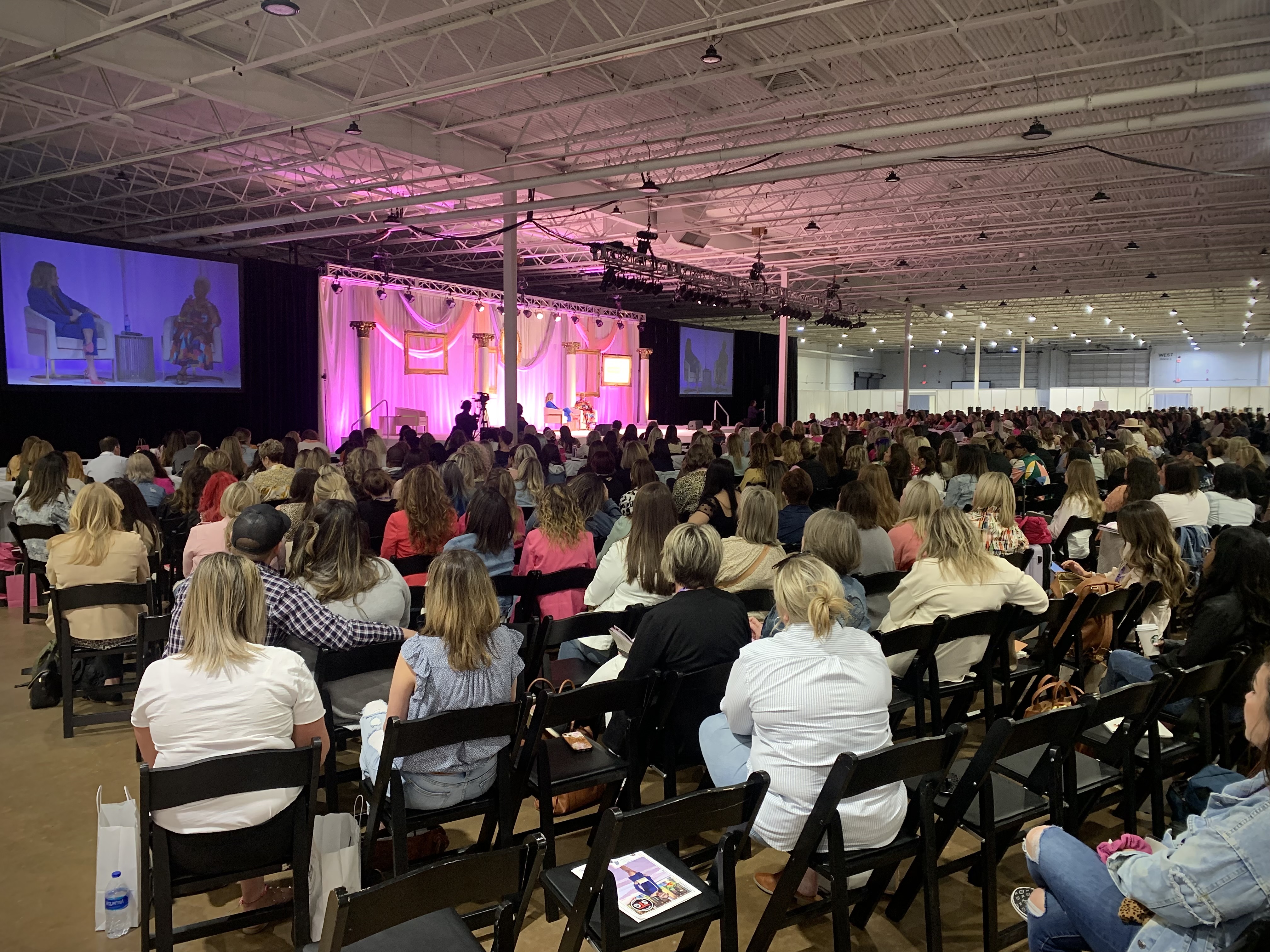
If you have streamed a single keynote or a half-day webinar, you already know the shape of the work. A multi-day conference is a different animal. More rooms, more hours, more handoffs, and a lot more that has to go right without anyone in the audience noticing. I run these regularly, and the questions I get from organizers almost always come down to one thing: what actually changes when you go from one session to a full conference?
Here is the short version. You add real setup and testing days before the doors open. You scale the crew, usually with a two-person minimum in every room that streams. Your general session and your breakouts each become their own production with their own stream. The total streaming hours climb fast. And someone has to coordinate run-of-show across multiple days so the schedule, the speakers, and the streams all line up. The cost scales with all of that, which is exactly why it should. Let me walk through each piece.
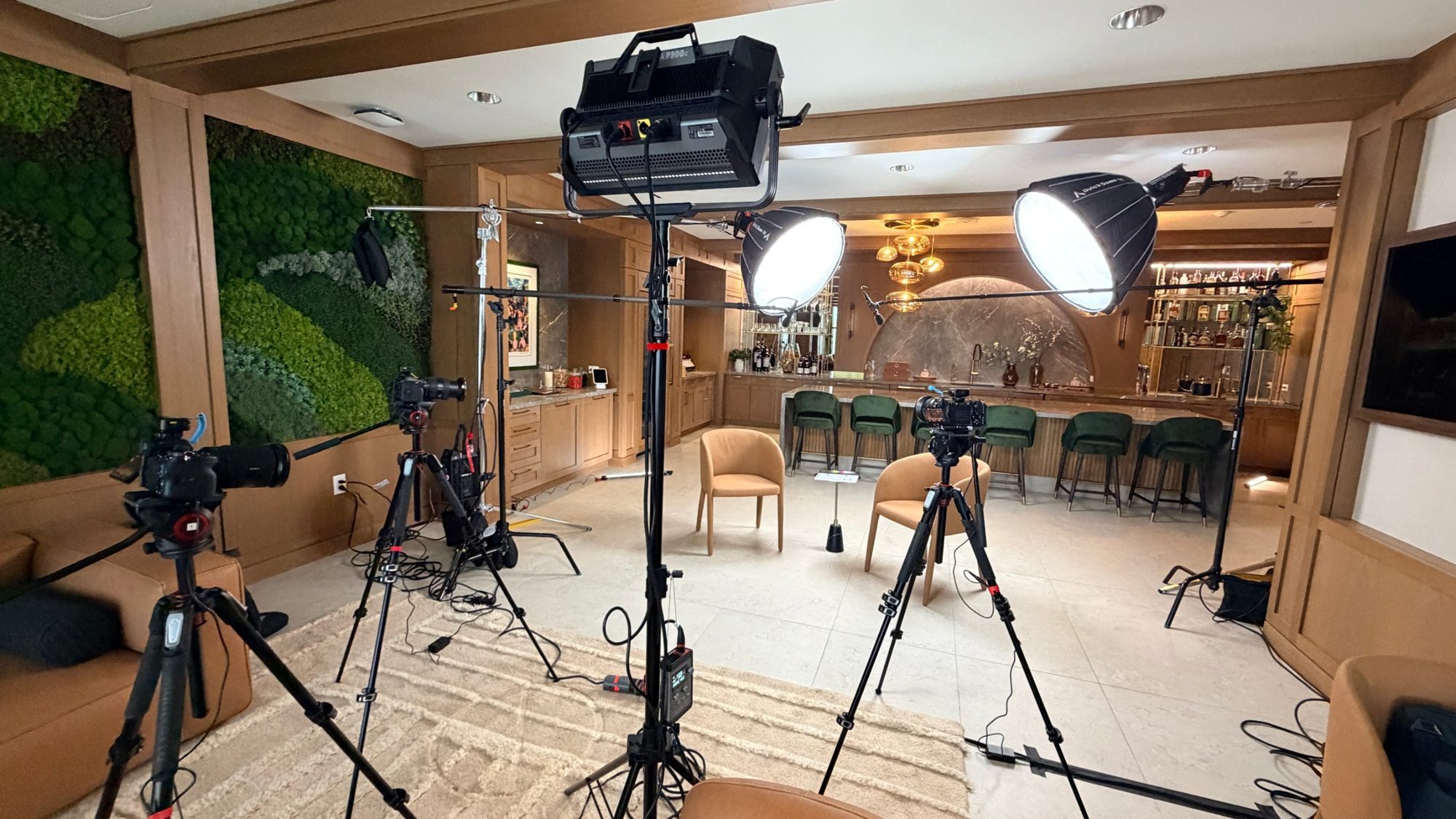
A single session you can often load in the morning of and stream that afternoon. A multi-day conference does not work that way. The day before the event is for load-in, rigging, signal testing, and a full dry run, and on bigger builds that stretches into two setup days.
This is where the event is actually won or lost. We run cable, set cameras, confirm every audio and video path, test the streams end to end, and walk the room with your AV team. By the time your first speaker steps up, nothing is a surprise. A setup and testing day typically runs in the range of $2,250 to $3,750 depending on the size of the build, and it is some of the most valuable money you will spend. It is the difference between a smooth opening and a scramble while a remote audience watches dead air.
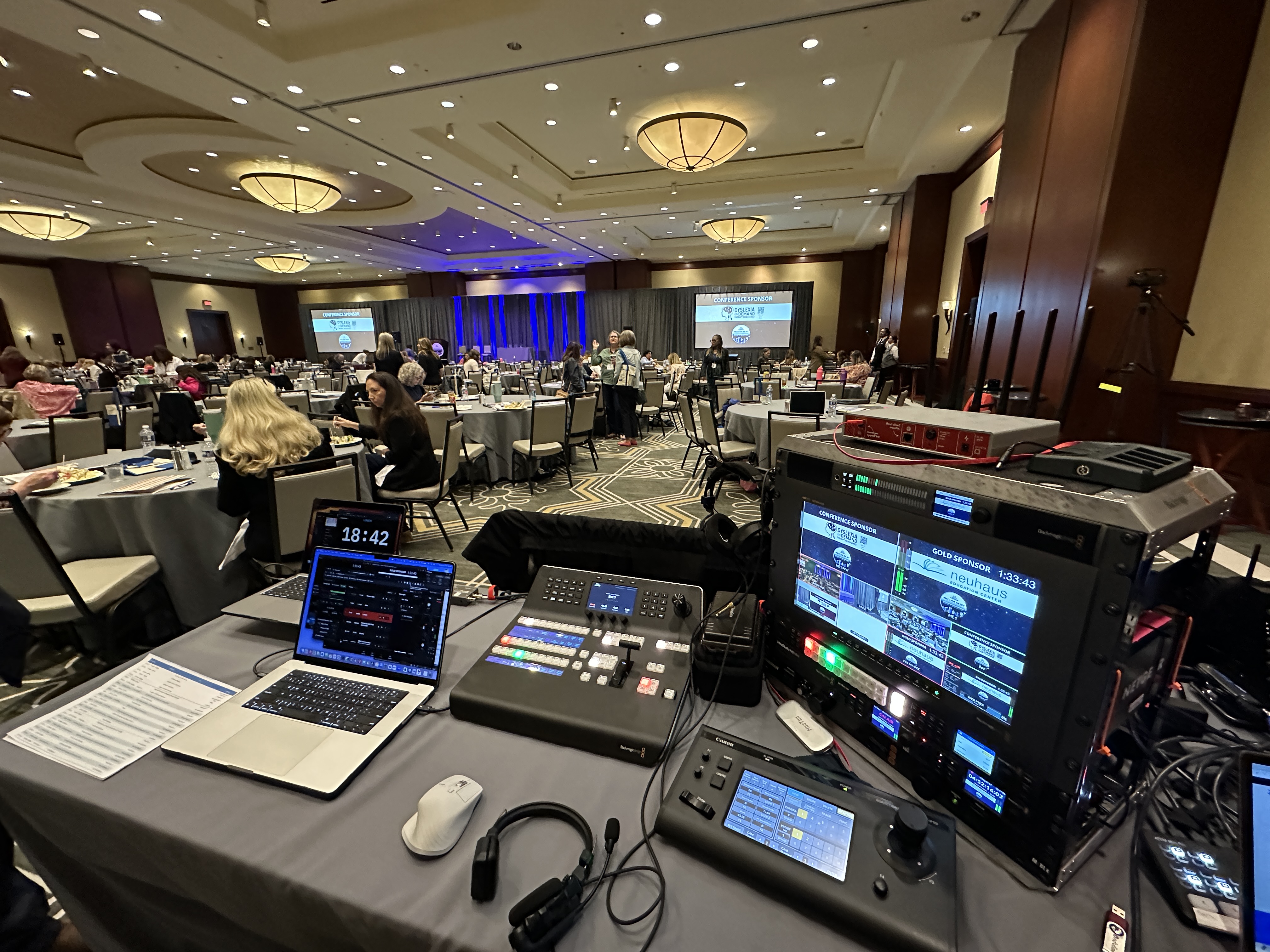
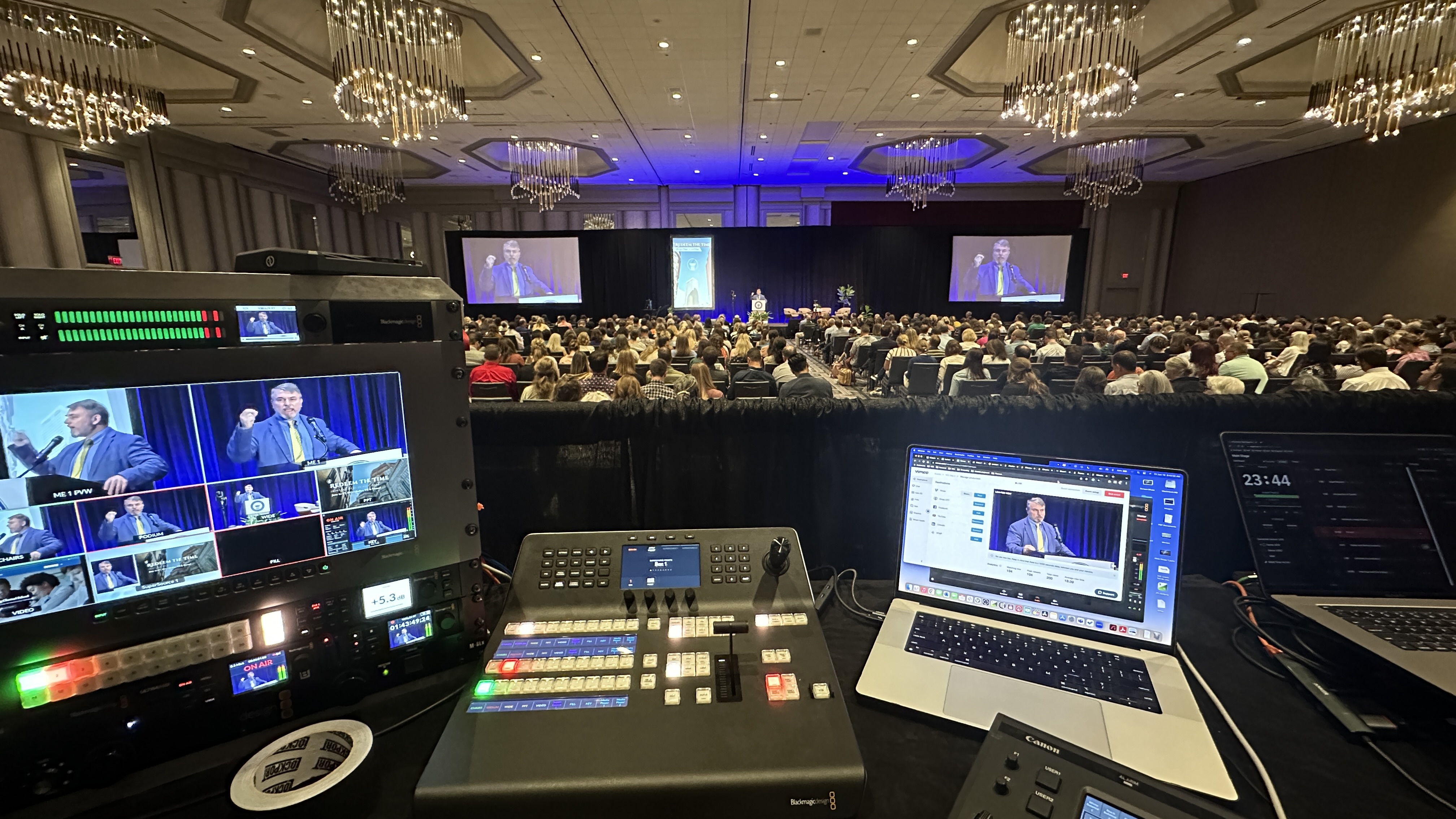
This is the part organizers underestimate most. Your main stage and your breakout rooms are not one stream split a few ways. Each room that streams is its own production: its own cameras, its own switcher, its own audio feed, its own encoder, its own stream.
So if you have a general session running while three breakouts go simultaneously, that is four parallel productions happening at once. Each one needs to be staffed and monitored independently, because a problem in breakout B cannot be fixed by someone standing in the main hall. When you are pricing a conference, the real driver is how many rooms stream at the same time, not how many attendees show up. We cover how that math works in how much it costs to livestream an event.
I hold a two-person minimum in any room that streams, and that holds across a conference too. One person runs the technical direction and switching, the other handles cameras and is the second set of hands when something needs attention mid-session. One operator trying to switch, watch audio, manage the stream, and chase a camera issue at the same time is how things slip.
For a general session with multiple cameras, the camera operator runs our Canon CR-N500 PTZ units so we can cover wide, tight, and presenter angles without bodies all over the stage. For larger conferences I bring additional crew so each streaming room is properly staffed, not stretched thin. More on why the crew matters in what to expect when you hire a livestream company and how the camera work comes together in multi-camera live production.
A single session is two or three hours. A multi-day conference can be eight to ten hours a day across two or three days, and if multiple rooms stream at once, you multiply that again. A three-day event with a general session and a couple of concurrent breakouts can easily total over fifty stream-hours.
Those hours matter because every one of them is live and unforgiving. There is no second take. Crews stay sharp, gear runs hot for long stretches, and the production has to hold quality from the first session of day one to the last session of day three. That sustained reliability across long days is a real part of what you are paying for, and it is exactly where a thin setup falls apart.
On a single session, the schedule is simple. On a multi-day conference, run-of-show is the connective tissue that holds everything together. Speakers shift, sessions run long, a breakout starts late, a panel swaps a video that has to be cued. Across multiple rooms and multiple days, that coordination is constant.
Before the event we build out the schedule room by room and day by day, so the crew knows exactly what is streaming where and when. During the event we are in regular contact with your team so a last-minute change in the agenda does not become a missed stream. When a remote audience is depending on a session starting on time, this coordination is what makes it happen, and it is most of what keeps the whole machine running smoothly.
Most conferences already have an AV team or a venue crew running audio reinforcement, lighting, and the screens in the room. We do not show up and work around them. We integrate with them. The cleanest streams come from pulling a proper feed off the room's audio console rather than improvising our own.
For audio I run our Allen & Heath SQ5 and Sennheiser wireless when we are managing the audio directly, and when the house provides a feed we make sure the handoff is clean and tested during the setup day. Good audio is the thing remote viewers notice first when it goes wrong, which is why I treat it as non-negotiable. There is more on that in getting your livestream audio right. Coordinating with the room instead of fighting it is how the in-person and remote experiences both come out clean, which is the whole point of a well-run hybrid event.
On a one-hour stream, a dropped connection is a bad moment. Across multiple days and multiple rooms, the math changes completely. More hours and more rooms mean more chances for something to fail, so redundancy is not a nice-to-have. It is the whole job.
That means backup encoding, backup internet paths, and gear we can swap without taking the stream down. I run LiveU Solo Pro units that can bond connections and fail over to cellular if the venue network hiccups, and we build in spare paths so one point of failure does not end a session. You are paying for it not to fail, and over a multi-day conference with several rooms live at once, that is genuinely everything. When streams do fail, it is almost always because nobody planned for the failure, which I get into in why corporate livestreams fail.
DFW Live Stream is a boutique operation, and that is on purpose. When you hire me for a multi-day conference, I am the one on site running it, with a crew I have personally chosen and worked with. You are not handing your event to a rotating cast of subcontractors who showed up that morning.
On a multi-day event that matters more than it does anywhere else. When the agenda shifts on day two or a room change lands at 7am, you want the person making decisions to be the person who built the plan and who owns the outcome. That continuity from setup day through the final session is hard to get from a big shop and easy to feel when it is missing.
Pricing follows everything above. The simplest single in-person setup starts around $3,900. A multi-day conference is a different scope, and most land somewhere in the $11,000 to $30,000-plus range depending on how many rooms stream, how many days, and how much crew it takes to staff it all properly.
The drivers are straightforward: setup and testing days, the number of rooms streaming simultaneously, total streaming hours, crew size, and the redundancy built in behind it. It scales because the work scales. A four-room, three-day conference is genuinely many times the production of a single keynote. If you want to see how the pieces line up in a package, here is what is included in a corporate livestream package.
Picking a vendor for a three-day conference is a different exercise than booking a camera for a keynote, because the failure modes are different: it is rarely the gear that breaks, it is coordination across rooms and days. Seven questions separate a conference-capable vendor from a single-room one.
If you want the longer version of the vendor conversation, how to choose a live event production company covers the category, and our conference live streaming page shows what a scoped conference production includes and costs.
Every conference is different, which is why I price each one to the actual scope instead of working off a rate card. If you have a multi-day event coming up and you want a clear sense of what it takes to stream it well, send me the rough shape of it: how many days, how many rooms, and whether breakouts run at the same time. I will walk you through what changes and put real numbers to it. Reach out and let's talk it through.
Ask seven things: whether they have run simultaneous rooms and staff two operators per streamed room, whether a setup and testing day is in the quote, how they handle internet (hardwired plus bonded-cellular backup), who owns the run of show across days, how they integrate with the venue AV team, what recordings and data you get and when, and whether the person quoting is the person producing. DFW Live Stream produces multi-day conferences across Dallas–Fort Worth with the owner on site.
It adds dedicated setup and testing days, a larger crew, and separate productions for the general session and each breakout room. Total streaming hours climb, run-of-show coordination spans multiple days, and redundancy becomes essential because there are far more chances for something to fail.
Yes. Every room that streams is its own production with its own cameras, switcher, audio feed, and encoder. If a general session and three breakouts run at once, that is four parallel productions, each staffed and monitored independently.
Most multi-day conferences land in the $11,000 to $30,000-plus range, driven by the number of rooms streaming at once, the number of days, total streaming hours, and crew size. The simplest single in-person setup starts around $3,900, and a setup and testing day typically runs $2,250 to $3,750.
A setup and testing day lets us load in, run cable, place cameras, and test every audio and video path and the streams end to end before doors open. It is where the event is won or lost, so your first session starts clean instead of in a scramble.
I hold a two-person minimum in any room that streams: one running technical direction and switching, one on cameras and as a second set of hands. Larger conferences get additional crew so every streaming room is properly staffed rather than stretched thin.
Yes. We integrate with the house AV team rather than working around them, including pulling a clean audio feed off the room's console when one is provided. We confirm that handoff during the setup day so the stream audio is solid before the event starts.
We build in redundancy: backup encoding, backup internet paths, and bonded units that can fail over to cellular if the venue network drops. Over a multi-day event with multiple rooms live, that redundancy is the core of the job. You are paying for it not to fail.
Yes, that is standard multi-day conference work. Each concurrent room runs as its own staffed production, and we coordinate run-of-show across rooms and days so every stream starts on time and nothing in the agenda slips through.
Mark runs DFW Live Stream and has been producing corporate livestreams, conferences, town halls and webinars across Dallas–Fort Worth and around the country since 2017. He writes these from the production desk, not a marketing department, and uses AI tools to help draft and structure them. Every post is read, fact-checked and edited by him before it goes live.