December 29, 2025

Maximize Engagement with the Best Livestream Service Available

Discover how to enhance audience interaction and achieve impactful results with the top livestream service. Read the article to elevate your streaming game!

Livestream Service for Corporate Events in Dallas–Fort Worth

When your CEO steps up to address 5,000 employees across three time zones, the last thing you want is a frozen screen, muffled audio, or a chat full of “Is anyone else having trouble?” messages. A professional livestream service takes that worry off your plate and puts the focus back where it belongs: your message and your audience.

This page is designed specifically for corporate event planners, marketing teams, and communications professionals in Dallas–Fort Worth who are seeking reliable, high-quality livestream service solutions for their corporate events. Whether you’re planning a quarterly town hall, a hybrid sales kickoff, or an executive broadcast, this guide covers every aspect of corporate livestreaming—from initial planning and technical setup to platform selection and post-event analytics.

Live streaming is one of the best ways to connect in a meaningful and authentic way with your community.

This guide walks through what it takes to deliver reliable, polished corporate live streaming—from planning and redundancy to audio quality and post-event support. With amazing reliability and quality, a top-tier livestream service can easily reach millions of viewers without compromising performance. Whether you’re hosting a quarterly town hall, a hybrid sales kickoff, or an executive broadcast from a Dallas hotel ballroom, you’ll find practical guidance here.

DFW Live Stream at a Glance

DFW Live Stream is a Dallas–Fort Worth based team with over ten years of experience streaming corporate events, town halls, and hybrid conferences. We’ve handled everything from intimate boardroom sessions to multi-day leadership summits with thousands of remote viewers and guests across the country.

The service is turnkey. Planning, gear, crew, platform setup, and live delivery are handled end-to-end. You don’t need to coordinate between a dozen vendors or figure out which encoder works with which platform. That complexity is ours to manage. Guests can join your livestream service easily without needing to download or sign up for any apps, making access seamless and engagement effortless.

Our focus is on reliability, audio clarity, and viewer experience rather than flashy tech talk. Corporate event planners and marketing teams don’t need to know the difference between SRT and HLS protocols. They need to know the stream will work, the audio will be clear, and remote employees will feel like they’re in the room.

Clients include regional and national companies hosting executive broadcasts, sales kickoffs, trainings, and all-hands meetings. Some events originate from downtown Dallas convention centers. Others happen in corporate campuses across Irving, Plano, and Fort Worth. Regardless of venue, the goal is the same: a smooth, professional broadcast that supports your business objectives. Compared to other solutions, DFW Live Stream stands out for its reliability, ease of use, and seamless guest experience.

Put Your Corporate Livestream to Work

Live video supports concrete business goals. Alignment across distributed teams. Training for new processes or products. Internal communications during times of change. A well-executed live stream turns a one-way announcement into an experience that brings people together.

Common Use Cases

Here are common use cases we support:

  • Quarterly CEO town halls that connect leadership with employees across all locations
  • Annual meetings in Dallas convention centers streamed to shareholders and remote board members
  • Regional sales meetings broadcast to field teams who can’t travel to headquarters
  • HR-led change management briefings where employees can ask questions in real time
  • Product launches with live demos and moderated Q&A for customers or internal teams

Personalizing the Experience

Our livestream service can also personalize the event experience for each audience by customizing messages, slideshows, or content, making every event feel unique and tailored to the host and guests.

Engagement Features

Live Q&A, polls, and moderated chat make remote employees feel present in the room. When someone in Austin can ask a question during a Fort Worth town hall and get an answer from the CEO, that’s engagement you can’t replicate with a recorded video dropped in an inbox. Delivering flawless experiences keeps your audience engaged during live events.

After the event, recordings can be edited into short clips for onboarding, compliance refreshers, and marketing recaps. A 90-minute town hall becomes a library of reusable video assets.

A planned run-of-show, clear speaking roles, and simple lower-third graphics keep the message focused and professional. When presenters know exactly when they’re on and what’s expected, the whole broadcast runs smoother.

Grow Your Audience, Everywhere (Without Extra Work)

A single live production can be distributed to multiple platforms at once. YouTube for public access. LinkedIn for professional reach. An internal SSO portal for employees only. Event platforms like Cvent or Hopin for registered attendees. One stream, many destinations.

Simulcasting and Global Reach

Imagine simulcasting a leadership update from a Dallas hotel ballroom. Employees in North America watch live. Teams in EMEA and APAC catch an on-demand replay in their local time zones. Everyone gets the same polished experience, and you didn’t have to run the event three times.

DFW Live Stream handles destination setup, player video management creation, and privacy controls. We embed streams on your website or intranet, configure password protection or SSO gating, and make sure the right people have access while keeping the wrong people out.

Pre-Event Communication

Clear pre-event communications matter too. We coordinate with your marketing or internal comms team on calendar invites, reminder emails, and join links. When viewers know exactly how to watch and when to tune in, participation goes up.

Analytics Metrics

After the event, you’ll receive simple analytics to help you measure reach, refine your approach for next time, and demonstrate ROI to leadership. Key metrics include:

  • Live viewers: How many people watched in real time
  • Replay views: Engagement after the live broadcast ended
  • Top locations: Where your audience is concentrated
  • Average watch time: How long people stayed engaged

Connect Face-to-Face with Hybrid and Remote Audiences

Hybrid events bring in-room and remote audiences together. This is especially valuable for leadership summits, sales conferences, and training workshops held in DFW venues where not everyone can attend in person.

Versatile Production Environments

We’ve set up productions in many different environments:

  • Corporate boardrooms for executive committee meetings
  • Hotel ballrooms for annual conferences and customer events
  • Training centers for certification workshops
  • Warehouses and manufacturing floors for safety demos
  • Corporate campuses in Irving, Plano, and Fort Worth for all-hands meetings
  • Stadiums for large-scale community events
  • Houses of worship for religious gatherings

Multi-Camera and Audio Solutions

Multiple cameras—wide shots, close-ups, and audience reactions—create a more “face-to-face” feel for remote viewers. Clean audio from lavalier mics and a mixed soundboard ensures everyone can hear clearly, whether they’re watching on a laptop, phone, or conference room screen. You can also play appropriate music during your livestream service to suit the event and engage your audience.

Two-Way Interaction

Two-way interaction takes hybrid events further:

  • Bringing remote speakers onto stage screens so they feel part of the room
  • Handling live remote Q&A with moderation to keep things on-topic
  • Using chat and polls to engage viewers who can’t raise their hand in person

Accessibility

Accessibility matters for every audience. Live captions, clear slides, and proper lighting help all employees follow along regardless of device or bandwidth. When your content is accessible, your message reaches everyone.

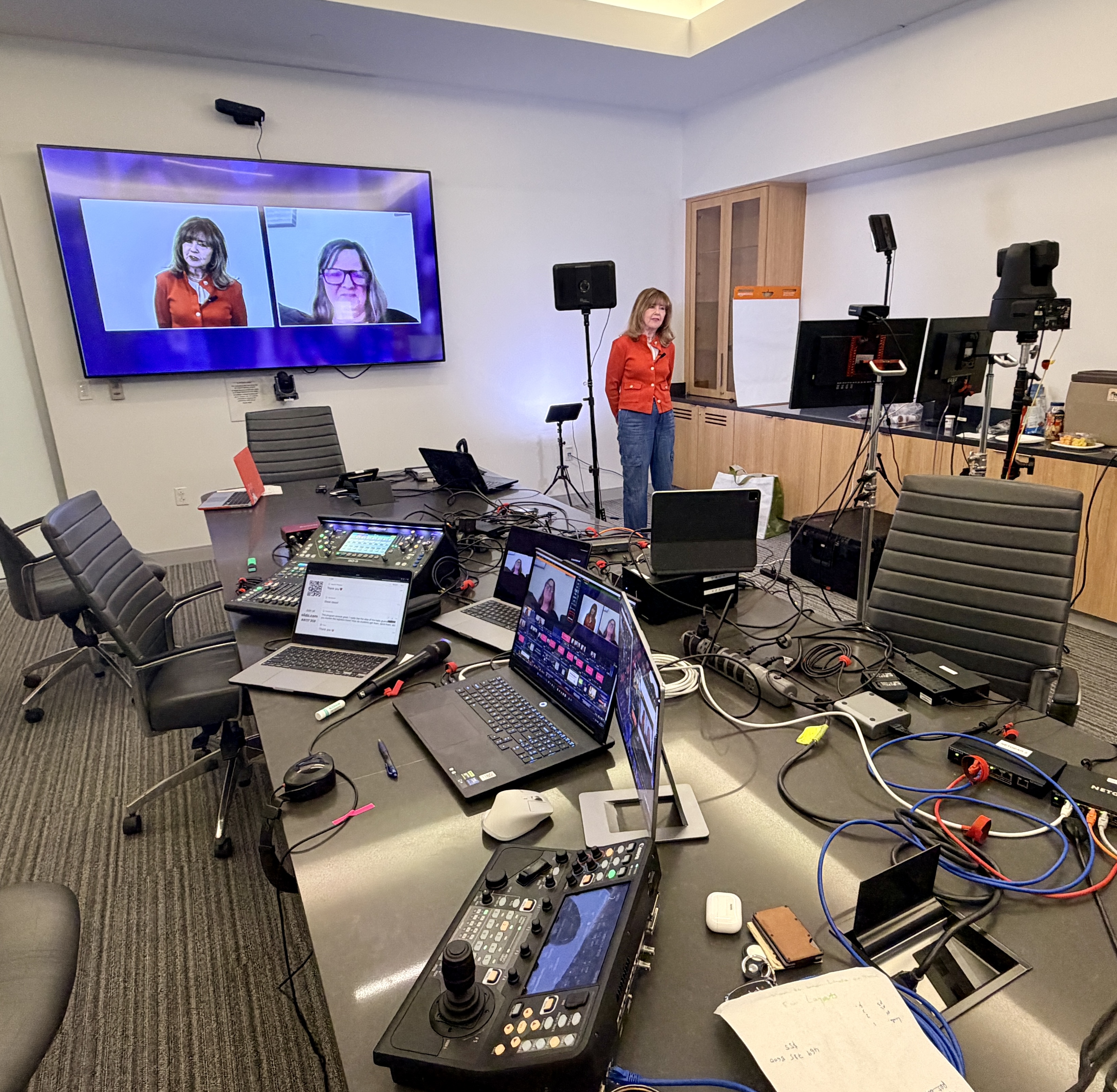
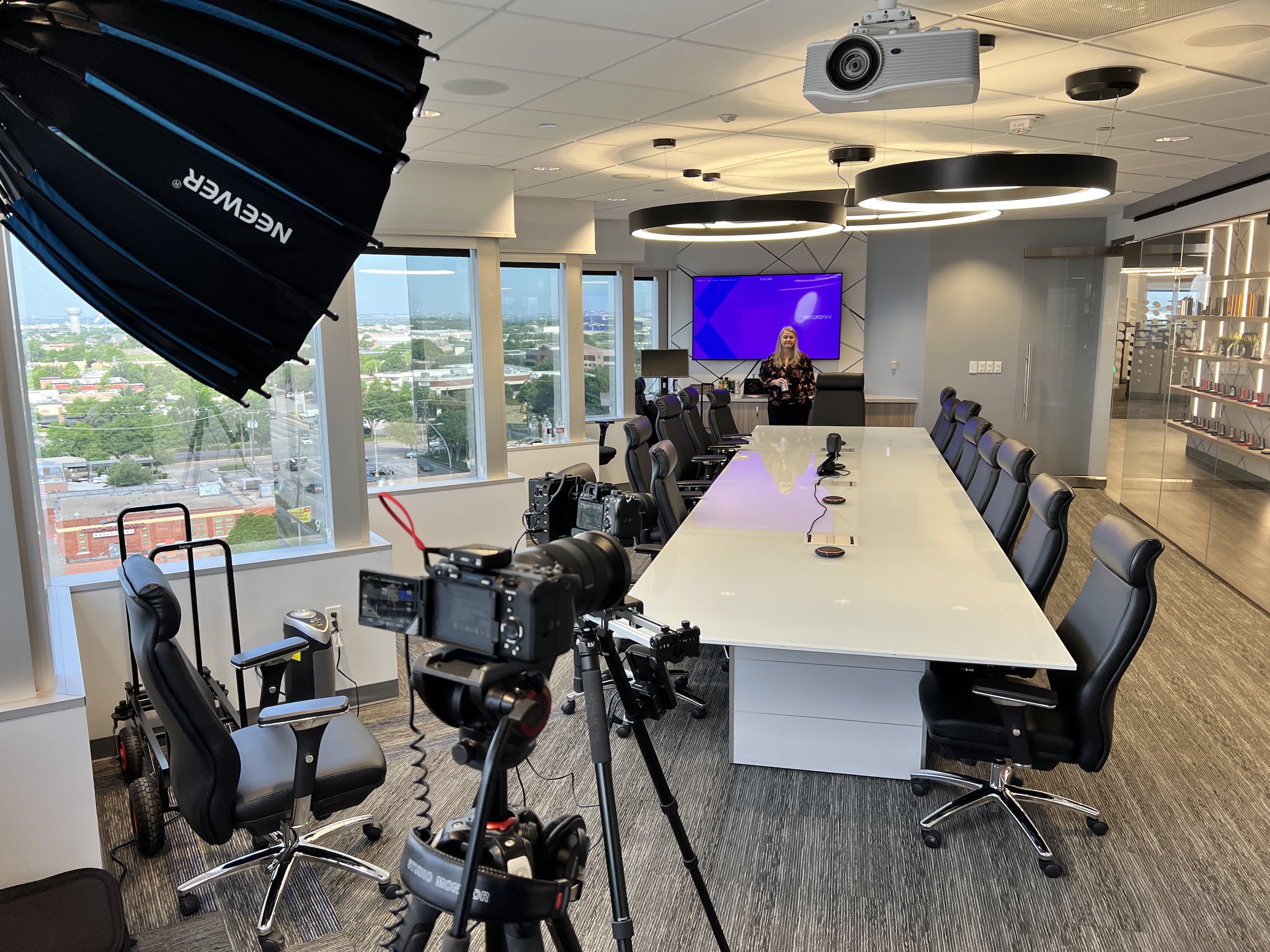
The image depicts a modern conference room equipped with multiple camera angles and large screens displaying remote participants who are joining a hybrid meeting, allowing for seamless interaction and engagement during live streaming events. This setup is ideal for virtual events, providing a platform for viewers to connect and communicate effectively.

Choosing the Right Livestream Platform for Your Event

Selecting the right livestream platform is a crucial step in ensuring your event’s success. Start by considering the size and type of your event—whether it’s a virtual event, a community gathering, or a large-scale corporate broadcast. Think about your target audience and how much interaction you want to enable, such as live chat, Q&A, or polls.

Choosing the right livestream service involves defining your goals, understanding your audience, and matching platform features like monetization and engagement tools to your needs. For example, if you want to monetize your event or enable interactive features, look for platforms that offer built-in tools for payments, memberships, or live chat.

Look for a platform that delivers high-quality video streaming and offers robust player video management creation options, so you can customize the viewing experience to match your brand and event goals. A great company will provide tailored solutions, including dedicated support and automatic failover, so you never have to worry about technical hiccups disrupting your message.

It’s also important to choose a platform with the ability to stream to multiple platforms—like YouTube, Facebook, and other social media channels—so you can expand your reach and engage your audience wherever they are. Some other platforms may offer similar features, but prioritize those that make setup simple and provide responsive support when you need it most. The right platform will help you connect with your community, deliver a seamless experience, and ensure your event stands out.

What Is a Livestream Service? Popular Examples

A livestream service is a platform or solution that enables you to broadcast live video content over the internet to a remote audience. These services provide the infrastructure, tools, and features needed to deliver real-time video, manage viewers, and interact with your audience. Livestream services can range from simple, user-friendly platforms to enterprise-grade solutions with advanced customization, analytics, and security.

Popular livestream services and platforms include:

  • YouTube Live: Massive audience reach, strong analytics, Super Chats, memberships, and an integrated video ecosystem for live and on-demand content.
  • Twitch: Dominant in gaming, but also used for events and talk shows. Offers strong creator tools such as emotes, bits, subscriptions, and live chat.
  • Facebook Live: Ideal for community engagement, with built-in monetization, analytics, and easy sharing to groups and pages.
  • LinkedIn Live: Perfect for B2B content, thought leadership, and professional networking, making it a strong choice for corporate events.
  • Vimeo Livestream: Known for high-quality streaming, customization, and strong privacy/analytics features, making it suitable for enterprise and premium content.
  • StreamYard: Renowned for its simplicity, ease of use, and reliability during live broadcasts. Accessible for users of all ages and technical backgrounds.
  • TikTok Live: Targets a younger demographic and offers features like virtual gifts and Q&A for interactive engagement.
  • Instagram Live: Popular for mobile-first audiences and real-time engagement, especially in creative and influencer-driven spaces.

Each platform has its own strengths, so the best choice depends on your event’s goals, audience, and required features.

Enterprise-Grade Reliability Without the Headache

Reliability is non-negotiable for corporate events. When the CFO is presenting quarterly results to investors, or the CEO is announcing a major strategic shift, the stream cannot fail.

DFW Live Stream builds redundancy into every layer of the production. Here’s what that looks like in plain terms:

Internet redundancy:

  • Bonded cellular connections using multiple 5G modems for backup
  • Dual ISPs at hotels and corporate offices
  • Pre-tested dedicated lines for high-stakes events like earnings calls

Production-level failover:

  • Backup encoder ready to take over if the primary fails
  • Spare cameras and duplicate audio paths
  • Cloud-based backup streams that activate automatically
  • Multiple users can sign in and collaborate on a stream, ensuring seamless access and redundancy in case of technical issues or failure points

Distribution reliability:

  • Multiple CDNs (networks like Akamai, Cloudflare, or AWS CloudFront) to reach large distributed audiences
  • Automatic failover between CDN providers if one experiences issues
  • Adaptive bitrate streaming so viewers on slower connections can still watch
  • Castr guarantees 99.9% uptime for its livestreaming services, offers 24/7 dedicated support, and provides intelligent routing and automatic failover to ensure broadcasts reach viewers through the fastest path possible
  • Vimeo provides professional-grade streaming for various virtual events and live broadcasts

In one Fortune 500 town hall, we achieved sub-3-second latency across 8,000 viewers on dual CDNs. When a mid-event network issue occurred due to nearby construction, SRT protocol handled packet recovery automatically. The automatic failover kicked in within seven seconds, and not a single viewer noticed. That’s the kind of reliability corporate events demand.

We also conduct pre-event site surveys at Dallas–Fort Worth venues to test bandwidth, power, and room acoustics before event day. Surprises belong at birthday parties, not corporate broadcasts.

Streaming to Multiple Platforms: Expanding Your Reach

Simulcasting your event to multiple platforms is one of the most effective ways to grow your audience and boost engagement. By streaming live content to YouTube, Facebook, LinkedIn, and other platforms, you make it easy for viewers to join from any device or browser, whether they’re at their desk, on their phone, or watching from home.

This approach is especially valuable for events, webinars, and conferences where maximizing reach is key. The best platforms offer straightforward setup and give you control over each stream, including options for chat, embed codes for your website, and automatic recording for on-demand viewing. You can customize the experience for each audience segment, ensuring everyone gets high-quality video and interactive features.

With the technical side handled by experts, you can focus on creating engaging live content and connecting with your viewers. Streaming to multiple platforms not only increases your visibility but also helps you build a stronger, more connected community around your events.

Planning and Run-of-Show: How a Professional Livestream Comes Together

Careful planning is the main difference between a smooth corporate live stream and a stressful one. The work that happens weeks before the event matters more than the gear in the room.

Key Planning Steps

Here are the key planning steps we follow:

  1. Discovery call to clarify goals, audience size, and platforms
  2. Technical questionnaire for IT and security teams to address firewall and access requirements
  3. Detailed run-of-show timeline with every cue, transition, and backup plan documented
  4. Presenter rehearsal to test slides, videos, microphones, and screen sharing (ideally 3–7 days before go-live)
  5. Day-before tech check to confirm everything works in the actual venue

Rehearsals aren’t optional. Research shows rehearsals cut live errors by 80%. When presenters know exactly when they’re on camera, which mic to use, and how to advance slides, the whole production runs smoother.

We coordinate with in-house AV teams at hotels or corporate HQs as needed. DFW Live Stream can integrate with existing audio, projection, and recording setups—or fully handle everything if the venue doesn’t have dedicated AV staff.

Backup plans are documented in writing and emphasize the importance of choosing the right live streaming partner:

  • Alternate host if a presenter drops
  • Backup devices and connection methods for remote executives
  • Contingency timing if sessions run long or short
  • Secondary streaming destinations if primary platforms have issues

When you start live streaming a major corporate event, you need more than hope. You need a plan.

Audio, Video, and Viewer Experience: What Really Matters

Audio quality is more important than camera resolution for most corporate viewers. People will tolerate a slightly soft video image. They won’t tolerate echo, background noise, or muffled speech. Poor audio causes viewers to leave within seconds.

We choose microphones based on the situation:

  • Lavaliers for presenters who move around stage or walk through a facility
  • Podium mics for formal sessions with a fixed speaking position
  • Audience mics or catchbox for Q&A segments where attendees ask questions

Our livestream service supports a variety of event types, including the ability to live stream sports events such as basketball games for kids, making it easy to share the game stream with others and watch live events together.

All audio runs through a professional digital console, mixed by an experienced audio technician. We target -12dBFS peaks to avoid clipping across the wide range of devices viewers use—from laptop speakers to conference room systems.

For video, 1080p is our standard streaming resolution. Adaptive bitrate ensures viewers on slower connections can still watch without buffering. The stream automatically adjusts quality based on available bandwidth.

Visual design stays clean and on-brand:

  • Simple lower-thirds with speaker name and title
  • Minimal overlays that don’t distract from content
  • Legible slide designs that work on mobile screens
  • Consistent color and brightness across all camera angles

To enhance the viewer experience, EventLive provides customizable event links and automatic email reminders for guests, making it easier for attendees to join and stay informed.

We remove distractions with stable tripod shots, smooth transitions, and varied framing to avoid “zoom fatigue.” Occasional cuts to audience reactions or wide shots keep the visual experience interesting during longer sessions.

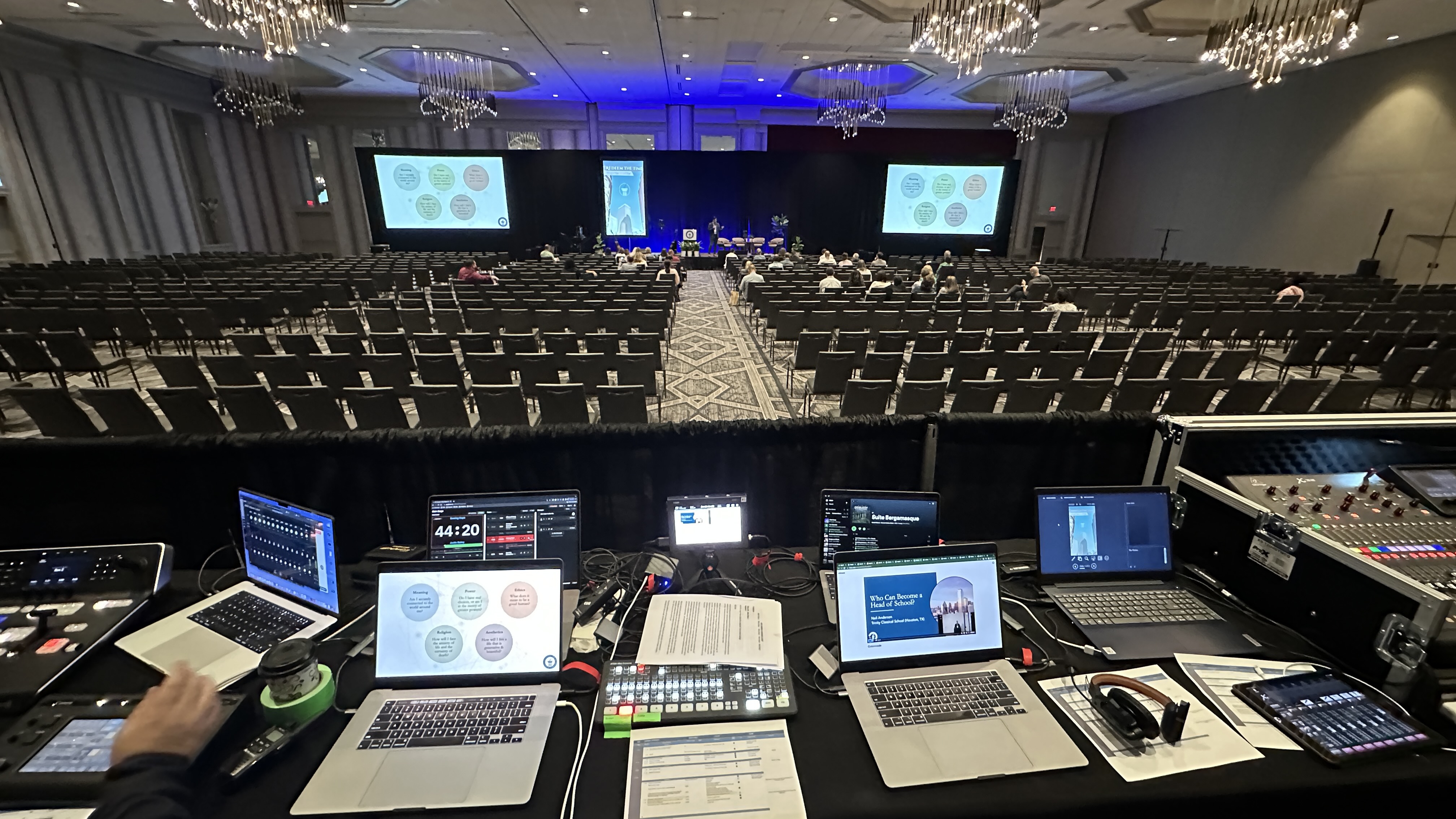
An audio mixing console with numerous channels is actively being operated during a live event, showcasing the intricate control required for quality audio streaming. This setup is essential for engaging audiences and ensuring a seamless experience across multiple platforms in virtual events.

Security, Privacy, and IT Coordination

Many corporate events include confidential content—strategy updates, financial results, internal HR announcements. That content must be protected from unauthorized access.

We offer multiple security options depending on your needs. For more information on how live streaming can enhance your event's reach while maintaining security, check out our guide: From Stage to Screen: Mastering Events Live Streaming for Unforgettable Audience Experiences.

Security Level

Best For

Password protection

Simple access control for smaller groups

Unlisted streams

Content accessible only via direct link

IP restrictions

Limiting access to corporate network ranges

SSO integration

Microsoft 365, Okta, or other identity providers

For platform video monetization or gated content scenarios, we can configure registration requirements and access controls through various solutions Vimeo and other platforms offer.

DFW Live Stream works with legal and compliance teams to clarify recording policies, who can access replays, and how long content remains available. Some companies require recordings deleted after 30 days. Others need permanent archives. We accommodate both.

Pre-event tests with corporate firewalls, VPNs, and office Wi-Fi reduce surprises for large internal audiences joining from company devices. We’ve learned that what works on a test laptop may not work behind enterprise security tools. Testing early catches these issues.

Secure file delivery of recordings happens via encrypted links or approved cloud storage. Your IT team specifies where files should land, and we deliver them there.

Cost-Effective Livestreaming for Every Budget

Professional livestreaming doesn’t have to be expensive. There are cost-effective solutions designed to fit every budget, making it easy for organizations of any size to start live streaming. Look for platforms that offer transparent pricing with no hidden fees, so you know exactly what you’re getting.

Many services provide access to broadcast-quality streaming tools without requiring a big investment in equipment or technical know-how. Some even offer free trials or entry-level plans, allowing you to test the platform and start live streaming right away. This flexibility means you can allocate more resources to creating high-quality content and engaging your audience, rather than worrying about the technical setup.

By choosing a cost-effective solution, you can deliver a professional broadcast, reach your audience, and make the most of your resources—no matter the size of your event.

Support Before, During, and After Your Event

Dedicated support is not just “day-of.” It starts weeks before your event and continues through delivery of the final recordings.

Pre-event support includes:

  • Timeline planning and milestone tracking
  • Tech checks with remote speakers to test their audio, video, and connection
  • Platform setup on YouTube, Facebook, LinkedIn, or internal portals
  • Branded landing pages or embed code sent to your web team
  • Coordination with other platforms your organization uses

Live-event support includes:

  • On-site technical director managing the overall production
  • Camera operators capturing the right angles
  • Audio engineer ensuring clear sound throughout
  • Streaming engineer monitoring the broadcast in real time
  • A dedicated contact for the client during the show

Post-event services include:

  • Trimming and editing sessions into polished recordings
  • Chapter markers for long town halls so viewers can jump to specific topics
  • Basic color correction and audio sweetening
  • Delivery of files in formats ready for LMS, intranet, or social media

We’re available for multi-day conferences and recurring monthly or quarterly broadcasts. Clients with regular events get consistent crew and documented show templates, so each broadcast builds on the last.

Measuring Livestream Success: Analytics and Insights

Understanding how your livestream performed is key to improving future events. The best platforms provide detailed analytics and insights, so you can track important metrics like audience size, watch time, and engagement levels. These tools help you see which parts of your event resonated most with viewers and where there’s room for improvement.

Look for platforms that integrate with Google Analytics and other data tools, allowing you to monitor your livestream’s performance alongside your other digital activities. With access to real-time data, you can refine your content strategy, enhance streaming quality, and grow your audience with each event.

By leveraging these insights, you’ll be able to make informed, data-driven decisions that boost your online presence and ensure your livestreams deliver maximum impact.

Real-World Examples from Dallas–Fort Worth Events

The following examples are based on common DFW corporate scenarios, anonymized to protect client confidentiality. They show how professional live streaming comes together in practice.

Two-Day Leadership Summit in Downtown Dallas

A Fortune 500 company held their annual leadership summit in a downtown Dallas hotel. The setup included three cameras, a broadcast-quality audio mix, and simulcast delivery to YouTube (for public sessions) and an internal SSO-protected portal (for confidential strategy discussions).

Live Q&A ran through moderated chat. Remote executives joined from other cities via low-latency video links and appeared on stage screens as if they were in the room. Overnight, our team edited highlight rolls that played at the start of day two, reinforcing key messages from the previous day.

Internal HR Town Hall from Fort Worth Campus

An HR-led town hall addressed workforce changes across Texas locations. The single-stage setup included interpreters for Spanish-speaking employees and live captions for accessibility.

Strict access control limited the stream to authenticated employees only. Distribution reached offices across Texas and neighboring states. The recording was delivered within 48 hours for employees who couldn’t attend live.

Nationwide Sales Kickoff with Remote Speakers

A sales kickoff originated from Dallas headquarters but featured product leaders presenting from California, New York, and Florida. Each remote speaker connected via low-latency video links, with rehearsed handoffs between on-site and remote talent.

The community of sales reps across the country watched live and participated in polls and chat. Recordings were edited into training modules for new hires throughout the year.

Outcomes Across These Events

  • Higher participation compared to previous calls and webinars
  • Positive feedback from remote staff who felt included
  • Reusable video assets for onboarding, training, and marketing
  • Data on viewership and engagement to guide future events
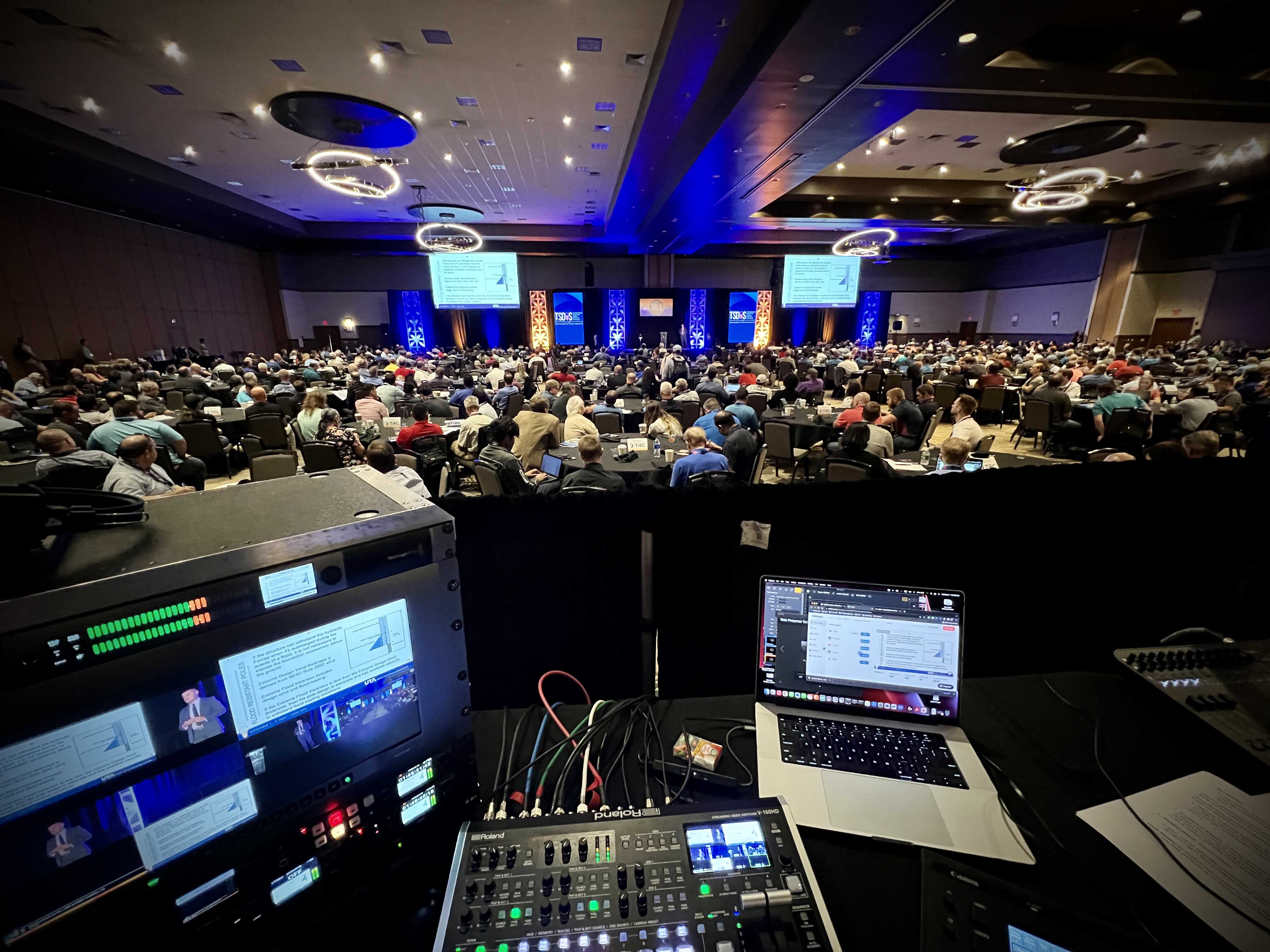
A large corporate event is taking place in a hotel ballroom, featuring professional lighting that highlights a stage presentation while an engaged audience watches attentively. This event showcases the potential of live streaming and video solutions, connecting viewers through multiple platforms and enhancing community engagement.

Post-Event Review: Learning and Improving for Next Time

After your livestream wraps up, take the time to review the event and gather feedback from your audience. Choose a platform that offers post-event analysis tools, making it easy to assess stream quality and viewer engagement. Conducting surveys or polls can provide valuable insights from your viewers, helping you understand what worked well and what could be improved.

Use this feedback to refine your content strategy and enhance the quality of your future streams. By continuously learning from each event and listening to your audience, you’ll be able to deliver even better experiences, keep viewers engaged, and build lasting connections with your community.

Getting Started with DFW Live Stream

Treat DFW Live Stream as an extension of your events or communications team, not just a vendor. We’re here to discover what you need, plan the details, and execute flawlessly so you can focus on your content and your audience.

Here’s what happens after first contact:

  1. Quick discovery call to understand your goals, audience, and timeline
  2. Rough scope outlining what’s needed for your specific event
  3. Platform recommendations based on your audience and security requirements
  4. Straightforward proposal with clear pricing and no hidden fees

Budgets scale based on complexity. A single-camera executive update costs less than a multi-room conference with breakout sessions, live captions, and distribution to multiple platforms. We’ll give you options and let you decide what fits.

Once confirmed, you receive a simple checklist:

  • Confirm schedule and speaking order
  • Share slide decks, logos, and branding assets
  • Connect us with your IT and AV contacts
  • Provide access to the venue for site survey

On event day, you focus on your message and your audience. We quietly handle the technical operation in the background—cameras, audio, streaming, and everything else that makes a professional broadcast work.

Whether you’re planning virtual events for a global workforce, community events for local stakeholders, or executive broadcasts that demand enterprise-grade reliability, a great company delivers more than equipment. They deliver peace of mind.

Ready to launch your next corporate livestream? Reach out for a discovery call, and let’s scope what success looks like for your team.

Check out other articles

see all
Right Arrow