 By Mark WhiteOwner & Executive Producer, DFW Live Stream
Most hybrid events treat the remote audience like an afterthought. The cameras point at the stage, the stream goes out, and whoever's watching from home is left staring at a wide shot wondering if anyone remembers they're there. They tune out within twenty minutes, and you never hear from them again.
Here's the short version: keeping remote attendees engaged isn't about better gear. It's about designing the whole event so the people watching online feel like real participants instead of second-class viewers stuck outside the glass. That means two-way interaction, someone whose only job is the remote audience, a run-of-show built with virtual pacing in mind, and camera work that pulls the online viewer into the room's energy. The number one mistake is treating the stream as a one-way broadcast. Fix that, and everything else gets easier.
I run hybrid events across Dallas-Fort Worth, and the difference between a stream people stick with and one they abandon almost always comes down to whether the remote audience was planned for or bolted on. Let me walk you through what actually works.
The single biggest reason remote attendees check out is that nothing they do matters. They can't ask a question, can't react, can't be seen or heard, so they default to passive watching, which is the easiest thing in the world to abandon for email. The fix is building genuine two-way channels into the event from the start.
A broadcast asks nothing of the viewer. An engaging hybrid event constantly invites the remote crowd to do something: vote in a poll, drop a question, react in chat, raise a virtual hand. When people contribute, they stay. When they're talked at for an hour straight, they leave. This is the mindset shift that everything else in this post hangs on, and it's also the thing most teams skip because the in-room experience feels complete on its own. It isn't. If you want to understand the broader pattern of how these productions break down, my post on why corporate livestreams fail covers the recurring traps.
A chat without a moderator is just a wall of messages nobody's reading. A chat with a real person responding turns the remote audience into a community that feels acknowledged in real time, which is exactly what keeps them in their seats. This is a staffing decision, not a software feature.
I'm talking about an actual human watching the chat, answering quick questions, welcoming people by name as they join, and flagging the good questions to surface into the room. The moderator sets the tone early. When the first few remote attendees see their comments get a warm reply, they relax and start participating. When the chat sits dead and ignored, everyone reads the room and goes quiet too. You don't need a big team for this, but you do need someone who isn't also running cameras or audio, because moderation done as a side task always slips.
Most hybrid Q&A sessions only hear from people physically holding a microphone, which tells your remote audience their questions don't count. Real engagement happens when an online question gets read aloud to the room and answered by the presenter, on camera, with the asker's name. That one move signals that remote and in-person attendees are equals.
The mechanics matter here. Your chat moderator collects and filters the online questions, picks the strong ones, and hands them to whoever's running the Q&A so they get asked alongside the in-room questions. The presenter says "this next one's coming from Sarah watching online" and answers it directly. Suddenly the remote crowd has a reason to engage, because their question might be the one that gets the spotlight. Tools like Slido make the collecting and upvoting clean, but the magic is the human workflow that pulls those questions onto the stage. Town halls live or die on this, which is why I dig into it more in my piece on town hall live streaming.
Polls are the lowest-effort, highest-return engagement tool you have, because a single tap keeps a passive viewer involved without asking them to type anything public. Drop one every fifteen or twenty minutes and you give the remote audience a steady rhythm of small actions that keep them present.
Good polls do double duty. They keep people clicking, and they give your presenters live data to react to on stage, which closes the loop between the room and the screen. Ask the audience a quick opinion question, show the results live, and have the speaker respond to what the remote crowd said. Now the online attendees aren't just voting into a void, they're shaping the conversation. Slido-style interactive tools handle this well, and the bar for participation is so low that even your least-engaged viewers tend to take part. The trick is variety and timing, not volume. A poll every few minutes becomes noise; a well-placed one resets attention.
Nothing makes an online viewer feel real like hearing their own name from the stage. It costs nothing and it instantly converts a faceless stream watcher into a recognized participant, which is the whole game.
This works best when it's woven through the event rather than saved for one moment. The presenter welcomes remote attendees joining from different cities, thanks someone by name for a sharp question, reads a chat comment aloud and credits the person who wrote it. Each callout is a small signal to everyone watching that the people running this thing know the remote audience is there and care about them. Your chat moderator feeds these moments to the presenter, so it never feels forced. The effect compounds: once a few people get named, the rest lean in hoping they're next.
A run-of-show designed only for the room in front of you will lose the people watching from home, because what feels like a natural pause live reads as dead air on a screen. Engagement starts in the planning, where you decide the rhythm, the breaks, and where the interactive moments land for the remote crowd.
Attention spans online are shorter than in a room. People at home don't have the social pressure of a live audience keeping them seated, so the pacing has to do that work for you. That means tighter segments, deliberate interaction points, and breaks scheduled with the remote viewer in mind rather than just the in-room coffee run. A twenty-minute logistics discussion that's fine for attendees in the building is an exit ramp for everyone watching online. Plan the remote experience as its own track that runs parallel to the in-room one, with its own beats. If you want the full framework for this, my hybrid event best practices guide lays out the planning side end to end.
The remote audience needs an advocate in the room, someone whose entire job is to think about what the online viewer is seeing and feeling. Without that person, the remote experience becomes nobody's responsibility, and it shows.
This is the highest-leverage staffing decision in the whole production. While the rest of the team focuses on the live room, this person watches the stream the way a remote attendee does: Is the audio clear? Is the speaker framed well? Did that poll actually land? Are questions from chat making it to the stage? They catch the problems an in-room team never notices because the in-room team is, naturally, looking at the room. On the boutique events I run, I'm on-site myself, and having a dedicated set of eyes on the remote experience is something I won't compromise on, because it's the difference between a stream that holds and one that quietly empties out. This is also part of what separates a real production partner from a vendor who just points cameras, which I get into in what to expect when you hire a livestream company.
A single locked-off wide shot is the fastest way to make remote attendees feel like they're watching through a security camera. Camera work that cuts between the speaker, the audience, and reaction moments pulls the online viewer into the room's energy instead of leaving them outside it.
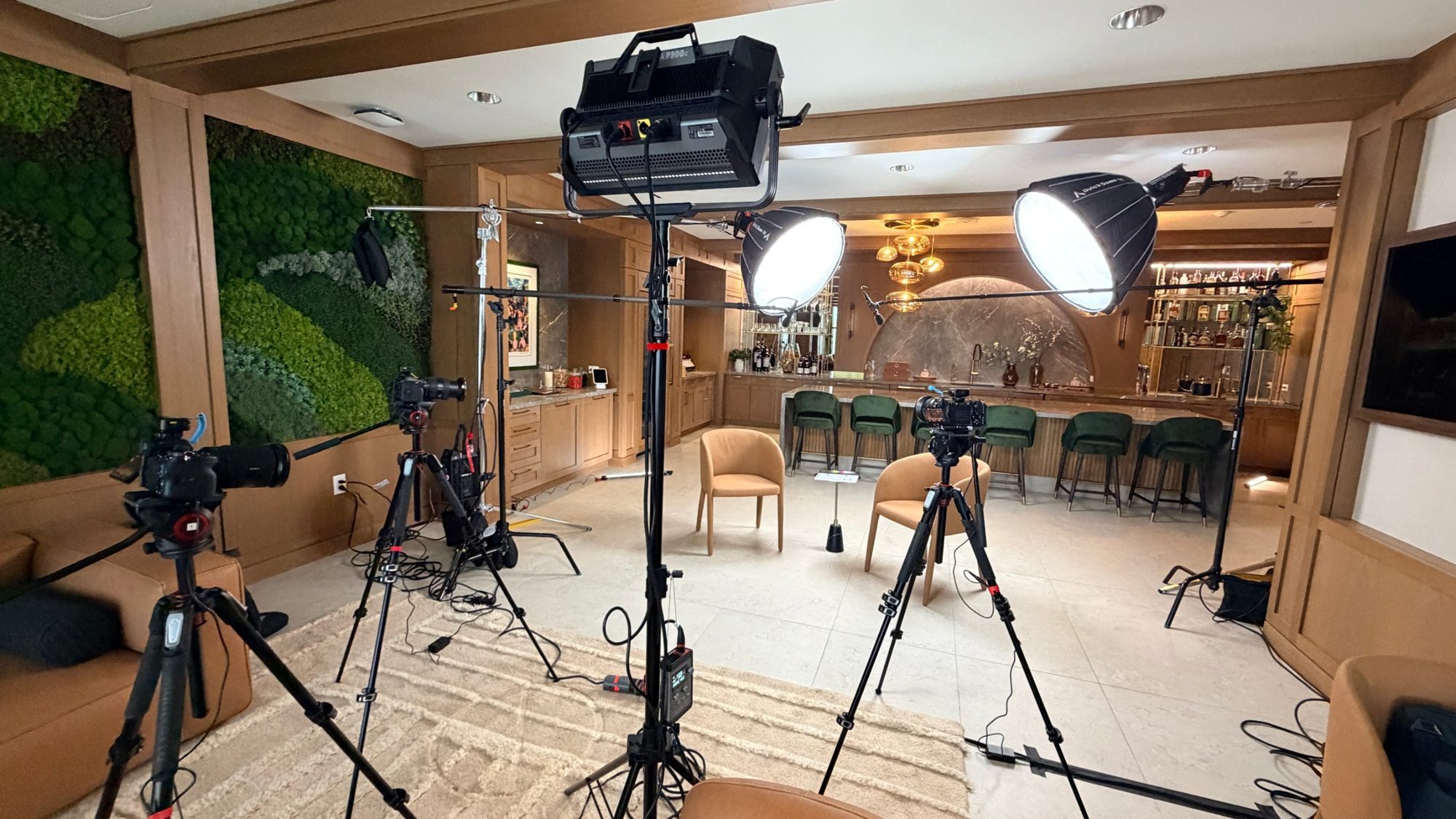
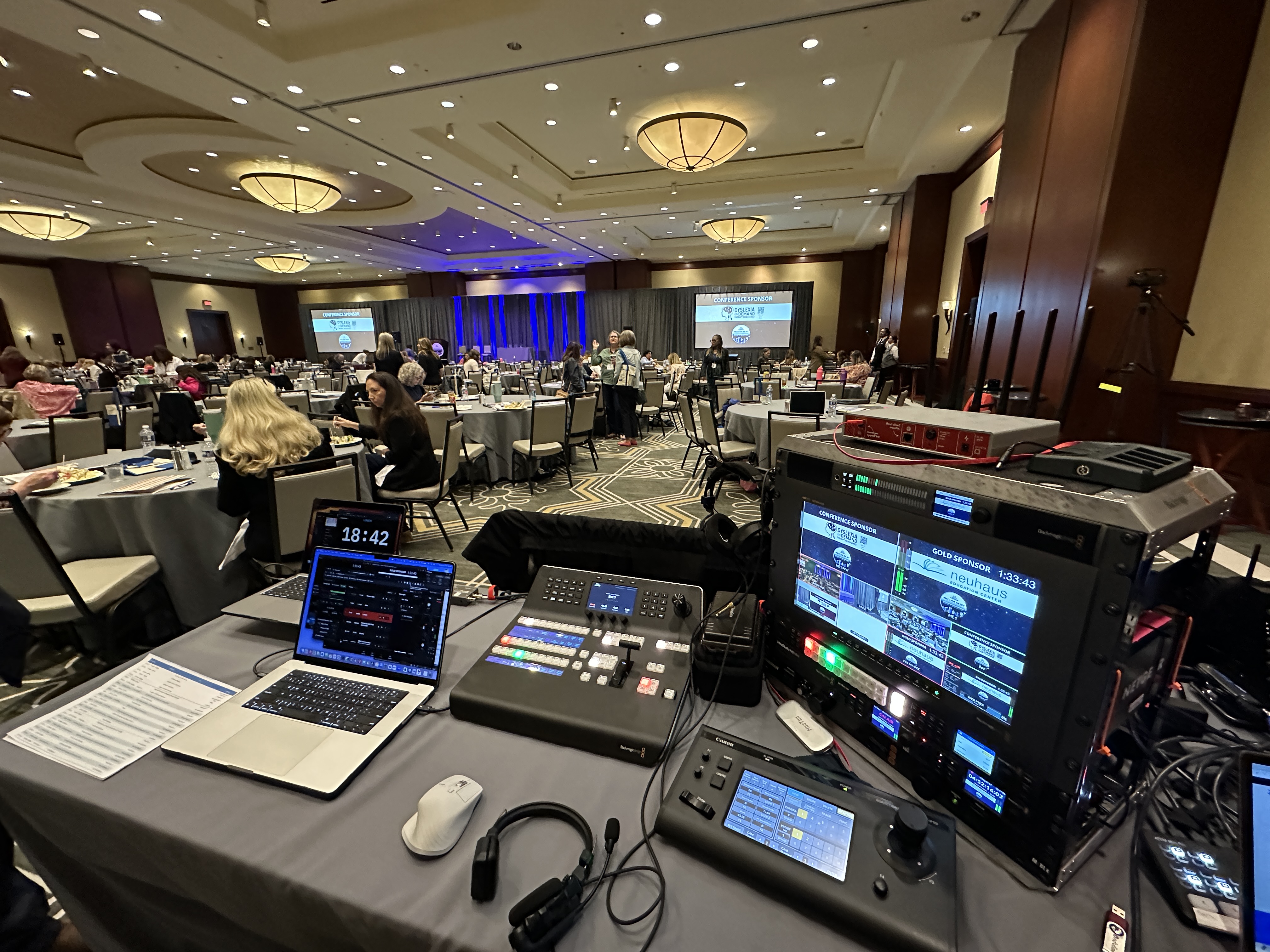
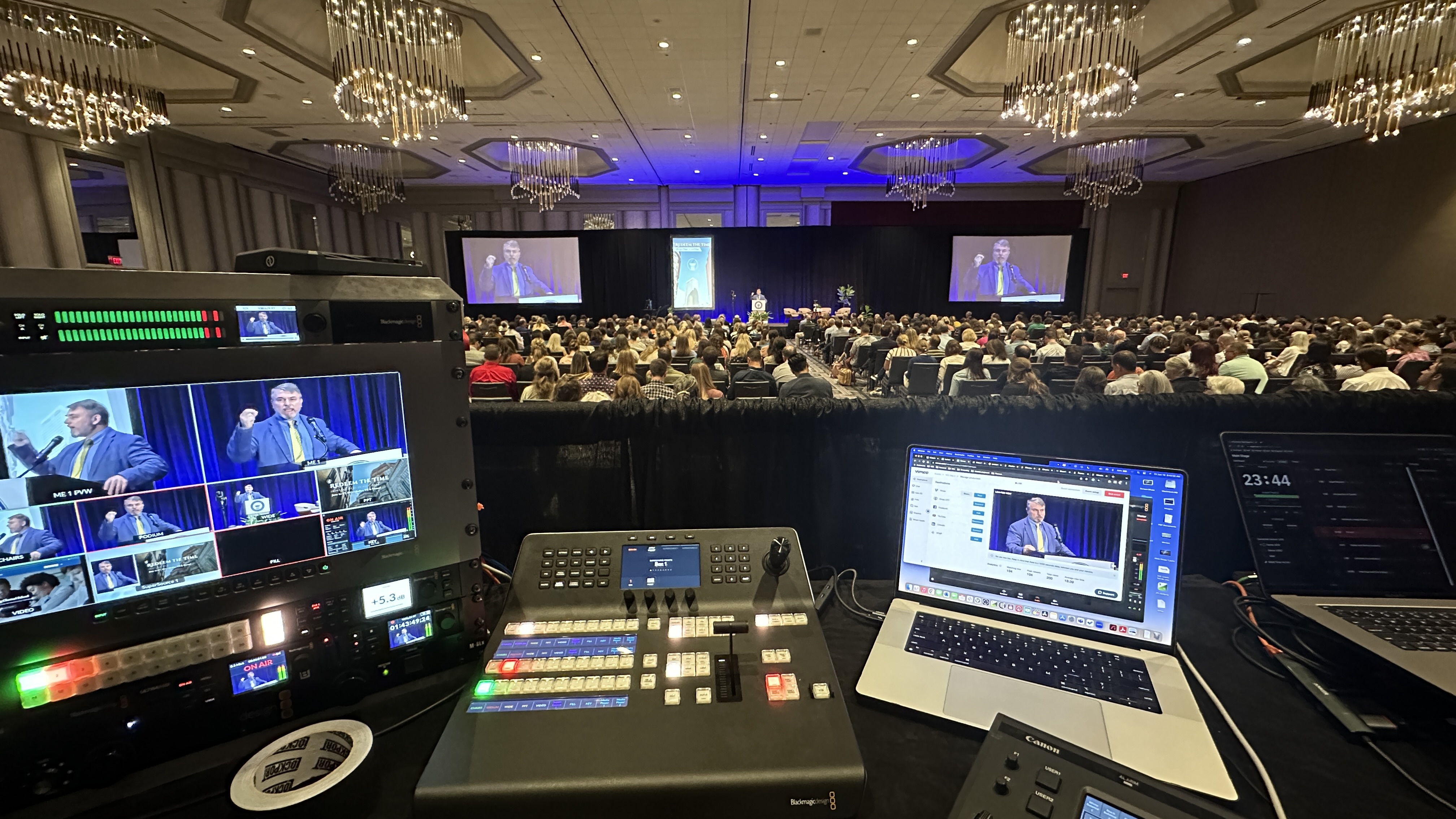
This is where production craft earns its keep. Multiple angles let you show a presenter's expression up close, catch the room laughing at a joke, and frame the audience so remote viewers feel the scale of the event. I run cameras like the Canon CR-N500 PTZ so an operator can get clean, dynamic moves and reaction shots without a camera op crowding the room, and a Blackmagic ATEM switcher to cut between angles live so the stream feels like a produced show rather than a static feed. The goal isn't flashy for its own sake. It's making the person at home feel the same emotional beats as the person in the third row. Get this right and the remote audience stops feeling like spectators. For more on how the multi-angle approach works, see my post on multi-camera live production.
Engagement isn't a line item you bolt on, it's the difference between a production that earns the remote audience's attention and one that wastes the budget you spent reaching them. The investment scales with the complexity of the event and how much of that two-way experience you want built in.
As a general range, a full hybrid event production usually lands somewhere between $5,000 and $15,000 depending on cameras, crew, venue, and how much interactive production you're after. A fully virtual event without the in-room component typically starts around $1,595. The reason the dedicated remote host and the moderation matter so much is that they're often what separates the low end from the high end, and they're also where the engagement payoff is biggest. If you're already spending real money to reach a remote audience, underinvesting in keeping them engaged is the worst trade you can make. For a breakdown of what actually goes into a production, my post on what's included in a corporate livestream package spells it out.
Watch for participation, not just viewer count. Poll response rates, chat activity, and questions submitted online tell you far more than how many people technically had the stream open. A high viewer count with a dead chat usually means people are watching with the sound off while they do other things.
For any event where engagement matters, yes. Moderation done as a side task by someone also running cameras or audio always slips, and the moment the chat goes unanswered, the remote audience reads the room and goes quiet. A dedicated moderator is one of the highest-return roles in a hybrid production.
Slido-style platforms are popular for polls and Q&A because participation takes one tap and they integrate cleanly into the run-of-show. The specific tool matters less than the human workflow around it, the moderator collecting questions and the presenter surfacing them into the room.
A good stream is table stakes. Clear audio and sharp video keep people from leaving out of frustration, but they don't make anyone feel involved. Engagement is the two-way layer on top: interaction, recognition, and a production designed so the remote audience can participate rather than just watch.
Absolutely, and they matter even more at scale. The larger the remote audience, the easier it is for individuals to feel anonymous and tune out. Calling people out by name, surfacing online questions, and running regular polls all help large remote crowds feel seen rather than lost in the numbers.
The core agenda stays the same, but the pacing and interaction points should be designed with the remote viewer in mind. Online audiences have shorter attention spans and no social pressure keeping them seated, so tighter segments and deliberate interactive moments do the work of holding their attention.
Treating the stream as a one-way broadcast. When the remote audience has no way to contribute and no one acknowledging them, they default to passive watching, which is the easiest thing to abandon. Building genuine two-way interaction is the fix that everything else depends on.
From the very start. Engagement lives in the run-of-show, the staffing, and the camera plan, all of which get decided in planning. Trying to add interaction after the event is already designed means bolting it on, which is exactly how the remote audience ends up feeling like an afterthought.
If you're planning a hybrid event and want the remote audience to feel like they were really part of it, I'm happy to talk through what that looks like for your event. Reach out and let's figure out the right setup together.
Mark runs DFW Live Stream and has been producing corporate livestreams, conferences, town halls and webinars across Dallas–Fort Worth and around the country since 2017. He writes these from the production desk, not a marketing department, and uses AI tools to help draft and structure them. Every post is read, fact-checked and edited by him before it goes live.