A few years back, I got a call from a company that had tried to host a live stream for their annual town hall using nothing but a laptop webcam and a conference room. The CEO was presenting to employees across three time zones. About fifteen minutes in, the audio started cutting out. The video froze. By the time IT figured out the problem, half the remote audience had already dropped off.
They called us the next week asking what it would take to do it right.
That conversation happens more often than you might think. Companies know they need to stream live events to connect with employees, customers, or community members who cannot be there in person. But figuring out how to actually host a live stream that looks and sounds professional is where things get complicated.
So let me walk you through everything that goes into hosting a live stream, from the basic setup to the platforms you can use to the tools that make the difference between amateur and broadcast quality. Whether you are planning a corporate event, a conference, or any live video streaming project, this guide will help you understand what you are getting into.
Live streaming has rapidly evolved into a must-have tool for businesses, organizations, and creators looking to connect with their audience in real time. Thanks to the rise of social media platforms like YouTube Live and Facebook Live, it’s easier than ever to stream live video to viewers around the world with just a few clicks. Whether you’re hosting a product launch, a company town hall, or a community Q&A, live streaming platforms allow you to reach your target audience instantly and interact with them as events unfold.
Reliable live streaming is about more than just going live—it’s about delivering smooth playback and high-quality video streaming that keeps your viewers engaged from start to finish. By choosing the right platform and equipment, you can ensure your stream looks professional and runs seamlessly, no matter where your audience is watching. With the ability to broadcast to multiple platforms at once, you can expand your reach, build your community, and create memorable experiences that bring people together in real time.
The first question most people ask is where the stream should actually live. There are more streaming platforms available today than ever before, and the right choice depends on your audience, your budget, and how much control you want over the viewing experience.
Ensuring easy and reliable access for your viewers is a crucial factor when selecting a live streaming platform, as it impacts how smoothly your audience can join and watch your event.
YouTube is one of the most popular platforms to stream live video, and for good reason. It is free to use, your audience already knows how to watch videos there, and you can build your YouTube channel over time with both livestream content and recorded videos. The platform supports chat for real time engagement with viewers, and your live event automatically becomes an on demand video that people can watch later.
The downside is that YouTube has content moderation bots that monitor for copyrighted audio. If your live event includes any music or video clips that trigger their system, they can shut down your stream mid-broadcast. I have seen this happen to clients who had perfectly legal rights to the content they were showing. It is a risk you need to consider.
Facebook Live works similarly. It connects directly to your existing community on social media, and viewers can watch on mobile devices without downloading anything new. The platform supports real time engagement through comments and reactions, and you can stream to multiple pages or groups simultaneously.
Like YouTube, Facebook has automated systems that can flag content. For corporate events where you need reliable live streaming without interruption, this can be a concern.
Vimeo is my recommendation for most professional live stream events. It is a cleaner platform designed for businesses and creators who need reliable live streaming without the risks that come with social media platforms. There are no bots scanning for copyrighted music. You get dedicated support if something goes wrong. And Vimeo makes it easy to embed videos directly on your own website so viewers never have to leave your branded experience.
The tradeoff is that Vimeo requires a subscription. But for corporate events, conferences, and any situation where the stream absolutely cannot go down, that investment is worth it.
Some organizations prefer to host their stream on their own website rather than sending viewers to other platforms. This keeps your audience on your site, gives you complete control over the experience, and lets you collect viewer data that you would not get from YouTube or Facebook.
To stream on your own website, you typically use a streaming service like Vimeo or a dedicated video player and embed the stream directly into your page. A streaming server, such as an RTMP server, plays a crucial role in this process by receiving your live video feed, encoding it, and delivering the content to your website and other platforms for reliable, multi-platform broadcasting. This is how we set up streams for clients who want a fully branded viewing experience. We create the stream, provide the embed codes, and they drop it right into their site.
You do not have to choose just one destination. Many organizations stream live to multiple platforms simultaneously, broadcasting to YouTube, Facebook, and their own website all at once. This maximizes reach and lets viewers watch wherever they are most comfortable.
We do this regularly for clients who want to grow their YouTube channel while also reaching their Facebook community and providing a professional embed on their corporate site. The key is having the right tools and encoding setup to support multiple simultaneous outputs.
Setting up a live stream involves several components that all need to work together: video, audio, encoding, and your internet connection. In addition to live video, you can also use uploaded videos—such as pre-recorded or scheduled content—by integrating them into your live stream workflow. This includes scheduling uploads, merging pre-recorded segments with live footage, and embedding uploaded videos as part of your broadcast. Let me break down each piece.
At the most basic level, you need a camera, a microphone, and a way to connect everything to your streaming platform. But the quality gap between basic and professional is enormous.
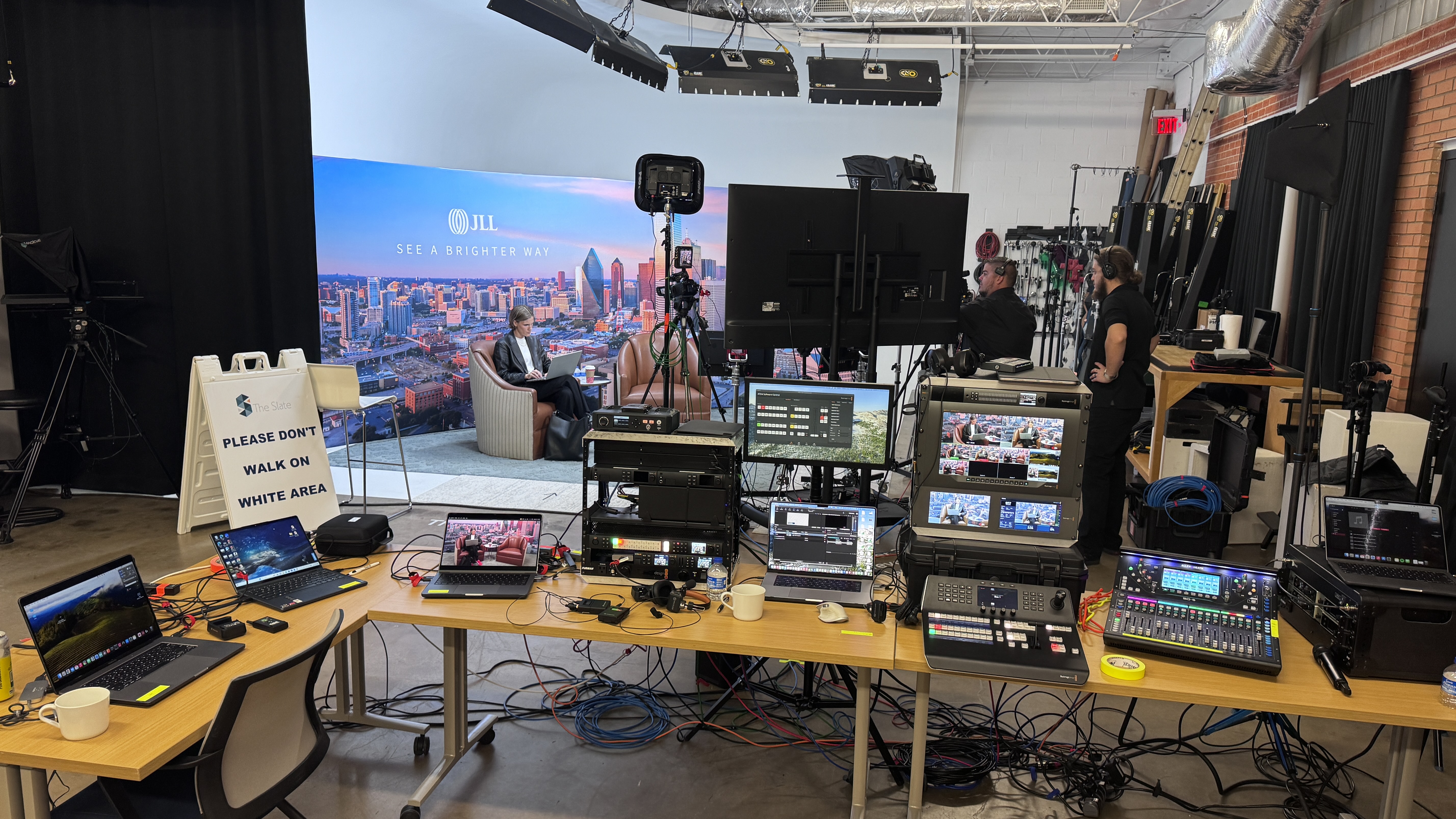
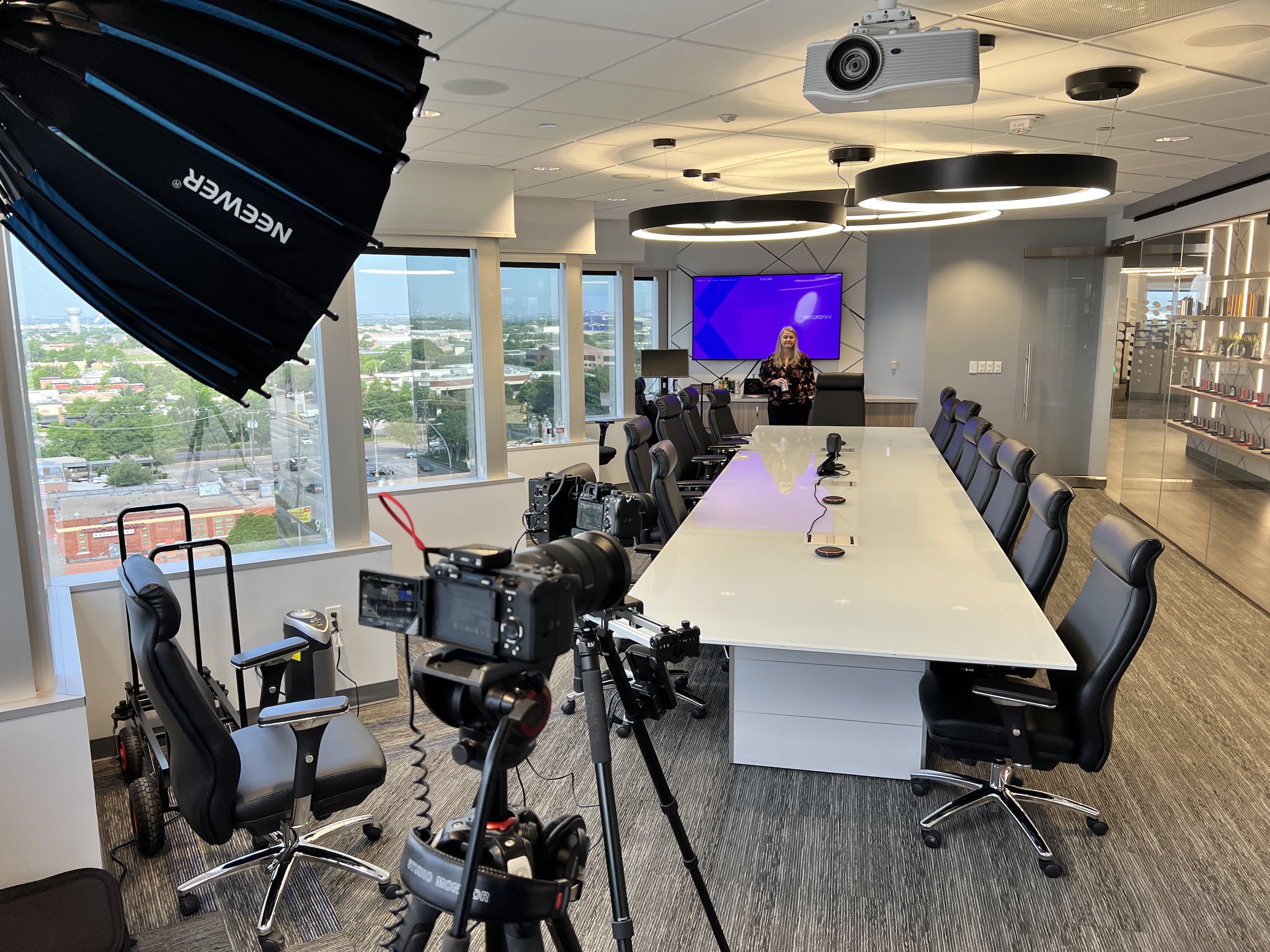
For video, you can technically stream live from a phone or laptop webcam. Viewers will be able to see something. But if you want broadcast quality that represents your brand well, you need real cameras. We use PTZ cameras that we can control remotely, allowing us to capture wide shots, close-ups, and audience reactions without operators walking around during the event. For larger productions, we bring multiple cameras and switch between them in real time.
For audio, this is where most DIY streams fall apart. Built-in microphones pick up room echo, air conditioning noise, and every cough in the audience. Professional streams use wireless microphones for presenters, often with backup audio feeds in case something fails. We also use capture card setups to pull clean audio directly from venue sound systems when available.
The encoder is what takes your video and audio signals and converts them into a format that streaming platforms can broadcast. You have two main options: software encoders that run on a computer, or hardware encoders that are dedicated devices.
Software encoders like OBS are free and work well for simple setups. Hardware encoders cost more but offer more reliability and processing power for complex productions with multiple cameras and graphics.
For professional live stream events, we use video switchers that let us cut between cameras, add lower thirds with speaker names, overlay presentation slides, and create a polished broadcast in real time. This is what makes a stream look like a produced show rather than a recording of someone standing at a podium.
Your internet connection is the lifeline of your stream. If it fails, your broadcast goes down. Period.
Upload speed is what matters here, not download speed. Most people have internet plans optimized for downloading, which means their upload bandwidth is often much lower than they realize. A reliable live stream needs consistent upload speed of at least 10 Mbps, and more is better for higher quality video.
We never rely on a single connection. For every event, we bond the venue's wired internet with multiple 4G LTE modems to create one redundant connection. If one path fails, the others keep the stream going. We have run entire events purely off cellular when corporate networks were too locked down to allow outside equipment. The stream still went out without issues.
This is the question everyone wants answered, and the honest answer is that it depends entirely on what you are trying to accomplish.
You can livestream for free using just a phone and YouTube or Facebook. Point your camera at the stage, hit the go live button, and you are technically streaming. The cost is zero dollars.
The quality will reflect that. Your audio will sound like you are recording in a cave. Your video will look like a security camera. You will have no graphics, no lower thirds, no smooth transitions. For an informal update to a small group who just needs to see something, this might be fine. For anything representing your company to clients, partners, or a large audience, it is not going to work.
A step up from DIY involves renting or buying better equipment and having someone who knows what they are doing run the stream. You might invest in a decent camera, wireless microphones, basic lighting, and streaming software. Depending on what you purchase versus rent, and whether you hire help, this could range from a few hundred to a few thousand dollars.
This level works for organizations that stream regularly and want to build internal capability. The learning curve is real, though. Professional live streaming involves a lot of moving parts, and problems tend to surface at the worst possible moments.
When you hire a professional crew to handle your live stream events, you are paying for equipment, expertise, and peace of mind. A full production includes multiple cameras, professional audio, graphics integration, redundant internet, recording, and a team that has solved every problem you have not thought of yet.
Pricing varies based on the complexity of the event, the number of cameras and crew needed, whether you need recording and editing afterward, and how long the event runs. For a straightforward corporate town hall with a couple of cameras and basic graphics, you might be looking at a few thousand dollars. For a multi-day conference with breakout rooms, live music, and complex switching, the investment is higher.
What you get in return is a stream that works. The broadcast looks professional. Your presenters look good. Your remote audience stays engaged instead of dropping off because they cannot hear or see what is happening. And you are not scrambling to fix technical problems while your CEO is trying to deliver a keynote.
A successful live stream starts long before you hit the “go live” button. Begin by defining your goals and objectives—what do you want your audience to take away from your stream? Outline the key topics you’ll cover and create a script or bullet-point agenda to keep your broadcast focused and engaging. If you’re featuring guests or remote presenters, brief them ahead of time to ensure everyone is on the same page and ready to deliver a polished performance.
Next, select a live streaming platform that aligns with your needs, whether that’s YouTube Live, Facebook Live, or your own streaming service for a fully branded experience. Invest in the right live streaming equipment, including cameras, microphones, and lighting, to ensure your stream looks and sounds professional. Using a capture card can help you achieve higher-quality video and audio, especially when connecting professional cameras to your streaming setup. Don’t overlook your internet connection—make sure you have sufficient upload speed to support your stream and avoid interruptions. Careful planning at this stage sets the foundation for a smooth, professional broadcast that reflects well on your brand.
Getting the word out about your live stream is key to attracting viewers and building audience engagement. Start by sharing your live stream link across your social media platforms—Facebook, LinkedIn, Twitter, and Instagram are all great places to reach your target audience. Embed videos directly on your website to make it easy for your community to tune in, and use relevant hashtags to boost your stream’s visibility.
Consider partnering with other streamers or influencers in your industry to tap into new audiences, and offer incentives like exclusive behind-the-scenes content or live Q&A sessions to encourage viewers to join. Leverage social media advertising, email newsletters, and other promotional tools to drive traffic to your stream. The more you promote your live event, the more viewers you’ll attract, helping you grow your community and achieve your streaming goals.
After producing hundreds of live stream events over the past decade, here are the things that make the biggest difference.
This sounds obvious, but you would be amazed how many problems surface during testing that would have been disasters during the actual event. We always schedule setup and testing time before any live broadcast. We test every camera angle, every microphone, every graphic, and every internet connection. We run through the entire show with the client so everyone knows what to expect.
For a recent engineering conference we produced in Frisco, we had a full day of setup and testing before the three-day event. That time paid for itself many times over when we caught issues with the venue's network configuration that would have killed the stream on day one.
Most platforms let you schedule your live stream ahead of time, allowing users to set reminders and plan to watch. This is especially important for events with audiences across different time zones. Give people time to put it on their calendar.
You can also create holding slides or pre recorded video content to play before the stream officially starts. This gives early viewers something to watch and builds anticipation for the main event.
Always record your live stream, even if you think nobody will want to watch it later. On demand video extends the life of your content far beyond the live event. People who could not watch live can catch up later. You can create clips for social media. You can use the content for internal training.
We record every stream we produce and deliver the final files to clients for their use. For one conference, we even shot a day one recap video, edited it overnight, and played it first thing the next morning to get attendees excited about day two. That kind of content creates real time engagement and gives your community something to talk about.
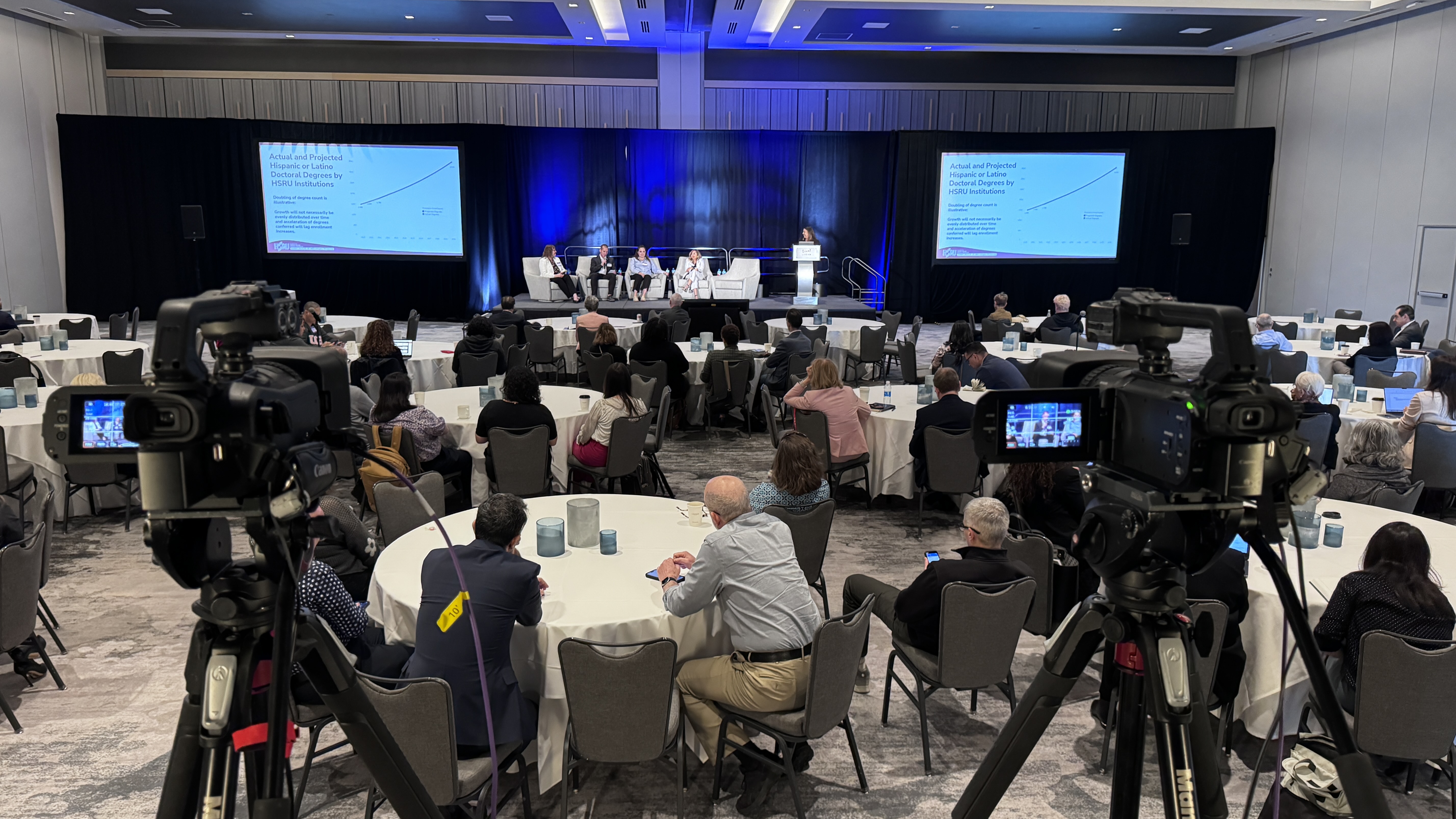
Hybrid events with remote presenters joining from around the world are now standard. Make sure you have tested how those presenters will connect, how their audio and video will look in the stream, and how they will communicate with people in the room.
We recently produced a corporate town hall where executives were presenting remotely from multiple countries. Getting them into the stream cleanly so they looked and sounded as professional as the in-person presenters took careful planning. But when it worked, the feedback was that watching the broadcast felt like watching a talk show.
Equipment fails. Internet drops. Presenters run long. Have contingency plans for the most likely problems.
We bring backup microphones, backup cables, backup internet connections, and backup recording to every event. If something fails, we can switch to the backup without the audience ever knowing there was an issue. That level of redundancy is what separates professional production from hoping everything works out.
Once your live stream is underway, effective management is essential for a seamless experience. Choose a user-friendly live streaming platform that makes it easy to schedule, record, and upload your streams, and look for features like live chat, polls, and Q&A sessions to keep your audience engaged in real time. Having dedicated support on hand can make all the difference if technical issues arise, ensuring smooth playback and minimizing disruptions.
Use built-in analytics tools to monitor your viewership and engagement as the event unfolds, and be ready to adapt your approach based on audience feedback. By managing your live stream proactively, you’ll foster a sense of community, keep your viewers coming back, and set the stage for even greater success with future broadcasts.
Live streaming is one of the most powerful tools available to connect with people who cannot be in the room with you. Whether you are broadcasting a product launch, a church service, a conference, or a company town hall, live video lets you reach more viewers than any physical venue could hold.
The technology to stream live has never been more accessible. The platforms are free or affordable. The equipment is better than ever. What matters now is execution, the ability to create a broadcast that looks professional, sounds clear, and runs smoothly from start to finish.
If you are planning to host a live stream for your next event and want to make sure it represents your organization well, we would be happy to talk through what that looks like. We have been helping companies across Dallas-Fort Worth and beyond stream their most important events for over a decade. Reach out to DFW LiveStream and let us help you create something your audience will actually want to watch.
After your live stream wraps up, it’s time to dive into the data and see how your event performed. Use analytics tools provided by your live streaming platform to track key metrics like viewership, audience engagement, watch time, and retention rates. Compare your results across platforms such as YouTube Live, Facebook Live, and other streaming services to identify where your audience is most active and engaged.
Look for patterns in when viewers tuned in or dropped off, and use these insights to refine your content and delivery for future streams. Incorporate expert tips—like adding lower thirds, overlays, and other visual enhancements—to make your broadcasts more dynamic and professional. By analyzing your live stream performance and making data-driven adjustments, you’ll continually improve your streaming quality, boost audience engagement, and achieve your long-term goals.