 By Mark WhiteOwner & Executive Producer, DFW Live Stream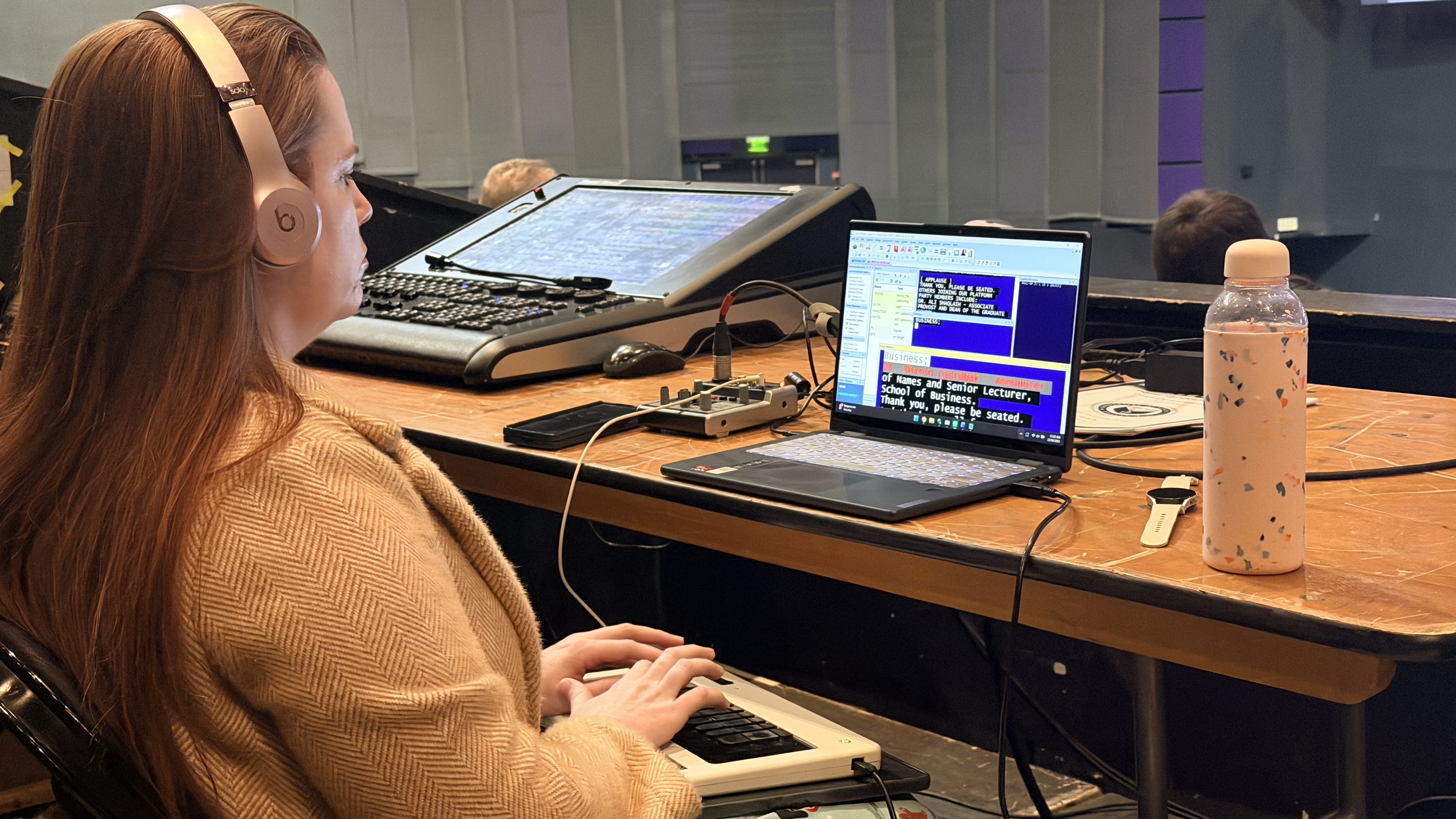
Here is the short version: closed captioning is what lets every person watching your livestream actually follow it, whether they are deaf or hard of hearing, watching on mute in a busy office, or working in a second language. It is not a technical add-on you tack on at the end. It is the difference between an event that reaches your whole audience and one that quietly leaves people out.
I am Mark, owner of DFW Live Stream. I run corporate livestreams across Dallas-Fort Worth, and captioning is one of those things clients almost never ask about up front and almost always wish they had once the event is live. So let me walk you through what it actually does, when you need it, and what it costs, in plain terms.
Captioning turns the spoken audio of your event into on-screen text in real time. The outcome is simple: everyone can follow along, no matter how they are watching or who they are.
Think about who is actually in your audience. Somebody who is hard of hearing. Somebody watching from a cubicle with the sound off. Somebody whose first language is not English and who reads faster than they listen. A person on a phone in a loud airport. Captions serve all of them at once. You are not building a feature for one small group. You are removing friction for a big chunk of the people you worked hard to get watching in the first place.
The biggest decision is whether your captions are generated by a trained human or by software. Both put text on screen, but the accuracy gap between them is real, and it shows up exactly when it matters most.
Auto-captions, the kind built into most platforms, are free and instant. For casual content with one clear speaker and simple language, they are fine. But they fall apart on the stuff corporate events are full of: industry jargon, product names, acronyms, accents, people talking over each other, and the moment a CEO says something that absolutely cannot be misquoted. Automated systems guess phonetically, and a wrong guess on a brand name or a legal phrase is the kind of thing that ends up in a screenshot.
Live human captioning, sometimes called CART, uses a trained captioner listening to the feed and producing text on the fly. Accuracy is dramatically higher, the captioner can be briefed on your terminology ahead of time, and the result reads like a transcript instead of a guess. For a board meeting, a regulated-industry session, or anything public-facing, that reliability is worth paying for. My general approach: auto-captions are acceptable for low-stakes internal content, and human captioning is what I recommend the moment accuracy actually carries weight.
Once you have captions, the next question is how viewers see them. There are two main approaches, and the right one depends on your audience and your platform.
The first is toggleable captions, where the text rides along as a separate track and each viewer turns it on or off themselves. This is the standard on platforms like YouTube and most webinar tools, and it is great because it gives people choice and keeps the video frame clean for those who do not need it.
The second is burned-in captions, where the text is baked directly into the video so it is always visible and cannot be turned off. This is the move when you cannot guarantee the platform supports a caption track, when you want a consistent look on every screen, or when the on-demand recording will live somewhere that strips out separate tracks. The tradeoff is that burned-in captions are permanent, so the styling has to be right the first time. On most corporate jobs I lean toggleable for the live stream and make sure the recorded version carries captions too, so the value does not disappear the moment the event ends.
If any part of your audience speaks a different language, captions are also your most practical path to reaching them. The outcome is the same as accessibility: more people in the room actually understand what is being said.
Translated captions, where the spoken English is rendered as text in another language, open up multinational town halls, investor updates with overseas stakeholders, and conferences with international attendees. It is far cheaper and faster than full live interpretation, and for many events it is enough to make non-native speakers feel included rather than left to keep up. If you have offices or customers outside the U.S., this is worth raising early, because it changes how we plan the captioning workflow. It is one of the questions I ask up front on hybrid events, the same way I think through the rest of the hybrid event best practices that keep a remote audience engaged.
Plenty of organizations add captions because it is the right thing to do. Just as many do it because they have to, and the expectation is only getting stronger.
The Americans with Disabilities Act and Section 508 set accessibility expectations for a lot of organizations, and public-sector bodies, universities, and government contractors often have explicit requirements that any broadcast content be captioned. The U.S. Department of Justice has published a rule under ADA Title II setting technical accessibility standards for state and local government web and mobile content, which reinforces that captioning is treated as a baseline, not a nicety, for public entities (see ada.gov). Even when you are not strictly required, more corporate clients now treat captioning as a basic standard of professionalism, the same way they expect clean audio. If you operate in a regulated space or serve the public, assume captioning is part of the deliverable and budget for it. It is a lot cheaper than discovering you needed it after the fact, which is the kind of avoidable miss that lands a project on my list of reasons corporate livestreams fail.
Here is the part that surprises clients. Captioning is not just about access and compliance. It quietly makes your content perform better, both live and long after the event is over.
Captions keep people watching. When someone lands on a stream with the sound off, text is what convinces them to stay instead of scrolling away, and that lift in watch-time is real across platforms. Then there is the recording. A captioned video comes with a full text transcript, which search engines and AI tools can actually read and index. That means your on-demand event becomes discoverable content instead of a silent file nobody finds. If you care about getting value out of the recording, captioning is one of the highest-leverage things you can do, and it pairs naturally with the kind of thinking in measuring livestream ROI.
Captioning only works if the audio feeding it is clean, which is why I treat it as part of the whole production rather than a bolt-on. Garbage audio in means garbage captions out, human or automated.
On my events the captioner gets a dedicated, isolated feed off the audio board, not a muddy room mic. That clean signal is the same reason I am particular about getting livestream audio right in the first place. Because I am a boutique operation and I am on site running the show, I can brief the captioner on your terminology, watch the caption track during the event, and catch problems live instead of reading about them in a post-event email. That owner-on-site, nothing-left-to-chance approach is exactly why captioning lands as one of the standard options when I talk through what is included in a corporate livestream package.
Let me give you real ranges so you can plan. Captioning is priced on top of the production itself, because it adds a skilled person and a dedicated workflow to the event.
For multi-day events, live captioning typically runs around $1,450 per room. That covers a professional captioner and the workflow to get accurate text onto your stream for the duration. As for the broader production it rides on: a full-virtual event generally starts around $1,595, in-person work starts around $3,900, and hybrid events land roughly between $5,000 and $15,000 depending on scope, rooms, and camera count. Every event is quoted individually, so these are starting points, not a menu. If you want to see how the base production math comes together, I break it down in how much it costs to livestream an event.
Not always, but more often than you would think. Even internal audiences include people who are hard of hearing, watching on mute, or working in a second language, and captions also make the recording searchable later. For low-stakes internal content, auto-captions may be enough. For anything important or public-facing, I recommend human captioning.
Auto-captions are generated by software, are free, and are roughly accurate for simple speech, but they stumble on jargon, names, and accents. Live human captioning uses a trained captioner who can be briefed on your terminology and delivers far higher accuracy. For high-stakes events, human captioning is worth it.
Not if they are set up well. Toggleable captions let each viewer turn text on or off, so people who do not need it see a clean frame. Burned-in captions are always visible, which is why I style and place them carefully so they read clearly without blocking the action.
Yes. Translated captions render the spoken audio as text in another language, which is a practical and affordable way to include international or non-native-speaking audiences without full live interpretation. It is worth raising early so we can plan the workflow around it.
It depends on who you are. Public-sector bodies, universities, and government contractors often have explicit ADA and Section 508 requirements for captioned broadcast content. Many private companies are not strictly required but increasingly treat captioning as a professional standard. If you serve the public or operate in a regulated space, assume it is expected.
Yes. Captions increase watch-time because people watching on mute stay longer, and the full transcript that comes with captioned video is readable by search engines and AI tools. That turns your on-demand recording into discoverable content instead of a file nobody finds.
For multi-day events, live captioning typically runs around $1,450 per room, on top of the production itself. The base production varies: full-virtual generally starts around $1,595, in-person around $3,900, and hybrid roughly $5,000 to $15,000 depending on scope. Every event is quoted individually.
Easiest path is to mention it when we scope the event so I can plan a clean, isolated audio feed for the captioner and confirm how captions will appear on your platform. If you are weighing it for an upcoming event, reach out and I will walk you through the right setup for your audience and budget.
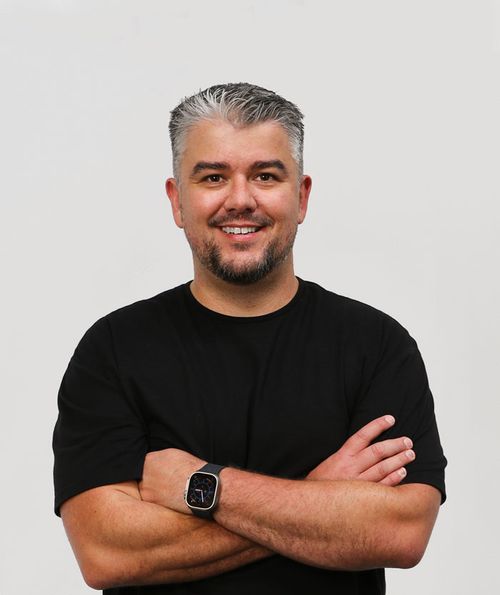
Mark runs DFW Live Stream and has been producing corporate livestreams, conferences, town halls and webinars across Dallas–Fort Worth and around the country since 2017. He writes these from the production desk, not a marketing department, and uses AI tools to help draft and structure them. Every post is read, fact-checked and edited by him before it goes live.