 By Mark WhiteOwner & Executive Producer, DFW Live Stream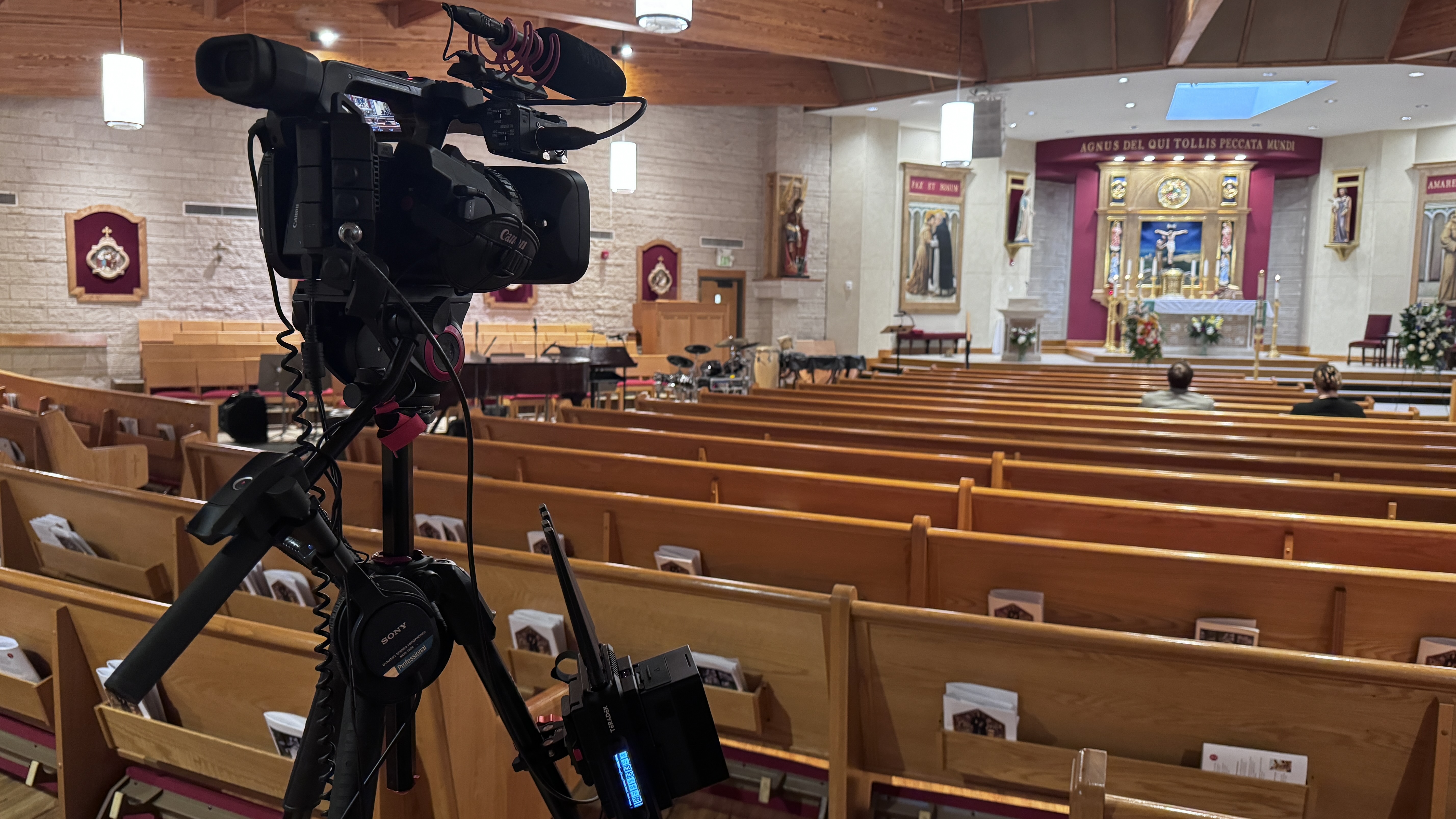
A church livestream setup needs five things: good audio, one decent camera, a way to get that signal into a computer or encoder, solid upload internet, and a platform to stream to. That's it. You can do it well for around $2,000, do it beautifully for $6,000 to $8,000, and you almost certainly don't need the $20,000 version yet. The order matters more than the gear: churches that start with audio succeed, and churches that start with cameras redo everything within a year.
I run a livestream production company in Dallas-Fort Worth, and a good chunk of my week is spent fixing church setups that were bought in the wrong order. Here's the version I wish every church had before they spent a dollar.
Viewers forgive soft video instantly. They leave over bad audio in about ninety seconds. If your stream sounds like it was recorded from the back pew, nothing you do with cameras will save it.
The good news: your church probably already owns the most expensive part. If you have a sound board for the room, your stream audio should come from a dedicated output on that board, never from a camera microphone. A camera mic picks up the room — echo, coughs, the HVAC. A board feed picks up the pastor's microphone directly.
One warning from experience: a mix that sounds right in the room usually sounds wrong on the stream, because the stream doesn't hear the natural room sound your congregation hears. Ask whoever runs sound to build a separate mix for the stream, even a simple one. It's the single highest-impact hour anyone will spend on your setup. I wrote more about why this matters in getting your livestream audio right.
The most common mistake I see is a church buying three budget cameras to "look professional" and ending up with three mediocre shots and a volunteer team that can't manage any of them. Start with one good camera on a solid tripod, positioned center, at eye level or slightly above, close enough that the pastor fills the frame.
A PTZ camera — pan, tilt, zoom, controlled remotely — is the right call for most sanctuaries. One volunteer at a small controller can move between preset shots: pulpit, worship team, wide. Cameras like the Canon CR-N500 are what we use professionally, and there are solid PTZ options at church-friendly prices from several makers. The point is the category, not the brand: remote-controlled, mounted out of the way, no camera operator standing in the aisle.
Add a second camera only when the first one is running smoothly every single Sunday. When you're ready, our guide to multi-camera live production explains what changes when you make that jump.
Something has to take your camera and your audio feed, put them together, and send them to the internet. For most churches that's a small hardware switcher like the Blackmagic ATEM Mini line. It takes your camera in one side, your sound board feed in another, lets a volunteer cut between camera and slides with physical buttons, and hands a clean signal to a computer as if it were a webcam.
From there, free software like OBS — or the streaming feature built into some switchers — pushes the stream to YouTube or your platform of choice. Hardware buttons matter more than you'd think: volunteers who freeze up in complicated software do just fine pressing a labeled button.
Streaming lives and dies on upload speed, which is the number nobody checks. Run a speed test from the actual spot in the building where the encoder will sit, on a Sunday morning if you can, when the lobby wifi is full. You want at least 10 Mbps upload consistently, and you want the encoder on a wired ethernet connection, not wifi. If the building's internet is genuinely unreliable, that's solvable too — bonded cellular encoders like the ones we carry exist exactly for venues with bad internet — but wired ethernet fixes it for most churches at zero cost.
Around $2,000 — the faithful start. One PTZ camera or a good camcorder, an ATEM Mini, cables, and a feed from your existing sound board into a computer running free software. This produces a stable, watchable single-camera stream and it's where most churches should start.
$5,000 to $8,000 — the sweet spot. Two PTZ cameras with a controller, a better switcher, a dedicated streaming computer or hardware encoder, and a small audio interface so the stream mix is independent of the room mix. This is the setup that looks and sounds genuinely good and still runs with two volunteers.
$15,000 to $20,000 — the full build. Three or more cameras, broadcast switcher, dedicated streaming position, lighting improvements. Some churches truly need this. Most don't yet, and the ones that get there happily are the ones that grew into it tier by tier instead of buying it on day one.
Here's the test I give every church setup: can a brand-new volunteer run Sunday after one hour of training? If the answer is no, the setup is too complicated, regardless of how good the gear is. That means preset camera positions instead of manual framing, labeled physical buttons instead of software menus, a laminated one-page run sheet taped to the desk, and one documented recovery step for when the stream drops. The best church streams I've seen aren't the ones with the most gear. They're the ones where the system is so simple it survives volunteer turnover. The same failure patterns show up in corporate streaming too — I covered them in why livestreams fail, and every one of them applies to a sanctuary.
Buying cameras before fixing audio. Putting the encoder on wifi. Building a system around the one tech-savvy member who then moves away. Skipping the test stream — run a full private test service before you ever go live to the congregation. And buying for the church you hope to be in five years instead of the church you are this Sunday. Gear prices fall every year; buy what you need now and upgrade when growth demands it.
If you'd like a second set of eyes before you spend anything — what to buy for your specific room, budget, and volunteer team — grab 20 minutes with me. I do remote planning consults for churches all the time, and a short call before you purchase routinely saves congregations thousands in gear they didn't need.
Five things: an audio feed from your sound board, one decent camera, a switcher or capture device to get the signal into a computer, wired internet with at least 10 Mbps upload, and a streaming platform like YouTube. A solid starter setup runs around $2,000.
Around $2,000 for a reliable single-camera setup, $5,000 to $8,000 for a two-camera system that looks genuinely professional, and $15,000 or more for a full multi-camera build. Most churches should start at the first tier and grow.
For most sanctuaries, a PTZ camera — one a volunteer controls remotely with preset shots. It mounts out of the way, covers multiple angles, and doesn't need an operator in the aisle. Buy one good one before considering a second.
Yes, if the system is built for them: preset camera positions, physical buttons, and a one-page run sheet. If a new volunteer can't run Sunday after an hour of training, the setup is too complicated, not the volunteer.
Because the stream only hears your microphones, not the natural room sound. Take a dedicated feed from your sound board and have your sound tech build a separate mix for the stream. It's the biggest single improvement most churches can make.
You need consistent upload speed — at least 10 Mbps measured at the encoder's location on a Sunday morning — and a wired ethernet connection. Most church internet plans are fine; wifi is what causes the dropouts.
You don't need someone to run it every week — volunteers can do that. Where outside help pays for itself is the design stage: matching gear to your room, budget, and team before you buy, so you don't spend twice.
Mark runs DFW Live Stream and has been producing corporate livestreams, conferences, town halls and webinars across Dallas–Fort Worth and around the country since 2017. He writes these from the production desk, not a marketing department, and uses AI tools to help draft and structure them. Every post is read, fact-checked and edited by him before it goes live.