 By Mark WhiteOwner & Executive Producer, DFW Live Stream
Here's the short version: the right streaming platform comes down to three questions — who's allowed to watch, how much you need to control the experience, and what your audience already uses. Public, marketing-style event? YouTube Live is hard to beat and it's free. Internal or confidential? A private platform or your own gated page. Need registration, polls, and Q&A? A dedicated webinar or virtual-event platform. Want a branded, embedded player on your own site with no distractions? Vimeo or a similar paid host. Most corporate events fit cleanly into one of those buckets once you answer who's watching.
I produce corporate livestreams here in Dallas-Fort Worth, and platform choice is one of the first things I talk through with a client — because the platform shapes the registration flow, the security, and even how we configure the encoder on event day. The good news: you don't have to be technical to make a smart call. You just have to be honest about your audience and your goals. Let me walk through the real options and when each one wins.
The single biggest factor is access. Decide whether your stream is public, gated behind a registration, or locked down to a known internal group — that answer eliminates half the options immediately.
If anyone should be able to find and watch — a product announcement, a thought-leadership keynote, a community event — a public platform like YouTube Live is a strong default. If you need to know who's watching, you want a platform with registration so you can capture and gate access. And if the content is sensitive — financials, internal strategy, an all-hands — you need real access control, not just an unlisted link that can be forwarded to anyone. The more confidential the content, the more you should lean toward a private platform or a gated page on infrastructure you control.
For public-facing corporate events, YouTube Live is the workhorse, and it's free. It handles huge audiences without breaking a sweat, it works on every device your viewers already own, and the playback quality is excellent because YouTube does the heavy lifting on delivery.
The tradeoffs are about control and branding. Your stream lives inside YouTube's interface, with related-video suggestions and YouTube branding around your content. You can make a stream unlisted so it's only reachable by link, but unlisted is not the same as secure — that link works for anyone who has it. There's one more thing corporate teams get caught by: YouTube's automated content-ID system scans your audio in real time, and if your walk-in playlist or a video clip in the keynote contains licensed music, it can flag, mute, or even interrupt your stream mid-event. Use licensed or royalty-free tracks and you'll never think about it again. For a marketing webinar, a public launch, or anything where reach matters more than control, YouTube is usually the right answer. We use it constantly, and it pairs perfectly with a clean multi-camera feed — here's what multi-camera live production adds to that picture.
If you want your stream to live on your own website inside a clean, branded player with zero outside distractions, a paid host like Vimeo is built for exactly that. You get an embeddable player you control, no competitor videos popping up at the end, and a more polished, professional feel. You also get cleaner analytics — how many people watched, for how long, and where they dropped off — which matters when you have to report results back to leadership.
This is the right pick when the streaming experience is part of your brand impression — an investor update on your corporate site, a premium customer event, a polished on-demand library afterward. You're paying for control and presentation rather than raw reach. The video still needs to be produced well to look good in that pretty player, which is really a question of crew and gear, not platform — see what's included in a corporate livestream package for what actually drives that.
Sometimes the smartest platform is the one your audience is already logged into. If you're running a public event aimed at a professional, B2B audience, LinkedIn Live puts your stream directly into the feed of the people you're trying to reach, and it tends to pull strong engagement from a business crowd. Facebook Live works the same way for community-facing or consumer events — it surfaces the stream to followers and lets them share it outward.
The tradeoff is that you're a guest in someone else's house. You inherit that platform's player, its comment culture, and its algorithm deciding who sees you. There's no real gating — these are public-reach tools, full stop — so they're wrong for anything confidential. But for a webinar or panel where the goal is visibility and the audience lives on social, streaming straight to LinkedIn or Facebook (often alongside YouTube) can outperform sending people to a destination they have to go out of their way to visit.
For internal town halls, training, and meeting-style events, Zoom Webinar and Microsoft Teams are often the practical answer for one simple reason: your audience already has the app and knows how to use it. No new link to explain, no app to install, and IT already trusts it. For an all-hands or a partner briefing, that familiarity is worth a lot.
The honest limitation is production quality. Native Zoom and Teams capture is built around laptop webcams and screen shares, so out of the box it looks like a video call, not a broadcast. The fix is the same one I use for webinar platforms: produce the program with real cameras and a switcher, then feed that polished signal into Zoom or Teams as a virtual camera input. You keep the familiarity and the security your IT team likes, but the picture your CEO appears in looks like television instead of a conference call.
There's a fifth option people forget: skip the public platforms entirely and stream to a password-protected page on infrastructure you control. This is the move when the content is sensitive and presentation matters — an investor day, a board presentation, a confidential product reveal to select partners. You get authenticated logins instead of a shareable link, your own branding wrapped around the player, and no third-party logo or related-video clutter anywhere near your message.
It's the most controlled option and usually the most involved to set up, because you're standing up the viewing page, the access control, and the player rather than borrowing someone else's. But when a leak would genuinely hurt — or when the event itself is a brand statement — that control is exactly what you're paying for. A private branded page beats a public platform any time "who can see this" is a question with real stakes attached.
Once access is settled, a handful of factors separate the right platform from a workable one. Run your event past these:
Public reach vs. privacy. This is the big one, and it usually points to the answer by itself. Maximize reach with public platforms; protect sensitive content with gated or private ones. Don't split the difference with an unlisted link and call it secure.
Branding and the custom player. If the viewing experience reflects on your brand — customers, investors, prospects watching — you want a clean, branded player. Vimeo or a private page deliver that; public social platforms don't.
Analytics. Marketing teams usually need to report on attendance and engagement. Webinar platforms and paid hosts give you registration data and watch-time; free public platforms give you rough view counts and not much else.
Captions and accessibility. Many corporate events now require live captions for accessibility and compliance. Most major platforms support them, but the quality and setup vary, so confirm it before event day rather than discovering a gap live.
Interactivity. If you need registration, polls, Q&A, or breakouts, that's a webinar platform's home turf. A pure streaming platform won't give you those tools.
Music and copyright risk. Public platforms scan audio and can flag or mute licensed music automatically. If your show has walk-in music or video clips, plan for licensed or royalty-free audio.
Monetization. Rarely a factor for corporate events, but if you're selling access to a virtual conference, you'll need a platform with paywall or ticketing support — most general streaming tools don't include it.
Simulcast / multistream. If your audience is genuinely split across destinations, the ability to push to several at once is a real advantage — more on that below.
You don't always have to choose just one. Multistreaming — pushing the same broadcast to several destinations simultaneously — lets you hit YouTube, a company LinkedIn page, and an internal portal all at the same time. It's genuinely useful when your audience is split across places.
That said, more platforms means more places to monitor and more things that can go sideways, so it's worth doing only when there's a real reason. From a production standpoint it's straightforward on our end — a hardware encoder like a LiveU Solo Pro, or the software stack, handles the duplication — but each destination still needs to be set up and watched. If your audiences naturally cluster in two or three spots, multistreaming is a smart move. If they're all in one place, keep it simple.
Here's the thing nobody selling you a platform will say: the platform is the smallest part of why a stream looks good. I've seen polished webinar platforms broadcast a blurry, echoey webcam feed, and I've seen free YouTube Live carry a crisp, multi-camera production that looked like a broadcast. The difference was never the platform. It was the cameras, the switching, the lighting, and above all the audio.
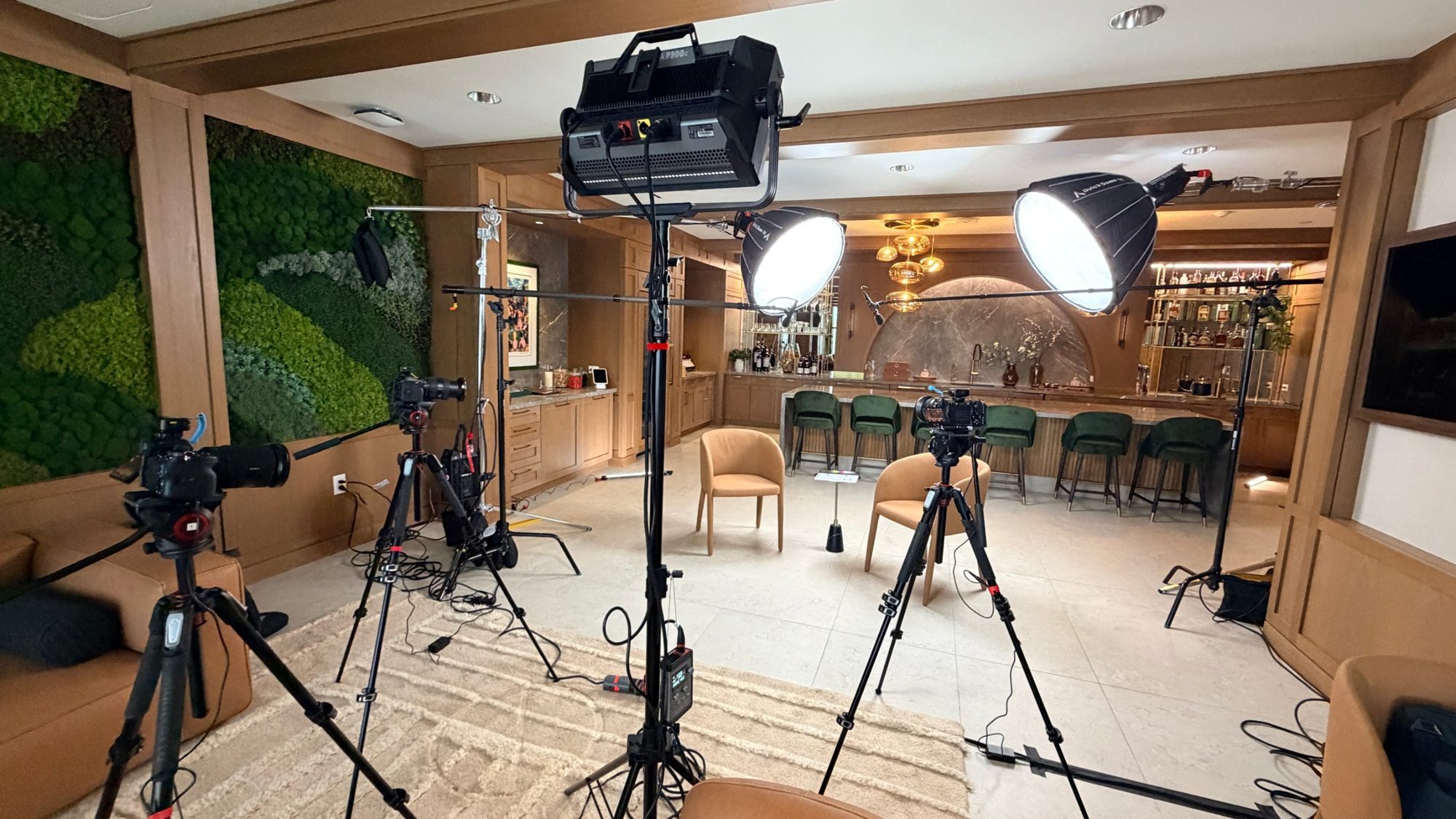
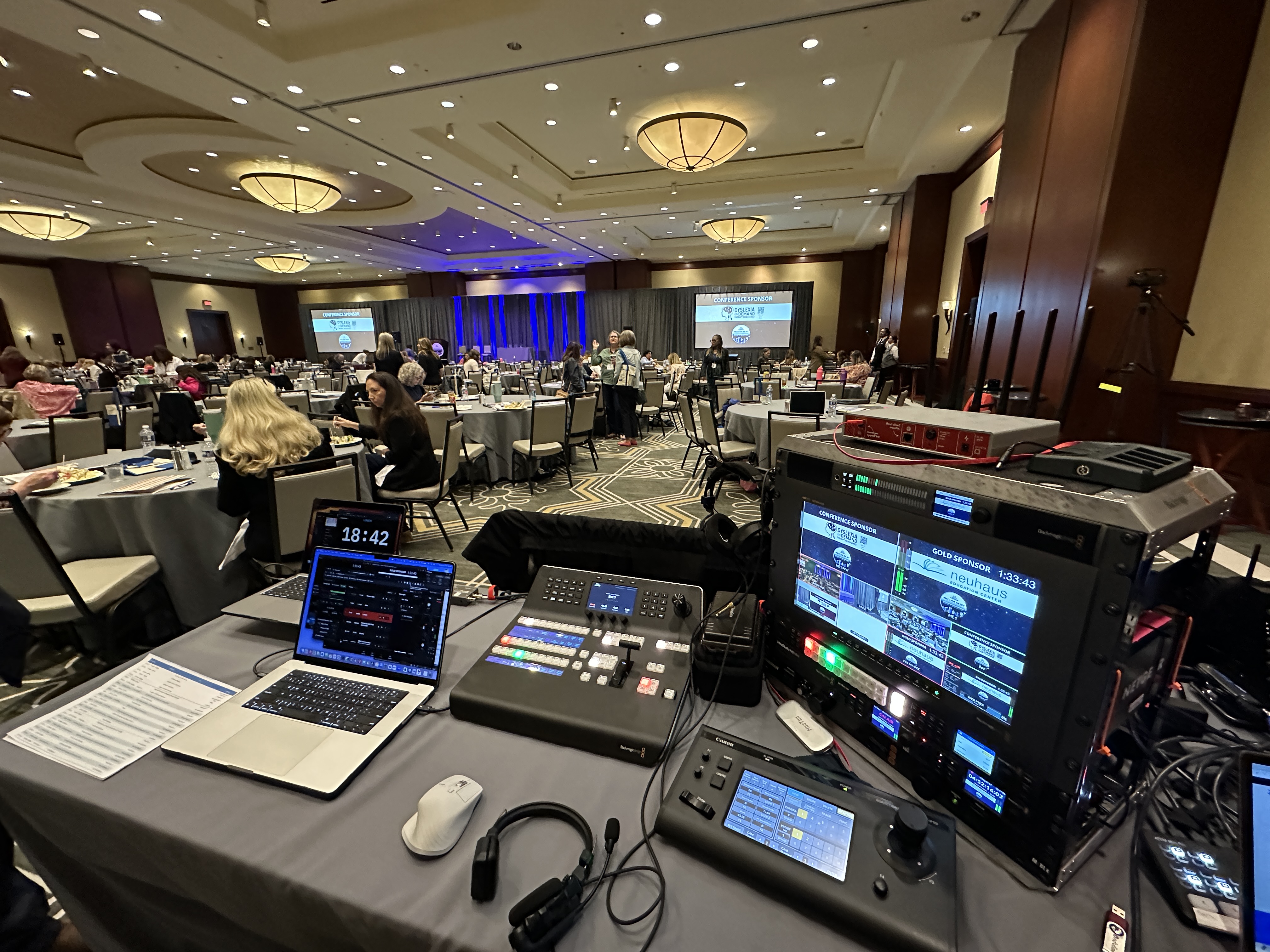
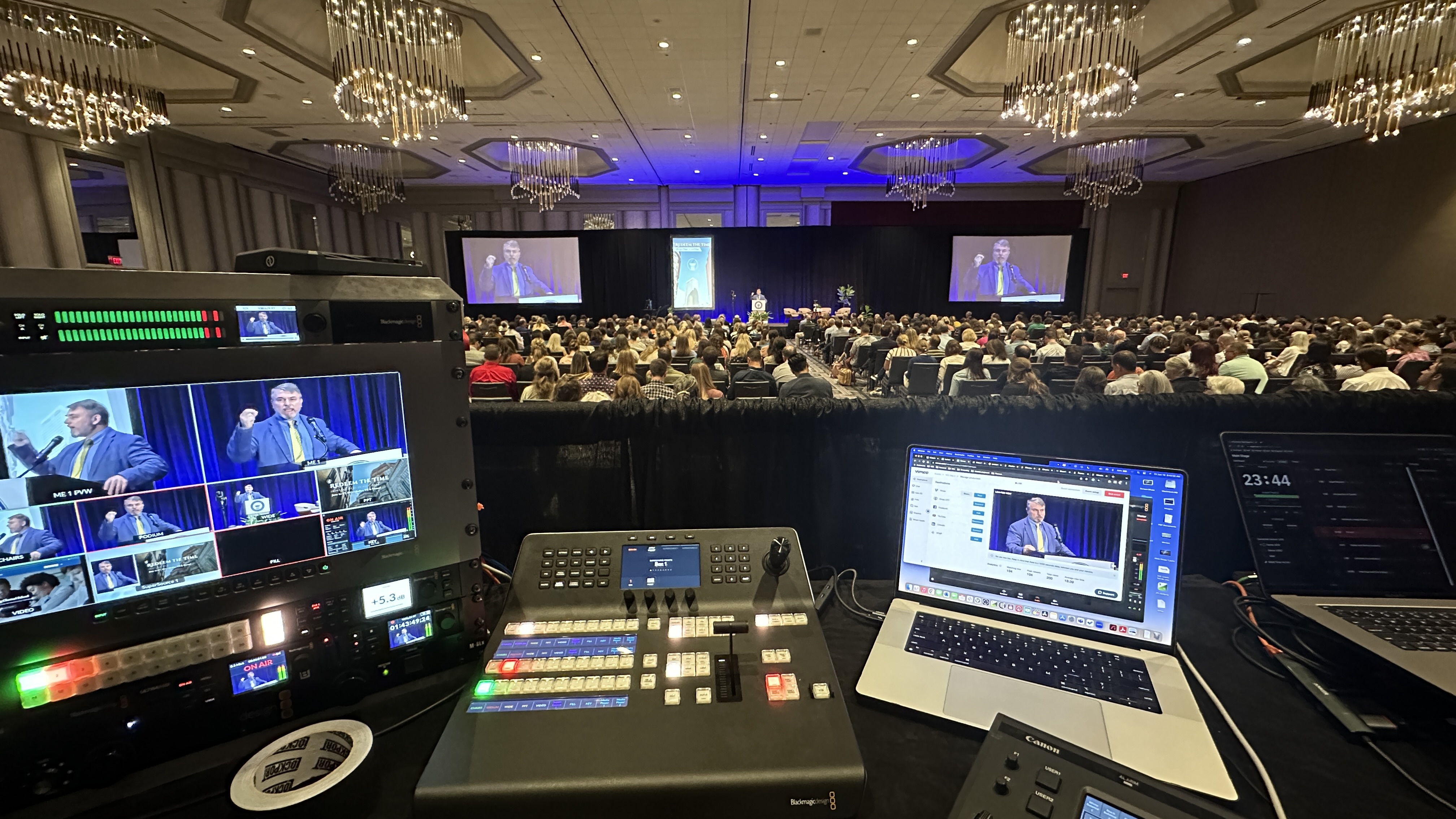
What's actually feeding the stream is the part that makes or breaks the viewer's impression — Canon CR-N500 PTZ cameras for clean angles, a Blackmagic ATEM switcher cutting the program, Sennheiser mics and an Allen & Heath SQ5 console so people sound as good as they look. Get that signal chain right and almost any platform will carry it well. Get it wrong and the prettiest branded player on earth won't save you. So pick your platform on access and audience, then spend your real attention on the production. That's the order that matters.
Lay your event next to the buckets and one will fit better than the rest. Public and reach-focused goes to YouTube, or straight to LinkedIn and Facebook if your audience lives on social. Branded and embedded goes to Vimeo or a paid host. Interactive and data-hungry goes to a webinar platform. Internal and familiar goes to Zoom or Teams. Confidential and high-stakes goes to a private branded page. When two buckets seem to fit, let access requirements break the tie — security and audience control should win over convenience almost every time.
One more thing: tell your production team your platform choice early. It affects how we configure the stream, how we handle redundancy, and how we test before you go live. A platform decision made the week of the event is how avoidable problems sneak in — the kind we cover in why corporate livestreams fail. And if you're still weighing whether to run it yourself or bring in a pro, that's a separate question we tackle in livestream company vs. DIY streaming. If your event also carries an in-room audience alongside the stream, you're running a hybrid event, and the hybrid event best practices apply on top of all of this.
For public-facing events, absolutely. YouTube Live handles large audiences reliably, works on every device, and costs nothing. The main limitations are branding and security — your stream sits inside YouTube's interface, and unlisted links can still be forwarded. For confidential or registration-gated events, you'll want a different platform.
For sensitive content like financials or internal strategy, you want real access control — a private streaming platform or a gated page on infrastructure you manage, with authenticated logins rather than a shareable link. An unlisted YouTube link is convenient but not secure, since anyone with the URL can watch. Match the security level to how damaging a leak would be.
They're great when your goal is public reach and your audience already lives on those platforms — LinkedIn for B2B and professional events, Facebook for community or consumer ones. You meet people where they are and tap built-in sharing. The catch is there's no real gating and you inherit the platform's player and algorithm, so they're wrong for anything confidential.
You can, but they shine for internal events — town halls, training, all-hands — where your audience already has the app and IT trusts it. For public reach, a streaming platform like YouTube usually serves you better. Whichever you use, feed it a professionally produced video signal so it looks like a broadcast rather than a video call.
Yes. It's called multistreaming, and a hardware encoder like a LiveU Solo Pro can push the same broadcast to multiple destinations at once. It's useful when your audience is genuinely split across places. Just remember each destination needs its own setup and monitoring, so only multistream when there's a real reason to.
No — how professional a stream looks is mostly about the production, not the platform. Cameras, switching, lighting, and audio determine the quality your viewers see. A paid host like Vimeo gives you a cleaner, branded player, but a well-produced stream looks great even on free YouTube Live.
Ideally you decide both together, early. The platform affects how the crew configures the encoder, sets up redundancy, and tests before going live, so loop your production team in on the platform choice as soon as you can. A last-minute platform switch is a common source of avoidable event-day problems.
Mark runs DFW Live Stream and has been producing corporate livestreams, conferences, town halls and webinars across Dallas–Fort Worth and around the country since 2017. He writes these from the production desk, not a marketing department, and uses AI tools to help draft and structure them. Every post is read, fact-checked and edited by him before it goes live.